

How do I show or hide schedules?
MeetMax lets you hide meeting schedules from Attendees or Companies while you're scheduling. Then you can reveal everything when you’re ready.
In this article:
- Hiding the Schedule tab
- Showing the schedules again
- Notifying participants when schedules are available
Hiding the Schedule tab
We'll show the Attendee menu here. Scroll down to see the Company Menu.
- Step 1. Head to the Configure tab. Choose Site Design, then Menu Editor. Choose Attendee Menu:

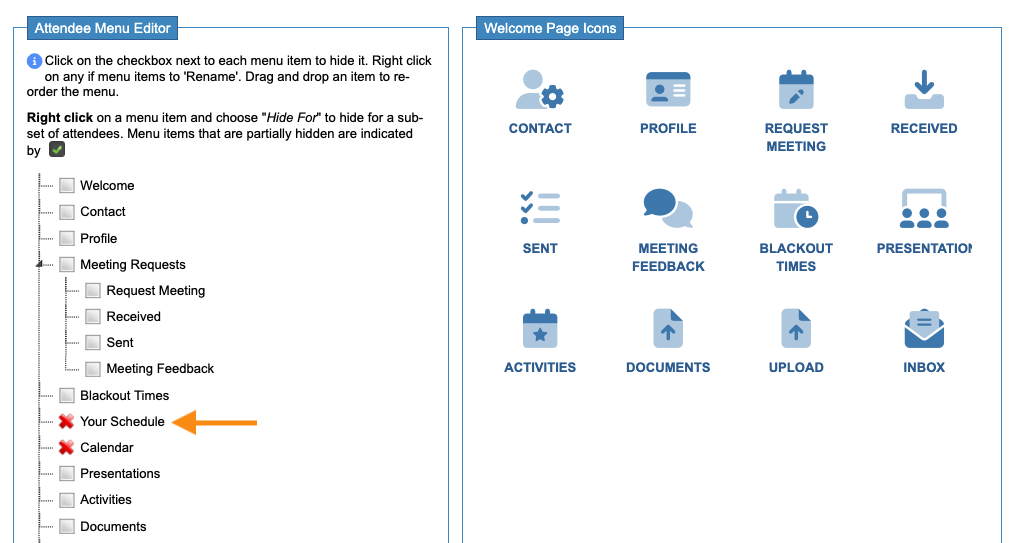
- Step 2. On the Menu Editor page, check the Your Schedule box. The red X icon shows that this tab is temporarily hidden:
-
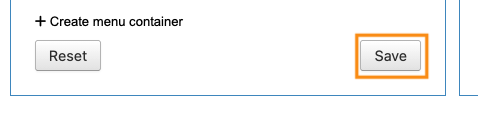
If you're also using the Calendar tab for your event, click that box to hide as well, as shown above. - Step 3. Click Save. Attendee accounts will stop displaying the schedule:
- Step 4. Head to the Company Menu Editor now, and repeat these steps:

| If you need to hide the Your Schedule and Calendar tabs for some participants but not others, you can set the visibility by user role or group. |
Showing the schedules again
When you’re ready to reveal the schedules, repeat the process above. Click the boxes again to unhide them:

Be sure to click Save!
Notifying participants when schedules are available
Once you’ve unhidden the Attendee schedules, you’ll be ready to batch email schedules.

