


Accessing past events fewer than 15 months old
MeetMax keeps an event in your account for 15 months after its conclusion. You’ll be able to see it in your account throughout that time.
To see your available event list, log into MeetMax.
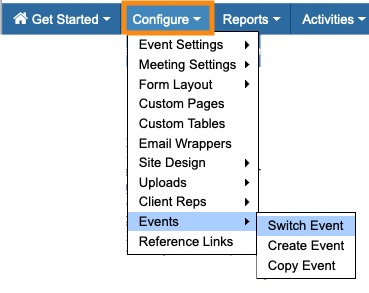
If you're already in an event, head to the Configure tab. Choose Events, then Switch Event:
You’ll be on your main event list. Use the Filter menu to choose Expired Events:
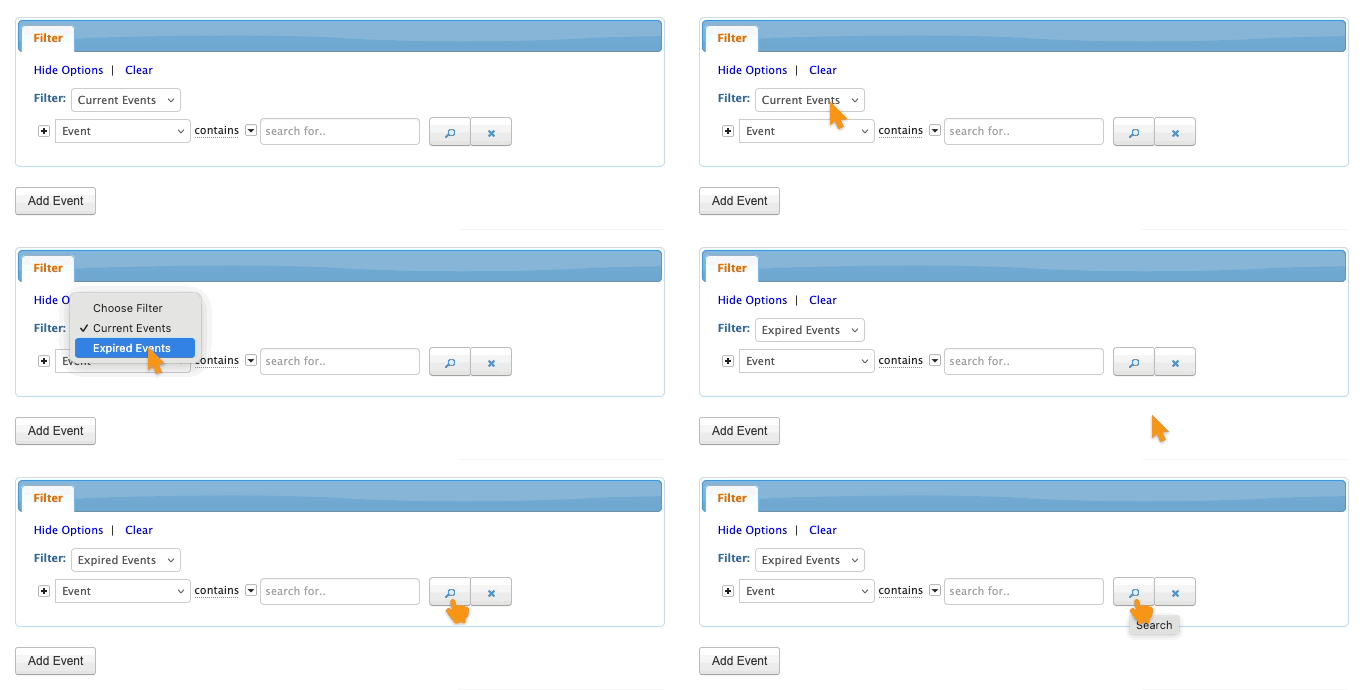
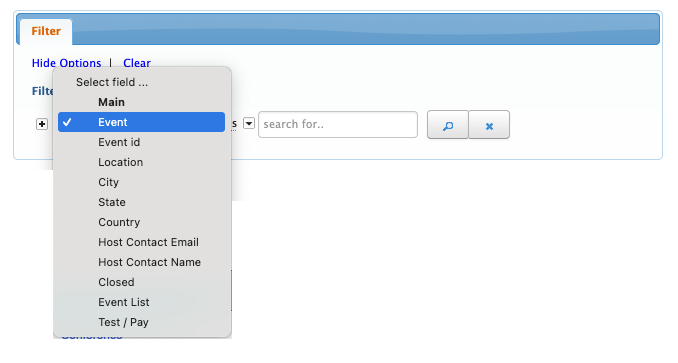
This filter displays your past events. If you need to narrow that list down further, use the second filter menu to choose any criteria:
Accessing past events more than 15 months old
At the end of 15 months, we delete events from our production servers. As part of our ongoing security compliance, we can only undertake long-term data storage if we have a contractual agreement with you to do so.
We have an Event Data Archive service you can subscribe to. With that service, at the end of 15 months we’ll move participant-related data to our archive servers.
- If you’re a subscriber, learn more about accessing your archived events.
- If not, reach out to your TWST Sales Rep to start a subscription.

