


How do I process a credit card refund?

You can post a full or partial refund of a credit card payment, and that refund automatically transmits to your connected Payment Processor or Payment Gateway account.
- Step 1. Head to the Attendee List:

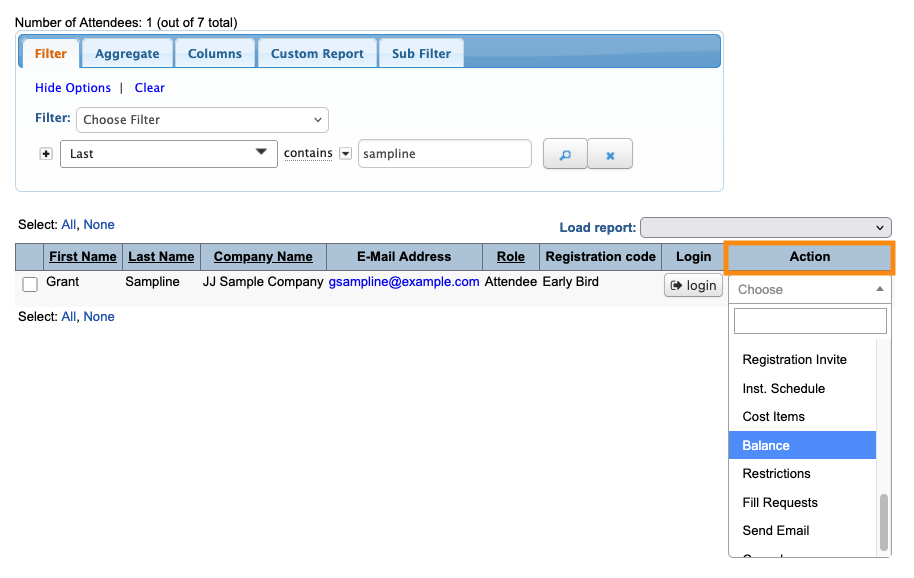
- Step 2. Filter the list to locate the person you need to refund. Use the Action menu to choose Balance:
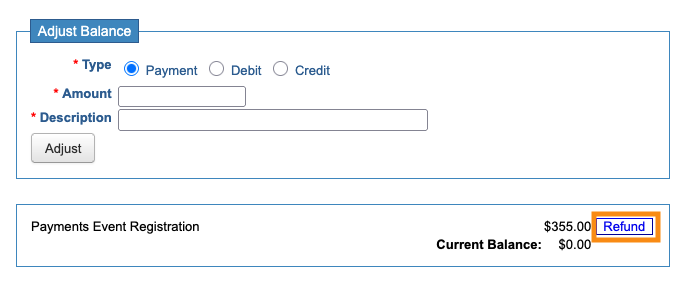
- Step 3. On the Adjust Balance page, click the Refund button:
- Step 4. The form changes to include a CC Refund button.
- MetMax enters the full payment amount by default. You can type in a partial amount instead. Don’t use any currency symbols or decimals:
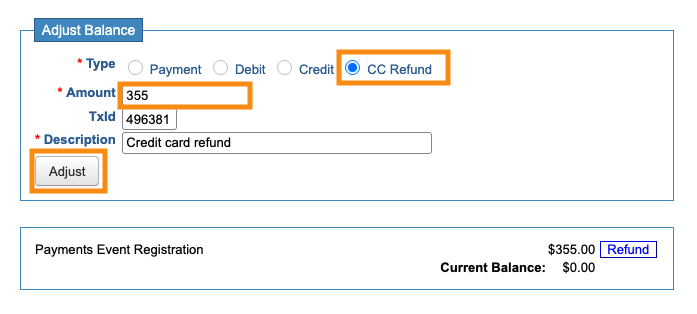
- Step 5. Click the Adjust button to process the refund, as shown above.
-
Viewing the transaction
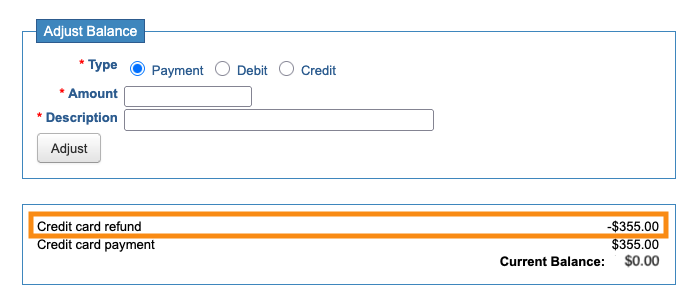
- On the Adjust Balance page, you’ll see the refund line item and a new Current Balance:
- The refund also appears on the Transactions List:


