


In this article:
- When is it useful?
- Before you use automation
- Key ideas: Source, Target, and Ranking
- How an automation pass works
- Best Practices
| Automated scheduling is available for Moderated meeting programs. Our Support team is happy to work with you on scheduling automation. |
When is it useful?
Automated scheduling is great for events where:
- You have a large number of meetings to schedule
- You’ve organized your participants into groups. (More on that below.)
- You have a clear idea of your priorities for scheduling
How it saves you time
If you’re scheduling meetings manually, you have to pair up individual participants one meeting at a time. For some events, that’s the best method!
But for large events, that pairing process can be quite time-consuming. MeetMax’s automation pairs participants up according to your instructions, and creates many meetings in a fraction of the time.
…But your most important work happens before you start using the automation tools! Read on for details.
Before you use automation
There are two kinds of preparation to do here:

- For most events, during the registration process you’ll organize your participants into one or more groupings. This is typically done with form fields, either on your public forms or Admin forms.
- All participants need to set their available times for meetings.
- All participants need to submit their meeting requests.
- Everyone should have ranked their meeting requests (if your event is using rankings), or indicated their interest level in each request.
- If you want to collect Presentation & Activity sign-ups before scheduling meetings, make sure you’ve left enough time for that.

Scheduling for a large event is a bit like assembling a puzzle. Just as you might solve a puzzle one step at a time, you’ll approach automation in steps, too.
Many events organize their participants into groups. These can be based on meeting needs, potential value, registration tiers, or any other criteria that’s meaningful to your event.
MeetMax’s automation works best if you schedule meetings for one group at a time. For example:
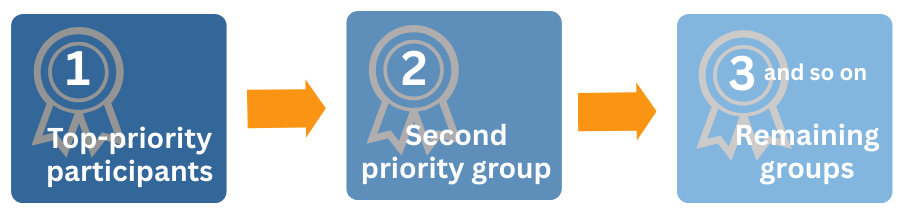
Finding your priorities
- Check out our Pre-flight questions. That should help you get oriented around your event’s overall structure, and which participants are higher priority.
- After that, talk it through with our Support team. They’re happy to help you design the right order of operations for automated scheduling.
Key ideas: Source, Target, and Ranking
Automated scheduling commonly starts with meeting requests.
Every meeting request has these three parts:
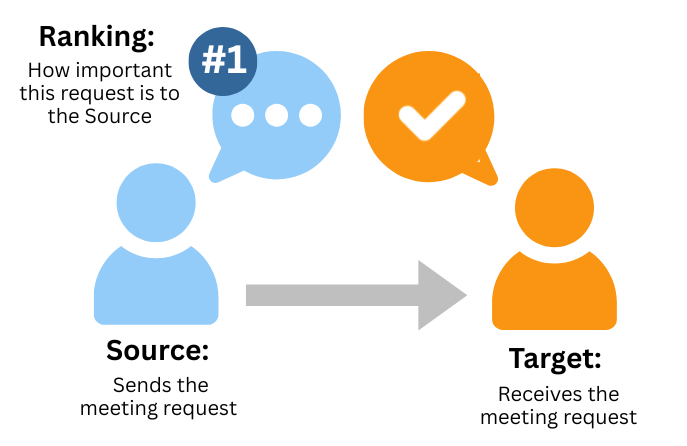
MeetMax customizes the request process to your event. Our Pre-flight questions will help you clarify how requests work at your event.
| If your event isn’t using request rankings, MeetMax automatically “ranks” meeting requests in the order they were submitted. If you want to automate scheduling without using meeting requests at all, use our Batch Meeting Pairs feature. |
How an automation pass works
To start an automation pass, you’ll use the settings to define its parameters:
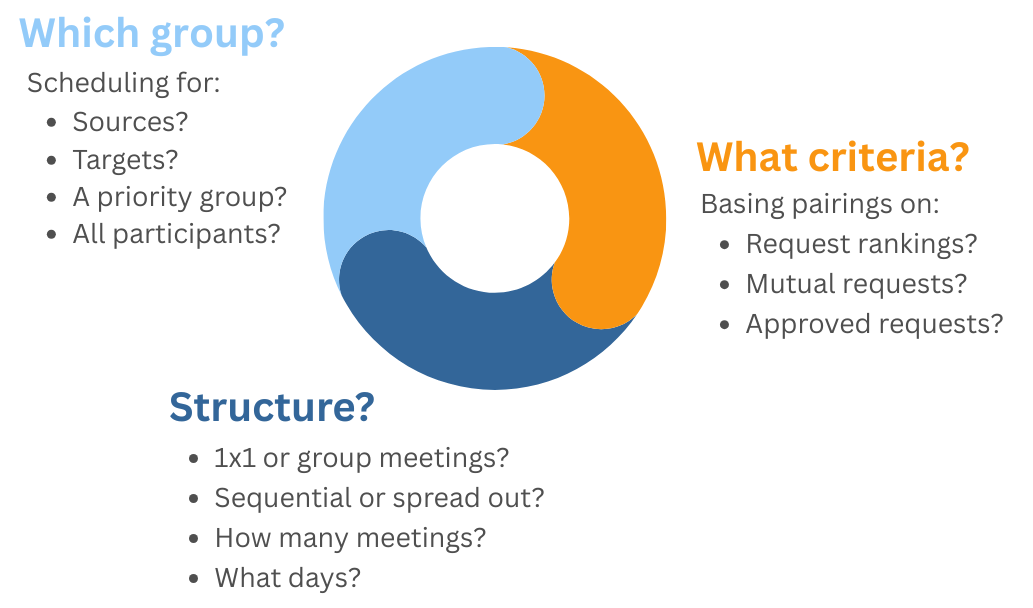
Once you’ve set the parameters, MeetMax takes over and starts creating pairings.
MeetMax’s order of operations
When you run your automation pass, here’s what’s going on under the hood:
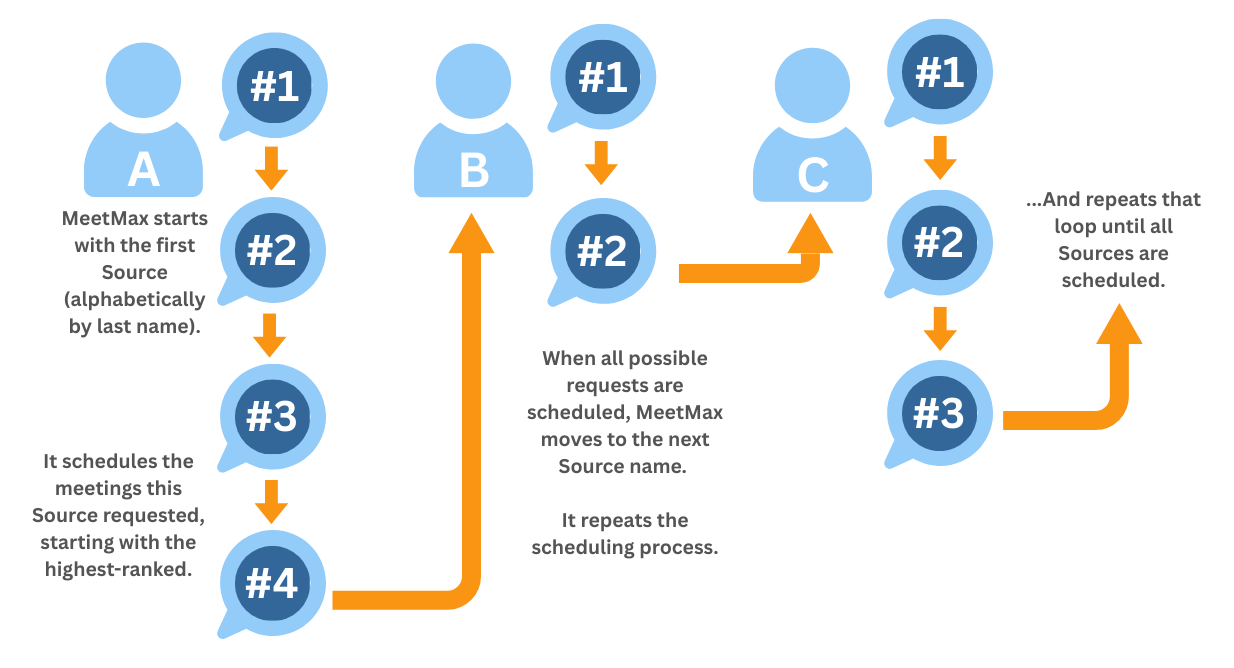
As we mentioned above, scheduling for large events is like a puzzle. Keep in mind that as the process above plays out, it has to fit within other parameters:
- Different participants have different availability.
- Your event might have programming that prevents meetings being scheduled at certain times.
- Different Sources will have different numbers of meeting requests.
- Different Targets will have different levels of demand for meetings.
…All of which means, for any automation pass, there’s a chance that MeetMax won’t be able to schedule some meeting requests. Learn more about troubleshooting that here.
Best Practices
Different events will use automated scheduling differently. But generally speaking…
- The order of automation passes is important. With each pass you run, you’re reducing the availability of participants, time slots, and meeting locations. So run your highest-priority groups first! Use our Pre-flight questions to help you establish your priorities.
- Keep each automation pass as simple as possible. The more criteria you add to an automation pass, the more chance there is for incompatibility - and for meetings not being created.
- You can always schedule meetings manually, and then run automated scheduling. For events with a small number of VIP or high-priority meetings, this might be the simplest option. Automated scheduling never overrides existing meetings.
What’s next?
Now that you understand how automated scheduling works, you can:
- Learn more about MeetMax’s automation tools
- Answer our Pre-flight questions to get started on your own event

