


Sending Company details to Corpaxe

When you publish your event to the Corpaxe Calendar, you can include Corporates. Here’s how to publish the details of participating Companies.
In this article:
- Where is it?
- Enabling a Company for publishing
- Public Company requirements
- Private Company requirements
Where is it?
We’re assuming here that you’ve already set up the integration and enabled your event for publishing.
If you’re opting to include Corporates with your event, you’ll access the company-level settings from the Company List:

Enabling a company for publishing
| Take these steps for each registered Company. | |
| If these fields aren’t completed for each Company, that will cause your event to stop publishing to Corpaxe. |
- Step 1. You can either enter these Corpaxe details while adding / importing a Company, or you can update an existing Company record.
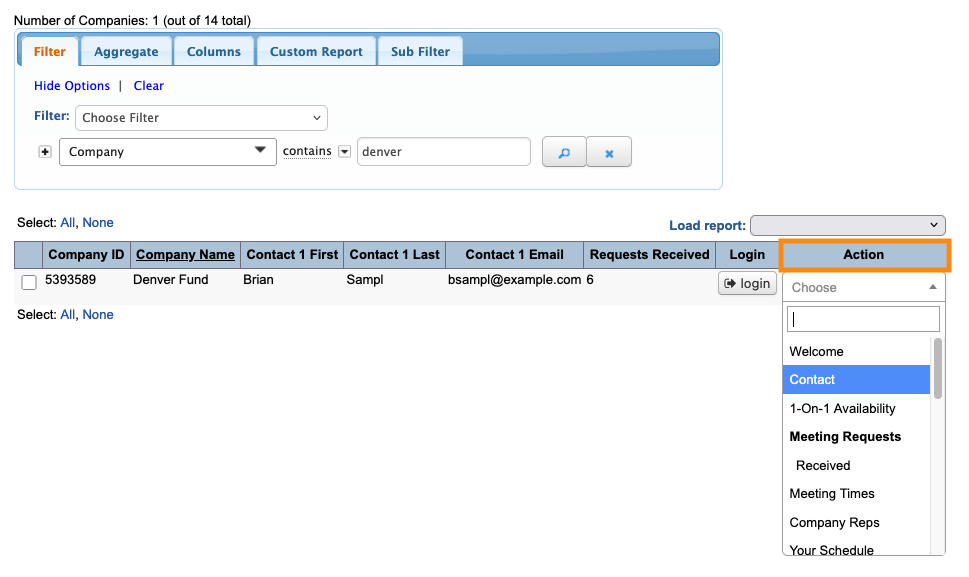
- This work happens in the Company List:

- Step 2. Locate the Company record you need. Use the Action menu to choose Contact:
- Step 3. When you enable an event for publishing to Corpaxe, that adds new required fields to the Company form.
- First, Corpaxe requires you to designate whether the Company is Public or Private.
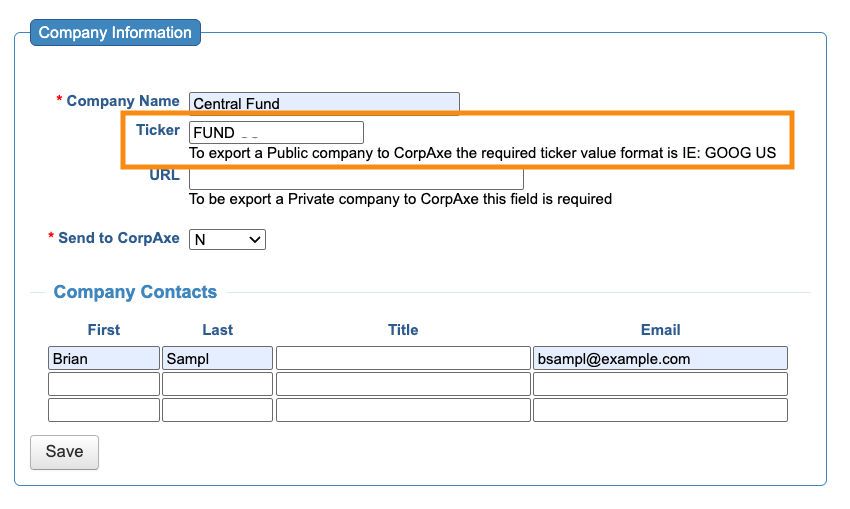
- • For Public companies, enter a Ticker:
-
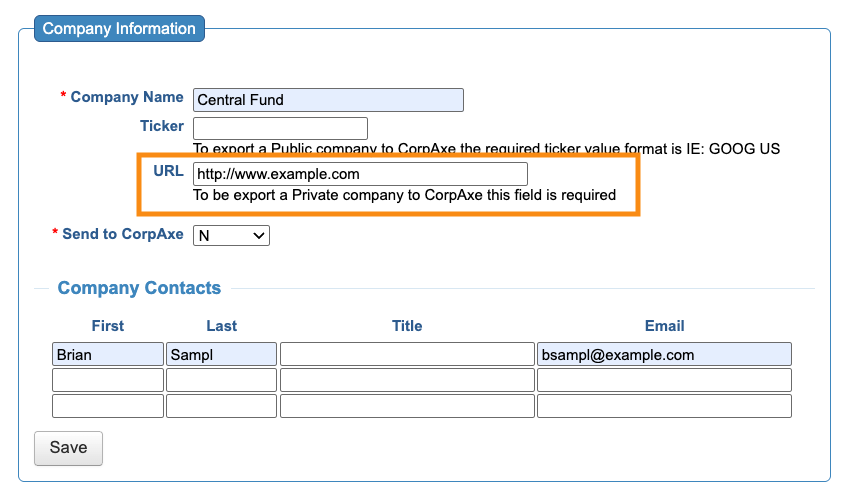
CorpAxe requires a Bloomberg format ticker. You don’t need to enter that format here, but you will in a later step. - • For Private companies, enter the company’s URL:
- Step 4. Next, set the Send to CorpAxe menu to Y:
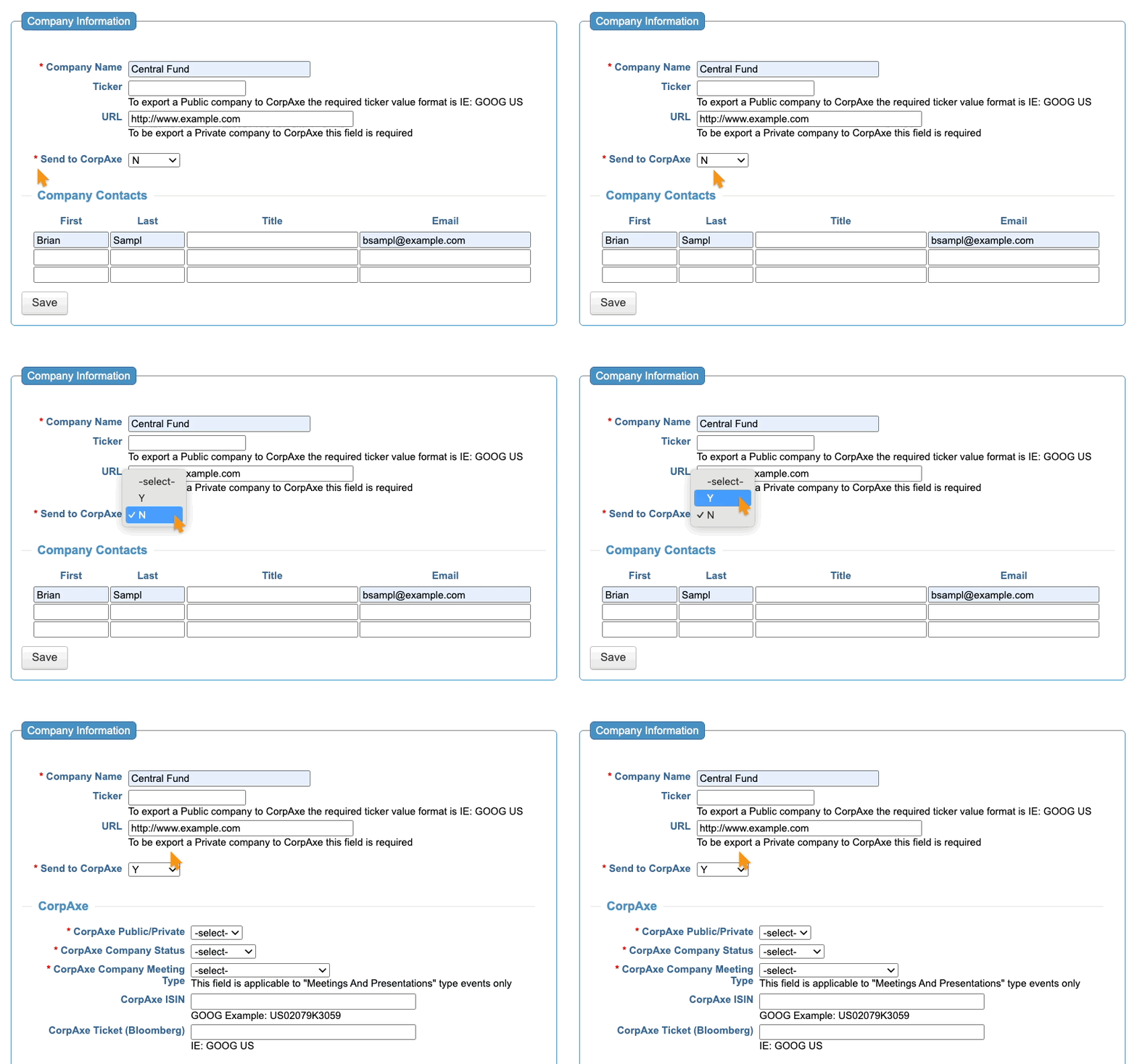
- That reveals more Company-level settings, which we’ll cover in the sections below.
Public Company requirements
Be sure to use all settings here. Missing settings can cause your event to stop publishing to Corpaxe.
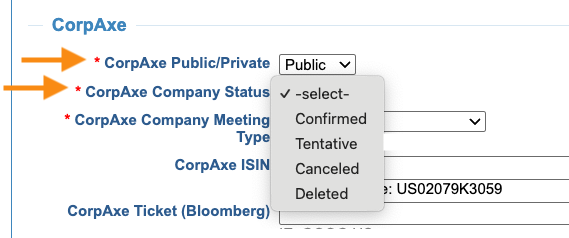
- CorpAxe Public/Private: Choose Public.
- CorpAxe Company Status: Set this Company’s current status. You can update it any time. If a Company cancels, for example, this field is how you transmit that change to CorpAxe:
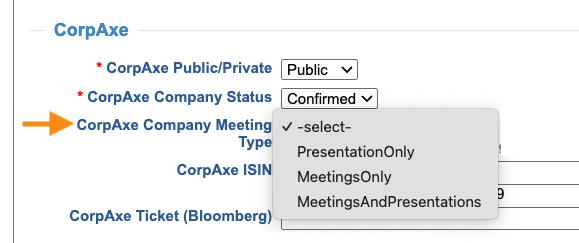
- CorpAxe Company Meeting Type: Will this Company participate in meetings, or give presentations, or both?
If you don’t make a choice here, CorpAxe will use the event-level Meeting Type setting.

Every public Company must have one or both of these identifiers.
- CorpAxe ISIN: If you have the International Securities Identification Number for this company, enter it here.
- CorpAxe Ticker (Bloomberg): Use the Bloomberg format of the company’s ticker here.
| If you enter both, Corpaxe references the ISIN first. If you don’t have the Bloomberg-format ticker for this company, use its ISIN instead. If you use the standard ticker format without an ISIN, this export will break. |
Private Company requirements
Be sure to use all settings here. Missing settings can cause your event to stop publishing to Corpaxe.
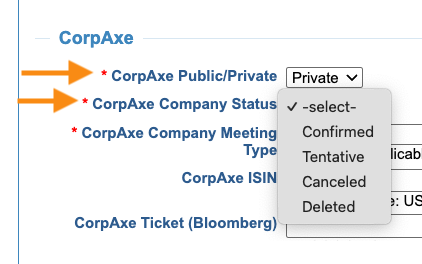
- CorpAxe Public/Private: Set this to Private.
- CorpAxe Company Status: Set this Company’s current status. You can update it any time. If a Company cancels, for example, this field is how you transmit that change to CorpAxe.
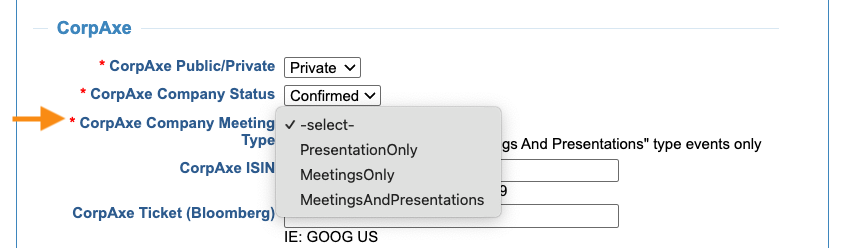
- Will this Company participate in meetings, or give presentations, or both?
If you don’t make a choice here, CorpAxe will use the event-level Meeting Type setting.
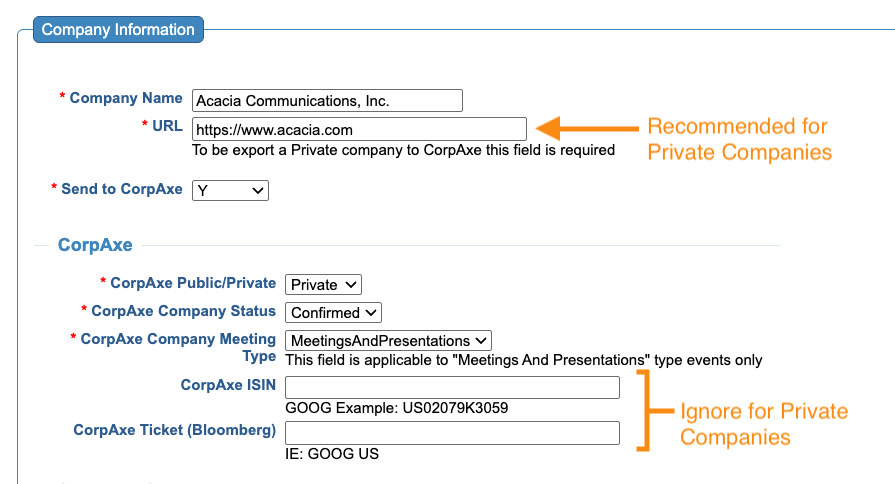
A Private company doesn’t require a unique identifier, but Corpaxe recommends using the URL field.
If you don’t include a URL, you’ll see a warning from Corpaxe, but the export will still work.
| Don’t add a ticker or ISIN for Private companies. That will cause errors. |

