


How do I add another presenter or moderator?

You can add or update a session’s presenters any time.
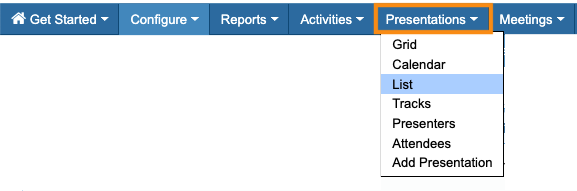
- Step 1. Head to the Presentations tab. Choose List:
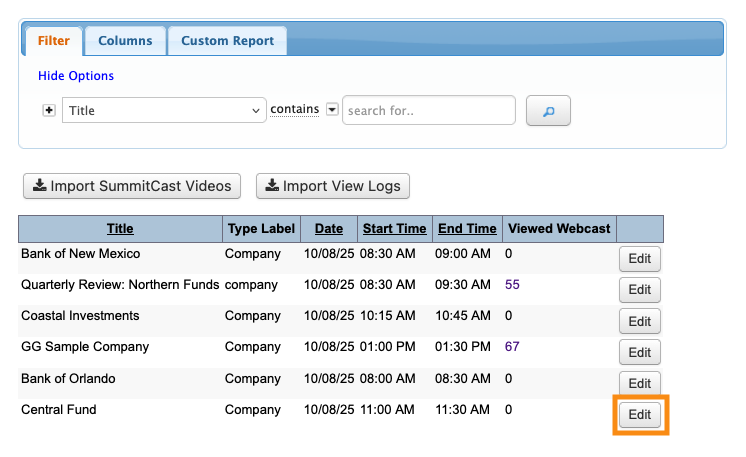
- Step 2. Locate the presentation you need to update. Click the Edit button:
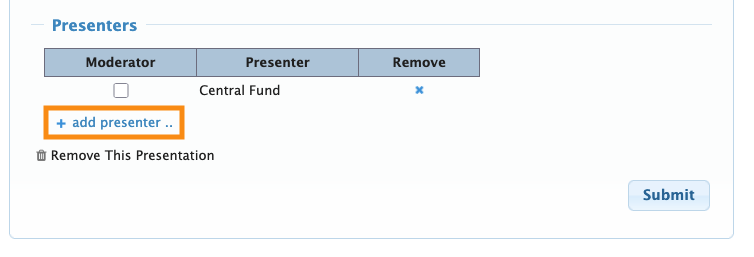
- Step 3. You’re now in the Add Presentation form. Scroll down to the Presenters section. Click the Add Presenter link:
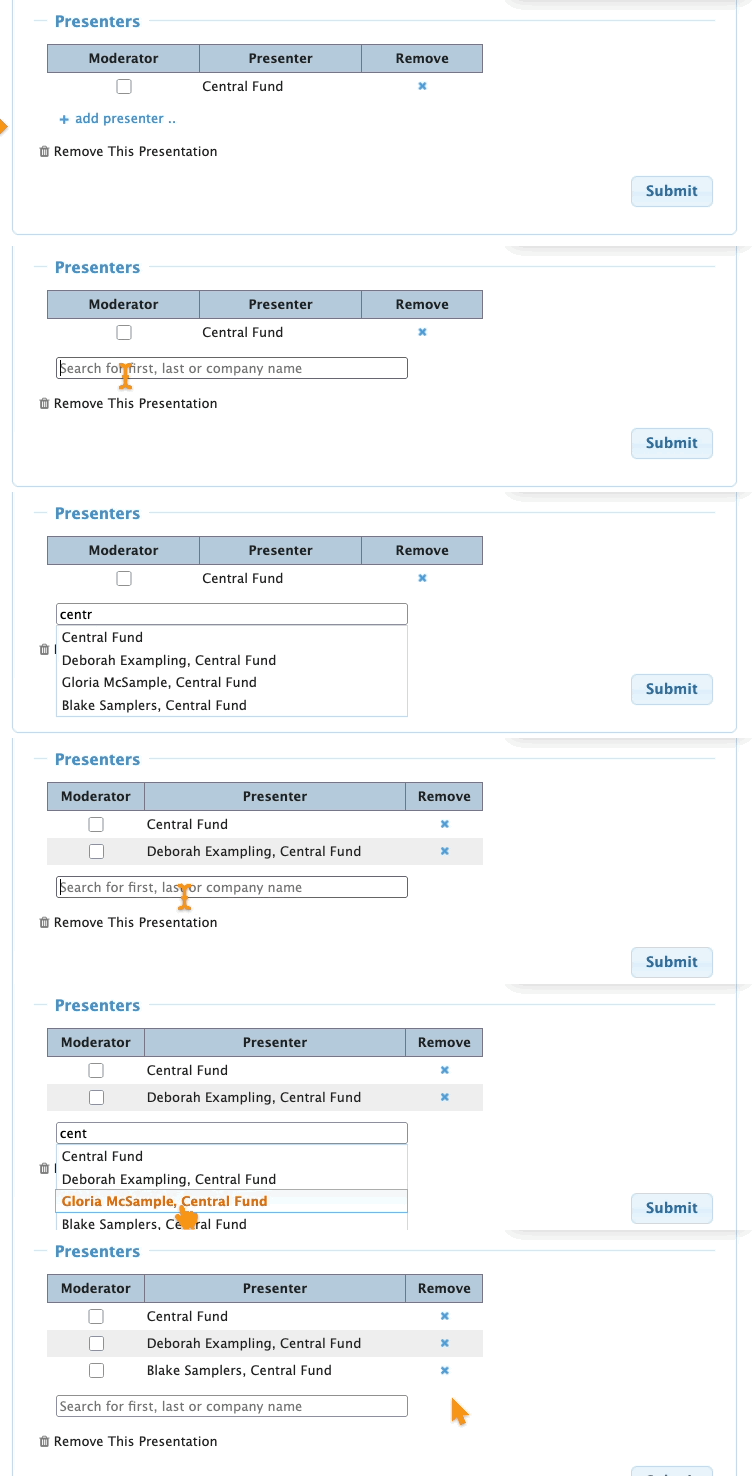
- Step 4. Type in all or part of the individual or company name, then choose the presenter. Repeat this process to add more.
- In the example below, we’re adding some Company Reps to their company’s presentation:
-
If you need to add an Attendee or Company Rep as a presenter and you’re not seeing that option here, reach out to our Support team. - Step 4. To make any presenter a moderator, click the checkbox:
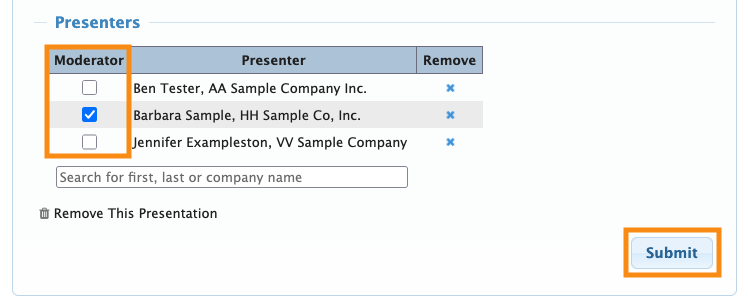
- Step 5. Click Submit to save the change.

