


In this article:
Actions to take before cancelling
| If your event was created in error or hasn’t been used yet, you can skip this section. |
Close registration
Before cancelling, we recommend closing registration for the event. It prevents anyone from registering in error later.
Head to the Main Details page. Click the button to close registration:
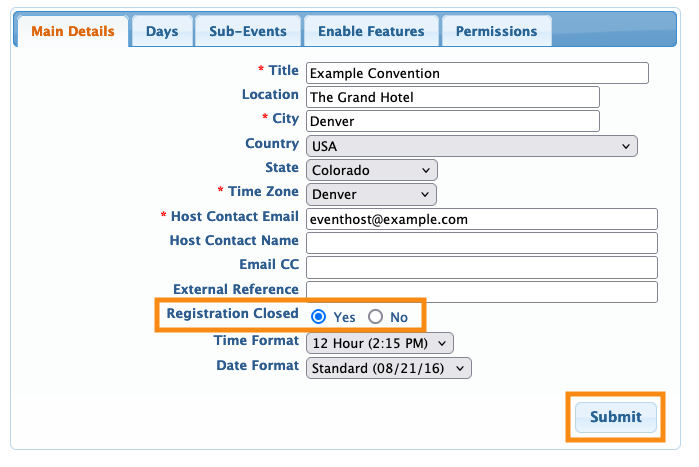
You might also want to add a custom message to the event’s registration pages.
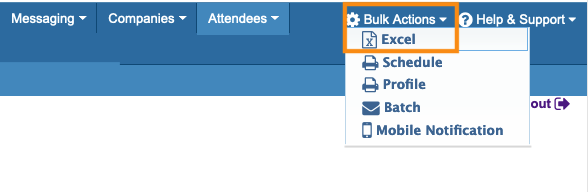
Optional: Download registrant data
If your event had already opened registration and collected some registrants, you might want to:
That way, you’ve captured the interest and contact details for future:
Optional: Create a template
If you’ll need to use the event’s settings and customizations in future events, ask our Support team to convert it to a template event.
Cancelling the event
When you’re ready, reach out to our Support team. They’ll archive the event for you.
Once the event is archived, all public-facing web pages will stop working.
What happens after cancellation
At this point, there are two options:
- If you’re currently subscribed to our Event Data Archive service, you’ll be able to access the cancelled event in your archive.
- If you’re not currently subscribed to this service, you won’t have access to the archived event.

