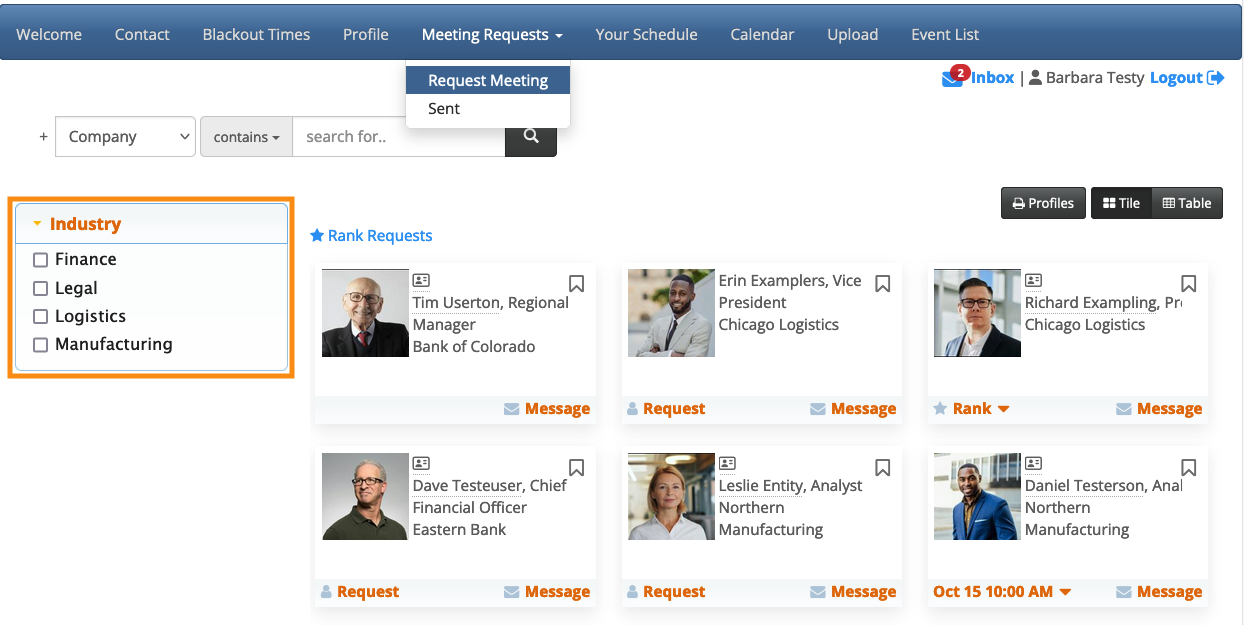
How do I add my custom fields to the Request Meeting page?

If your event has some custom fields on its registration forms, you can also make these fields available to your participants, as sorting options on the Request Meeting page:
| We’re assuming here that you’ve already configured your custom form fields. |
- Step 1. Head to the Attendee List:

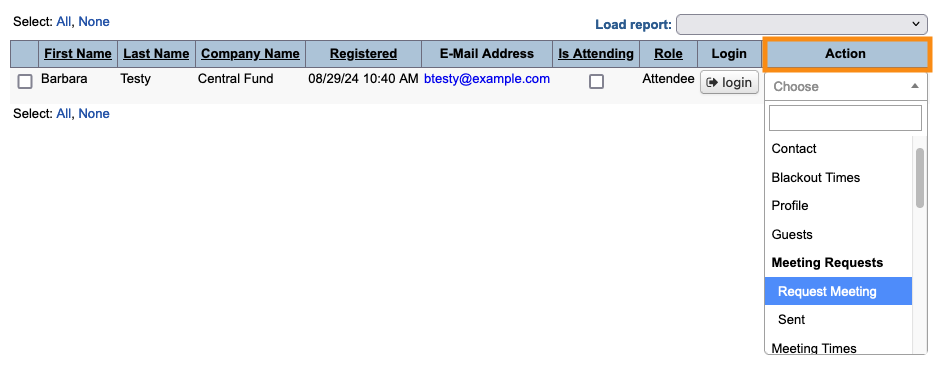
- Step 2. Choose any Attendee record - changes you make here will apply to everyone. Use the Action menu to choose Request Meeting:
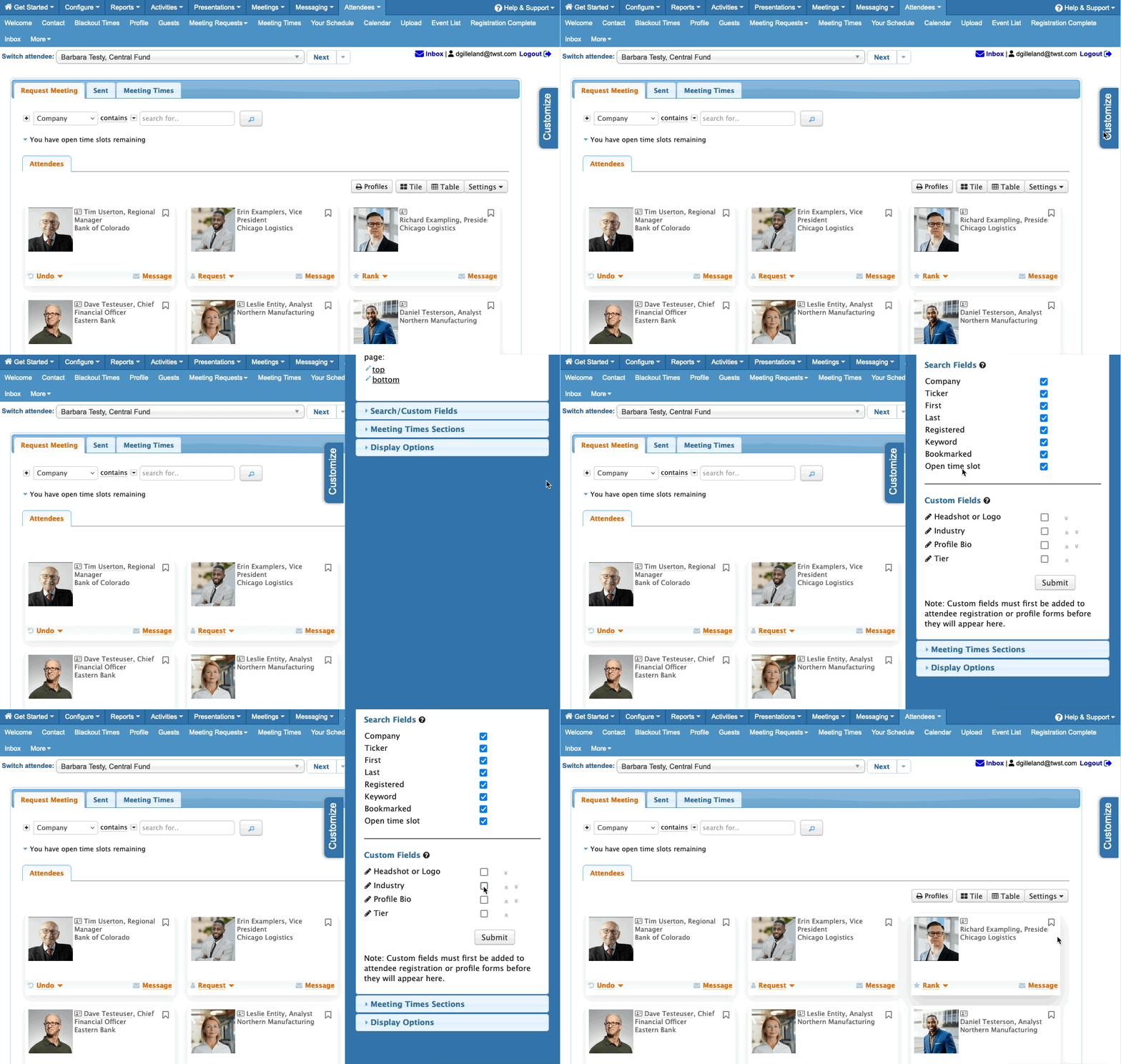
- Step 3. Next, head to the right edge of the page and open the Customize tab.
- Open the Search/Custom Fields section. In the Custom Fields list, you’ll see the titles of all custom fields you’ve created.
- Choose the ones you want to display, then click Submit:
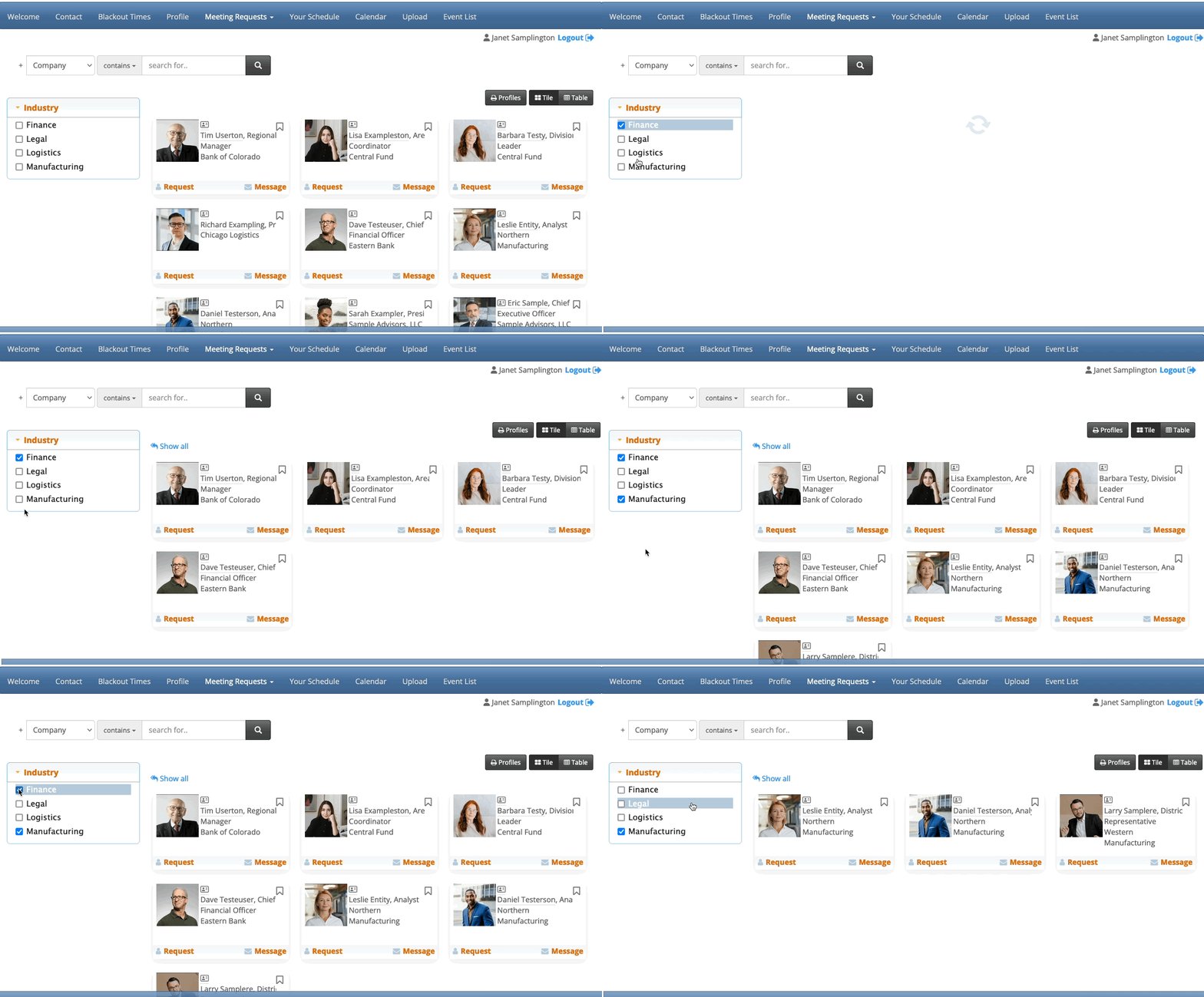
- Step 4. It might take a moment for this change to process. Afterward, any Attendee can log into MeetMax, head to the Meeting Requests page, and see the new sorting options: