Maximum number of meetings per time slot

This setting lets you constrain meetings on specific days.
In this article:
Where is it?
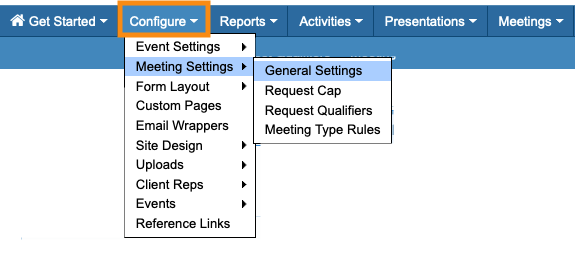
You’ll find this setting in the Configure tab:
Why is it useful?
By default, MeetMax schedules meetings until you run out of meeting locations and/or time slots.
You can, however:
- Set a maximum number of meetings for each time slot.
- Set different maximums for each day of your event.
This lets you limit meetings on days where you have other programming, or set days with higher or lower meeting density.
| Take these steps before you start scheduling meetings for your event. |
Setting maximum meetings
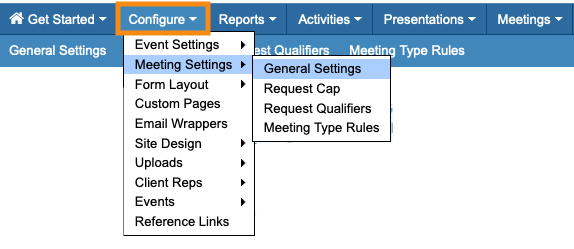
- Step 1. Head to the Configure tab. Choose Meeting Settings, then General Settings:
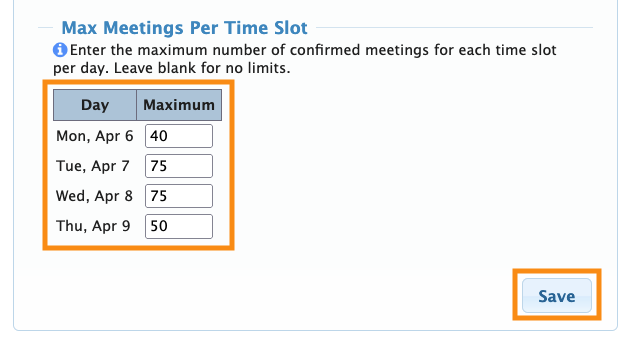
- Step 2. Scroll to the Max Meetings Per Time Slot section.
- • For any event day where you want to set a limit, enter the number of meetings per time slot.
- • If you don’t want to set a limit for any event day, leave it blank.
- Step 3. Click the Save button:
What event Admins see
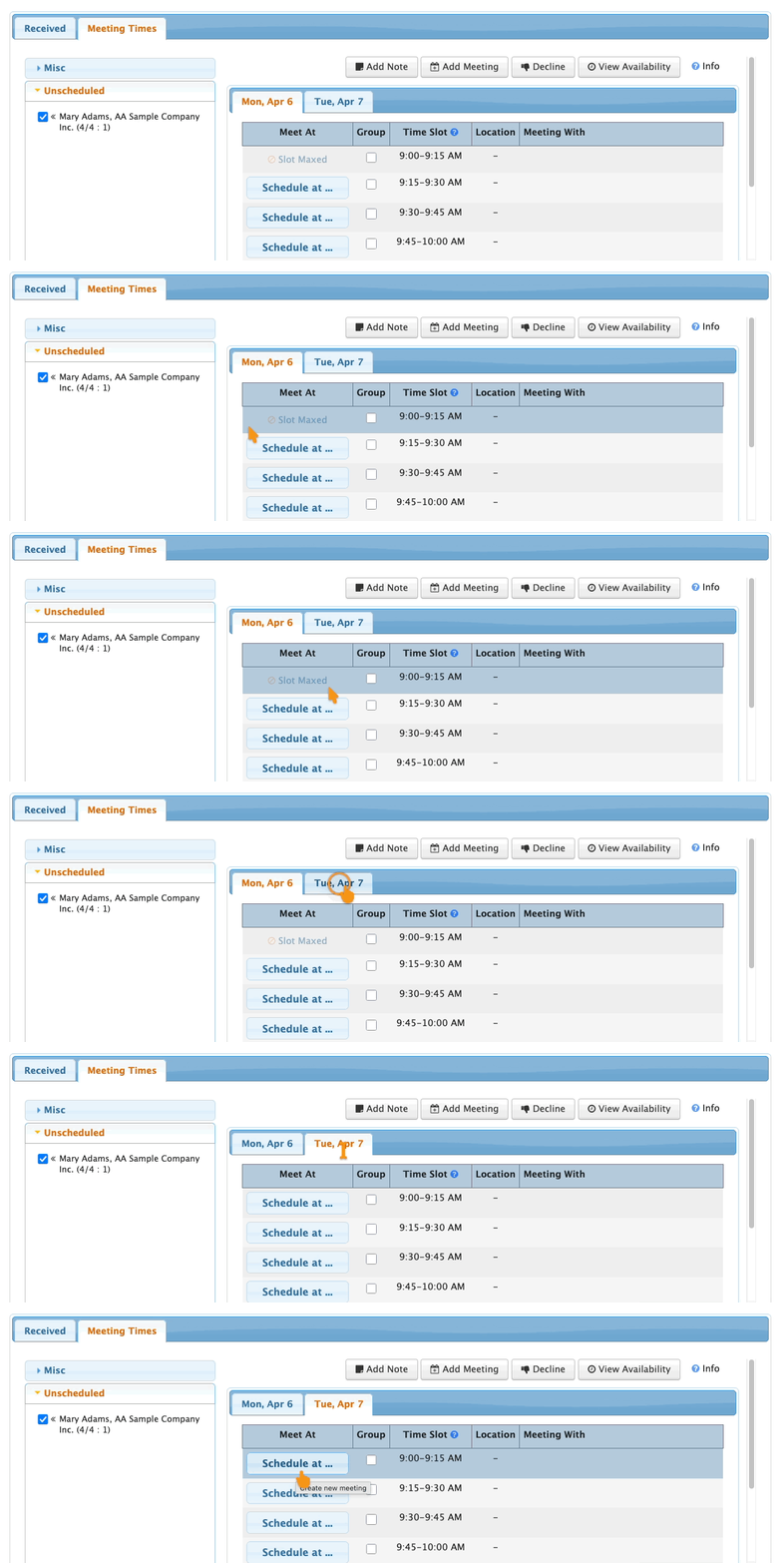
As your team schedules meetings, the Meeting Times page shows any time slots that have reached their maximums.
You can see this from either the Attendee List or Company List.
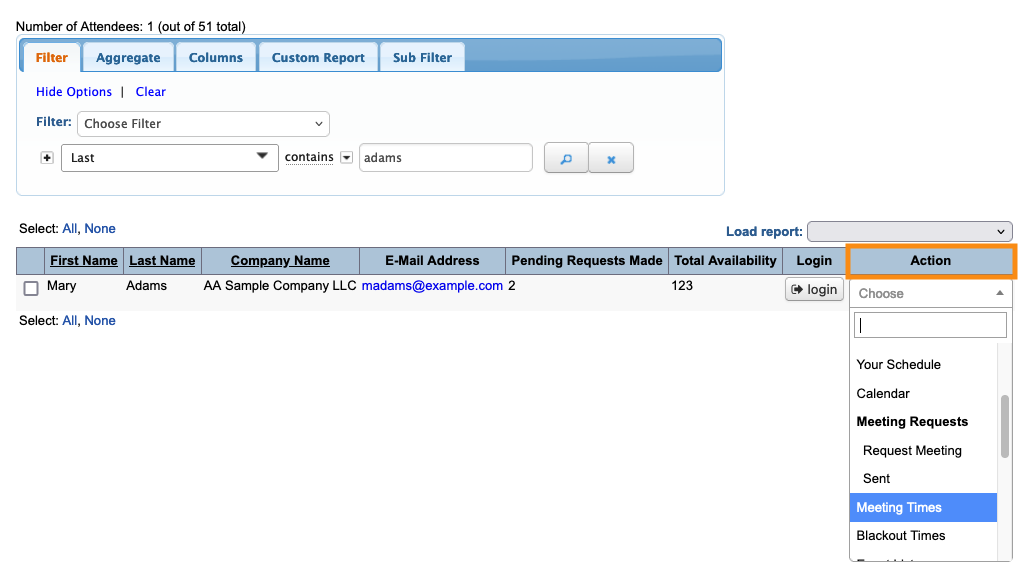
Use the Action menu to choose Meeting Times:
Once a time slot reaches its maximum for the day, MeetMax disables it:
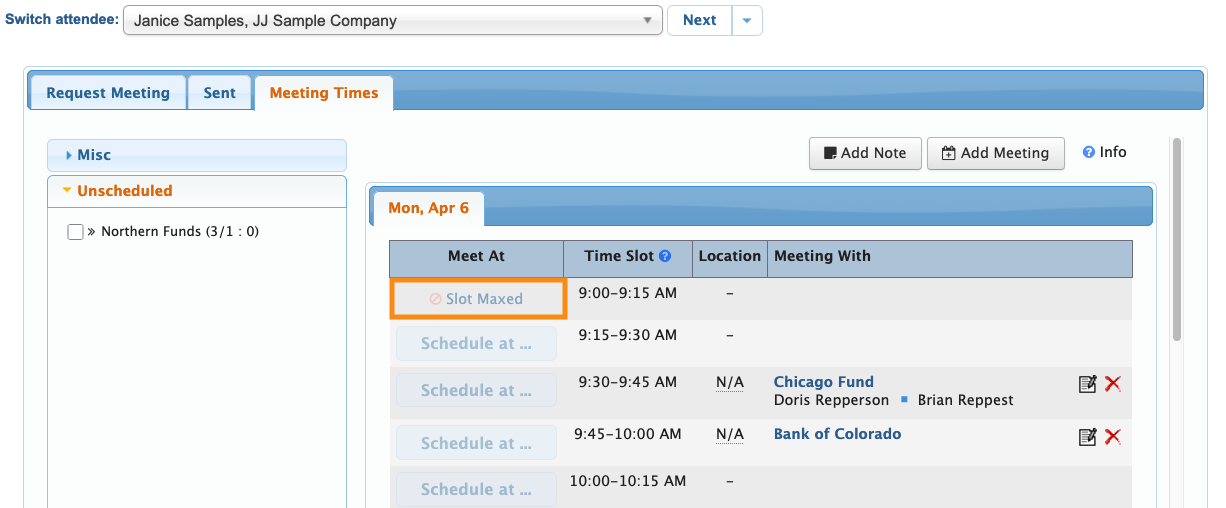
If another of your event days has a different limit (or no limit) for the same time slot, you'll be able to schedule there: