


In this article:
Where is it?
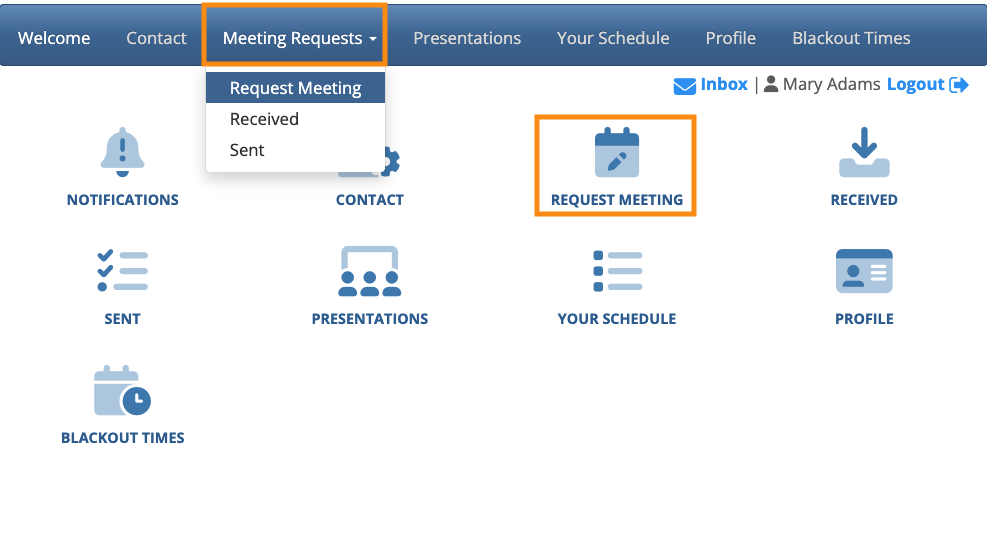
When Attendees log into MeetMax, they’ll head to the Request Meeting page:
Enabling availability filters
MeetMax has two availability filters. You can choose one or both, depending on your event’s needs.
- Open Time Slots: Shows people who are available to meet in a specific time slot.
- Mutual Availability: Shows people who are available to meet at the same times you are.
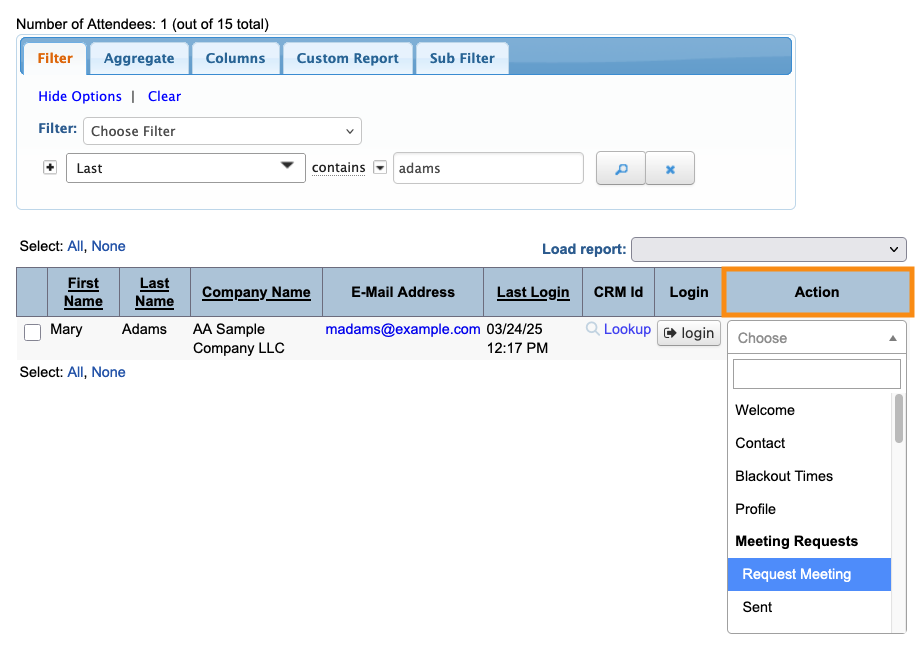
- Step 1. Head to the Attendee List:

- Step 2. Use any Attendee record. Changes you make here will apply to everyone.
- Use the Action menu to choose Request Meeting:
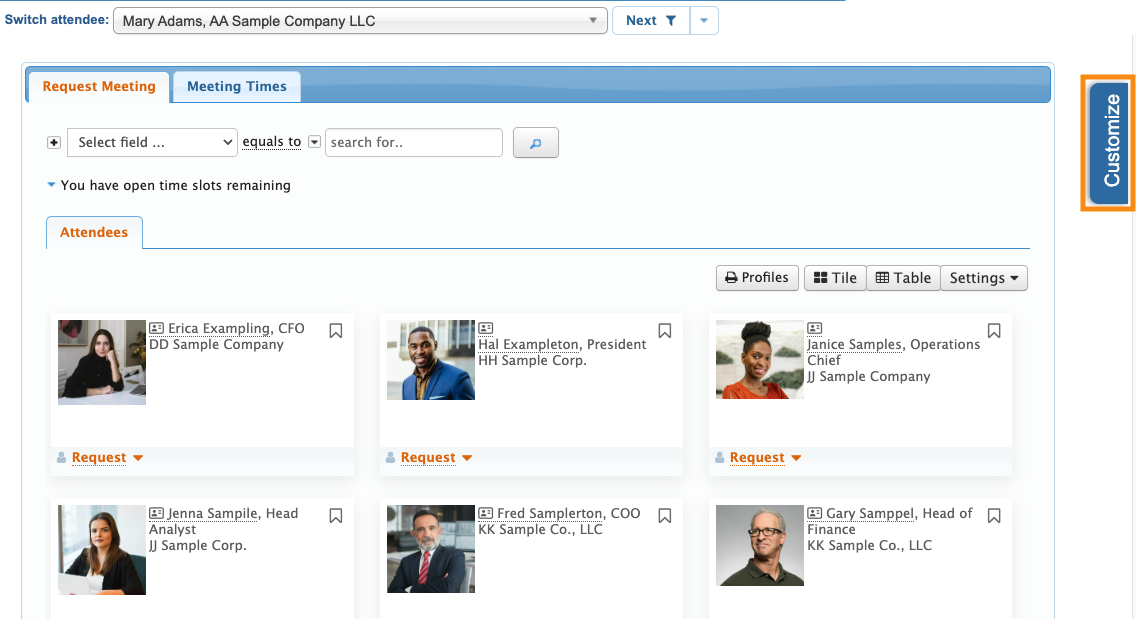
- Step 3. Once you’re on the Request Meeting page, head to the right edge and click the Customize tab:
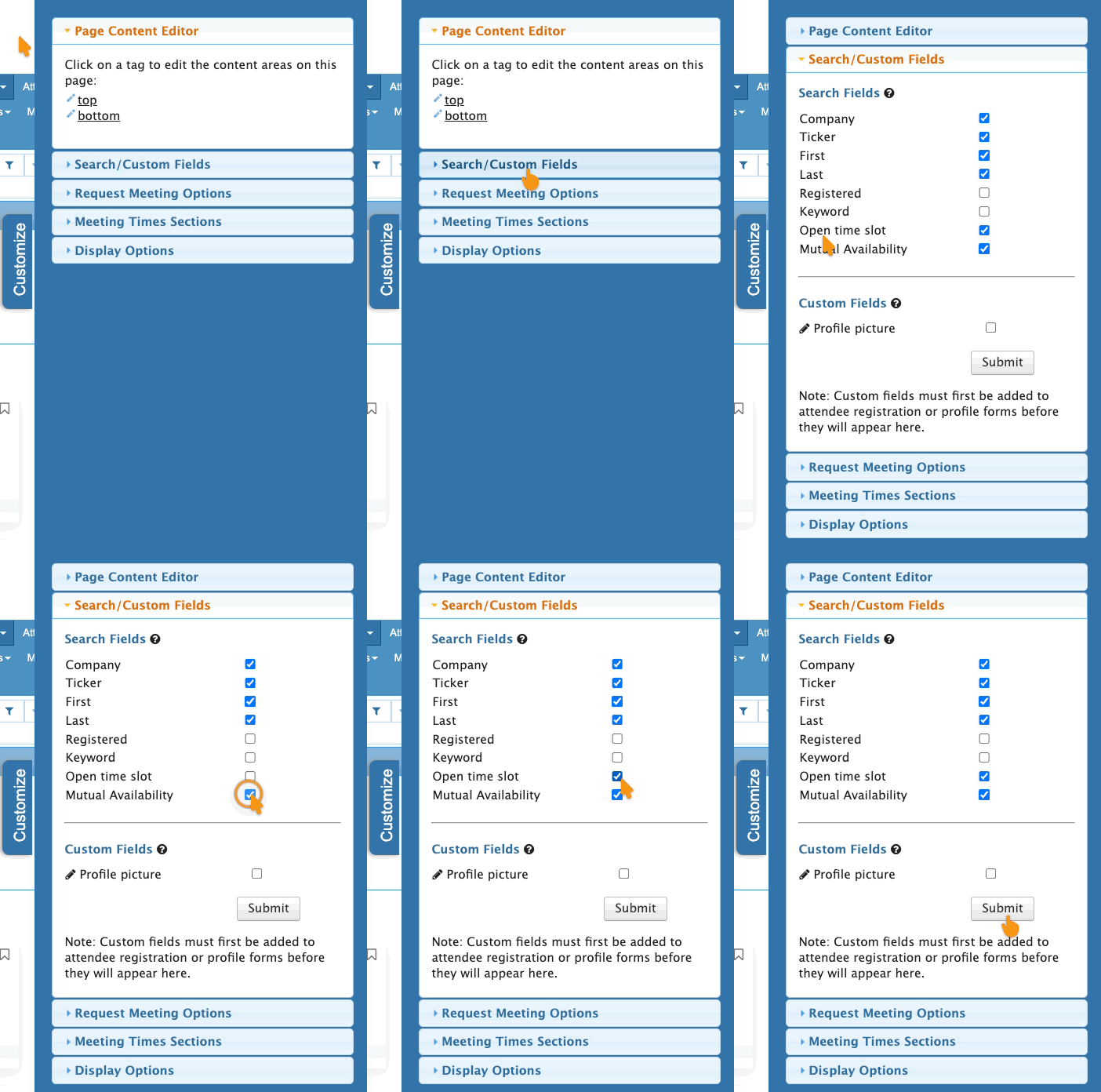
- Step 4. Open the Search/Custom Fields section. Use the checkboxes to choose one or both options.
- Click Submit to save your choices:
- Step 5. From your Admin view of the Request Meeting page, you can see the updated filter options:
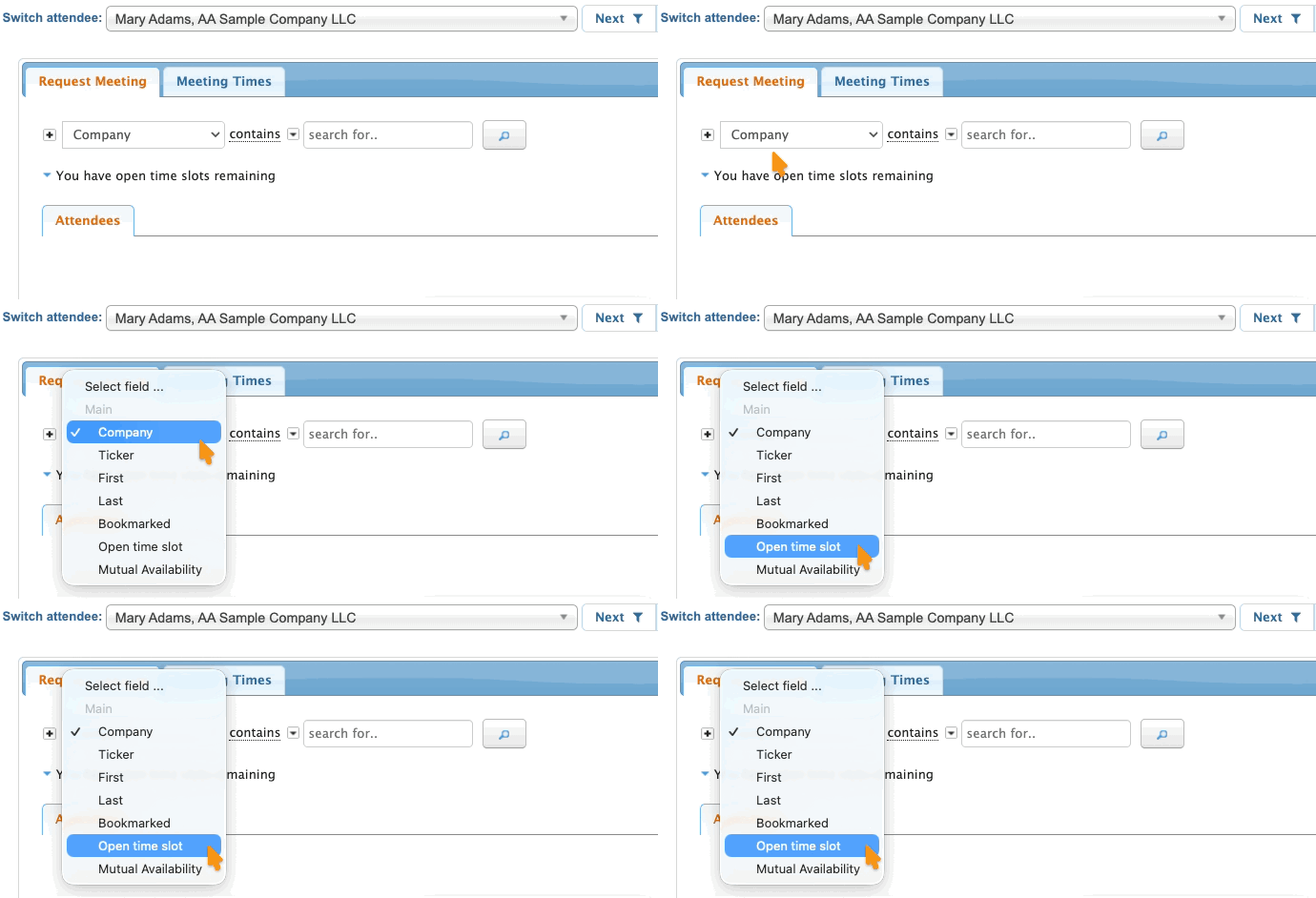
-
The Bookmarked filter is always present by default. Learn more about bookmarking here.
What Attendees see
When Attendees log into MeetMax and head to the Request Meeting page, they’ll see the same customized menu of filters:
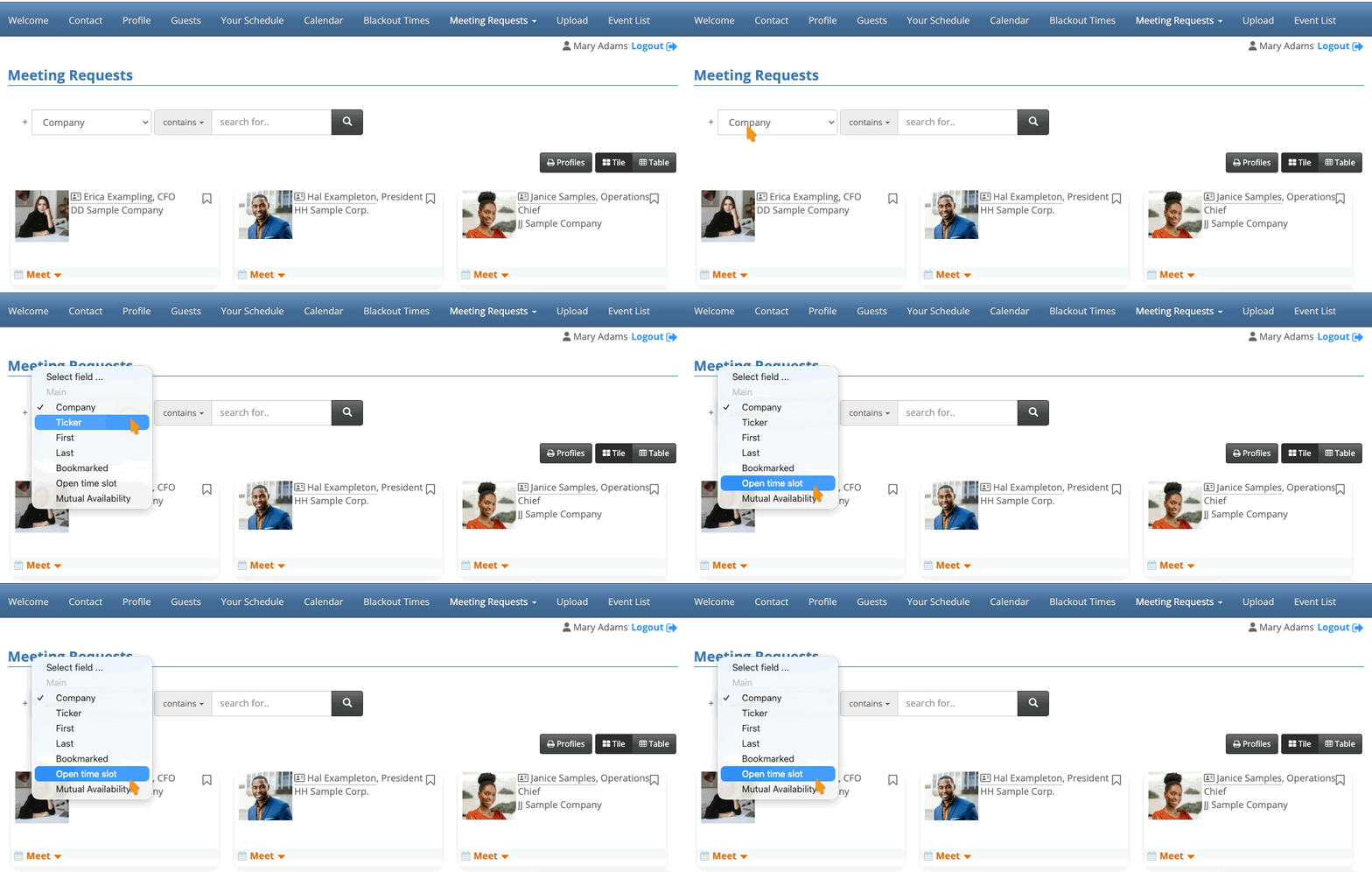
Filtering by Open Time Slot
This filter is useful when an Attendee is trying to fill a specific open time in their schedule:
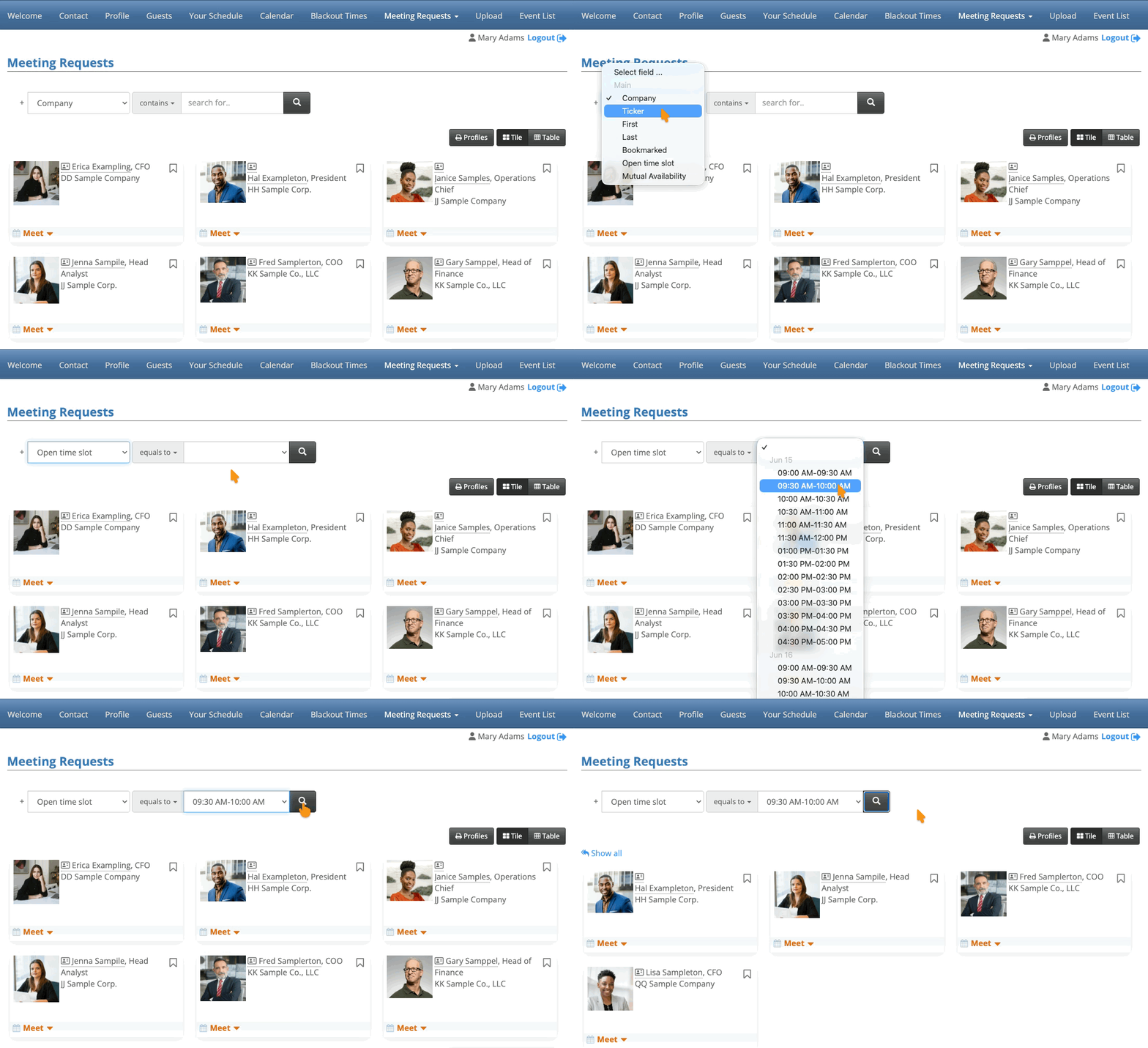
Now that they know who’s available at this time, the Attendee can proceed with choosing someone and requesting a meeting.
| This filter only takes scheduled meetings into account. An Attendee might be signed up for a Presentation or Activity at the time you’ve chosen, and they’d still appear on this filtered list. Don’t worry, though - MeetMax prevents you from scheduling a meeting at a time when either Attendee has conflicts. |
Filtering for Mutual Availability
This filter takes everyone’s current meeting availability, Presentations, and Activities into account.
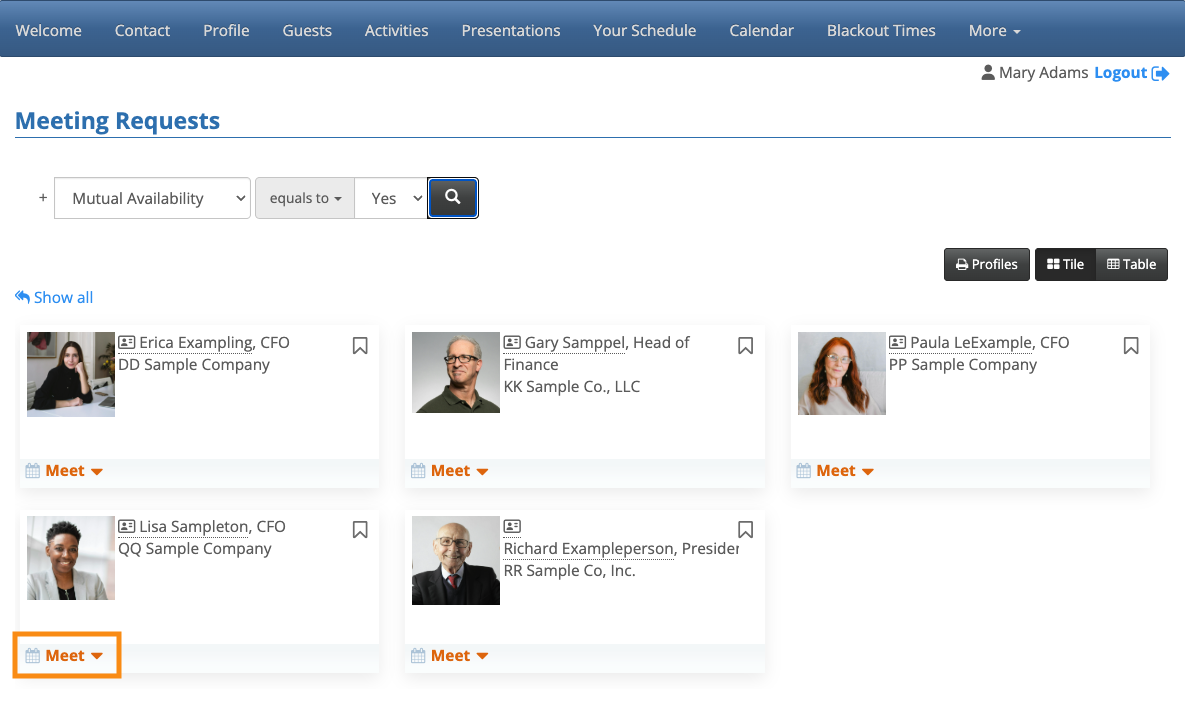
You’ll see all Attendees who have any available time slots in common with you:
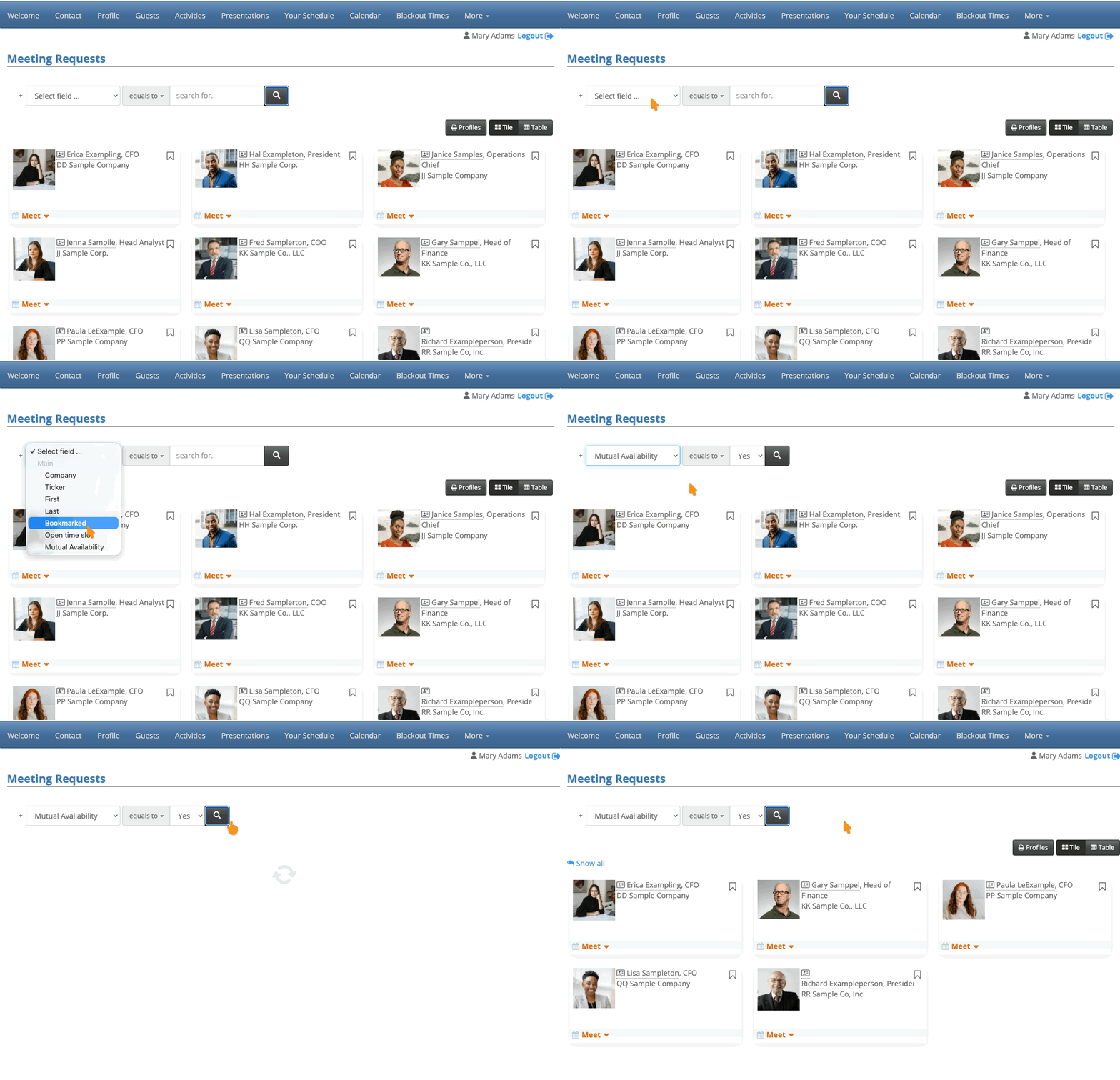
When you’ve chosen someone, you can then see which available time slots you share. Click to start a new meeting request:
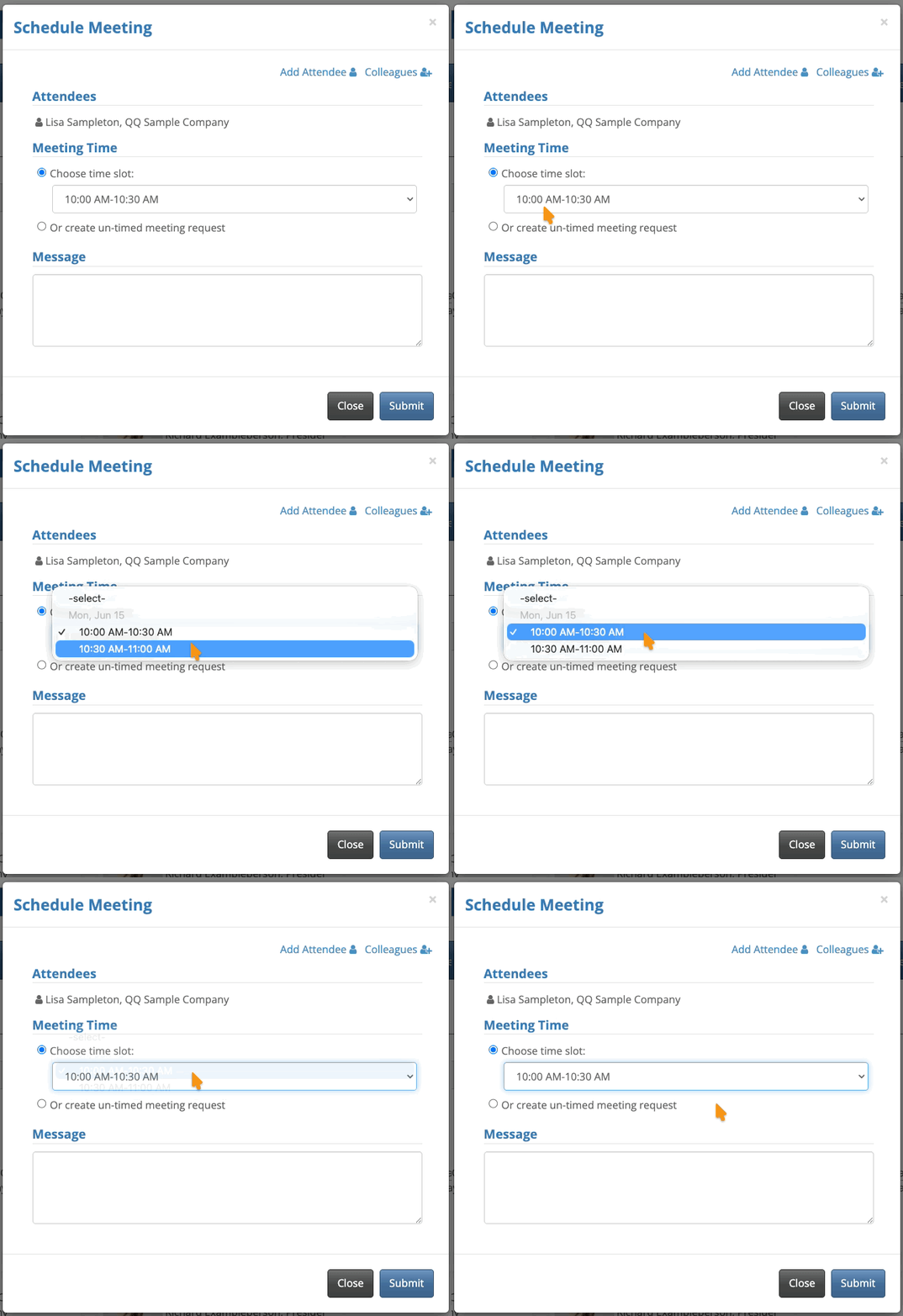
In the pop-up, you’ll see the time slots when both you and this Attendee are available to meet:
Other available filters
You might want to make other kinds of filters available to your Attendees:

