

When did this Attendee register?

The way you answer this question depends on your event’s registration method.
In this article:
In-person registration/check-in
If you’re using our on-site registration and check-in services, The Attendee List tells you who’s checked in and when.
- Step 1. Head to the Attendee List:

- Step 2. Go to the Columns tab. Add the Attending and Checkin Time columns.
- Click Apply to save:
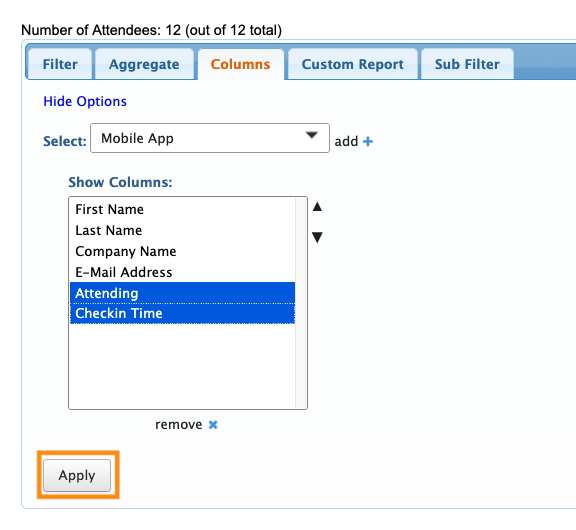
- Step 3. Head back to the Filter tab. You can now see which Attendees have registered, and what date/time:
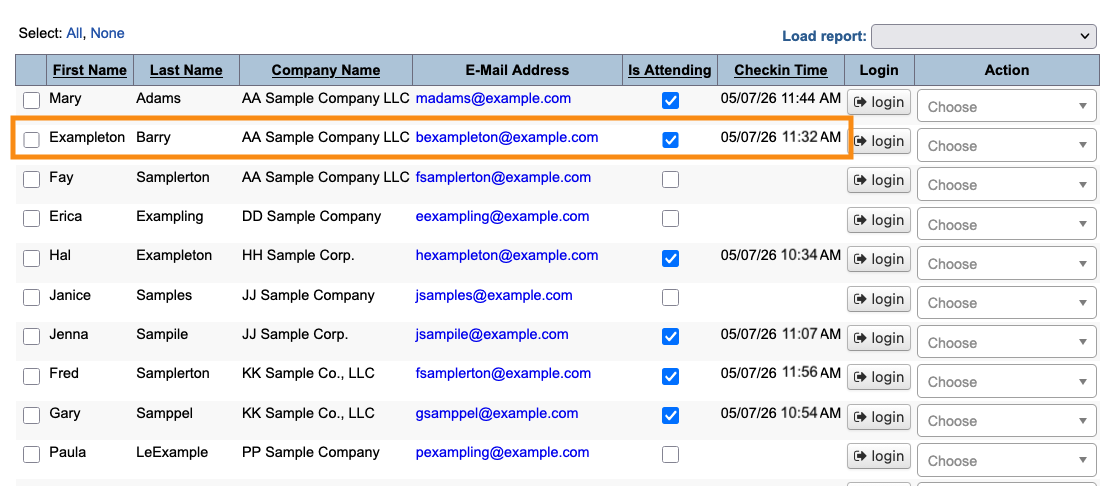
- If you need to locate a specific Attendee, you can filter the list.
Online registration
If your Attendees are registering online, the registration time is the time they clicked Submit on their registration form.
- Step 1. Head to the Attendee List:

- Step 2. Go to the Columns tab. Add the Registered column.
- Click Apply to save:
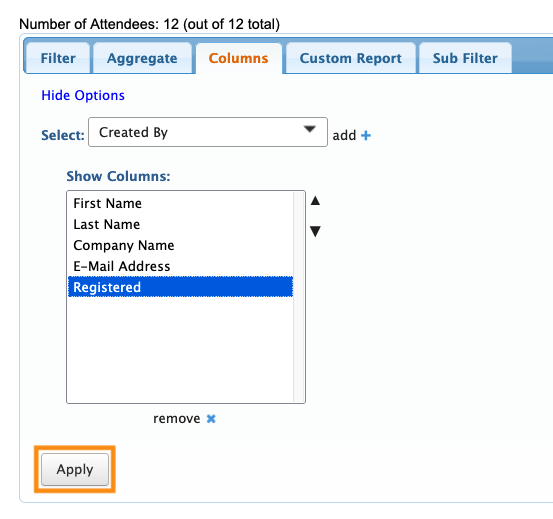
- Step 3. Head back to the Filter tab. You’ll now see the date/time each Attendee completed online registration:
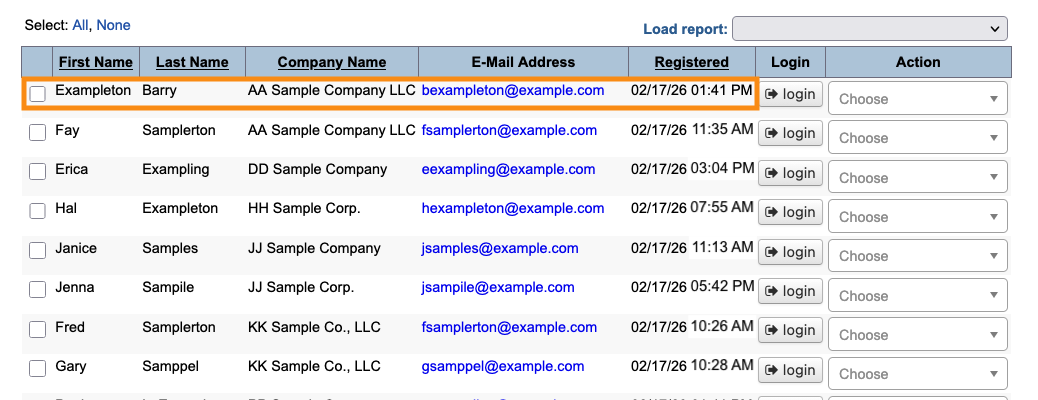
- If you need to locate a specific Attendee, you can filter the list.

