

Badging Express: Preparing for set-up

Use this checklist to make sure you have everything you need.
In this article:
At your venue
To run the badging equipment, your location must have:
| Internet connection |
|
| Power |
|
In the Badging Express package
The package ships via Fed Ex to your location. Verify that it contains everything listed below:
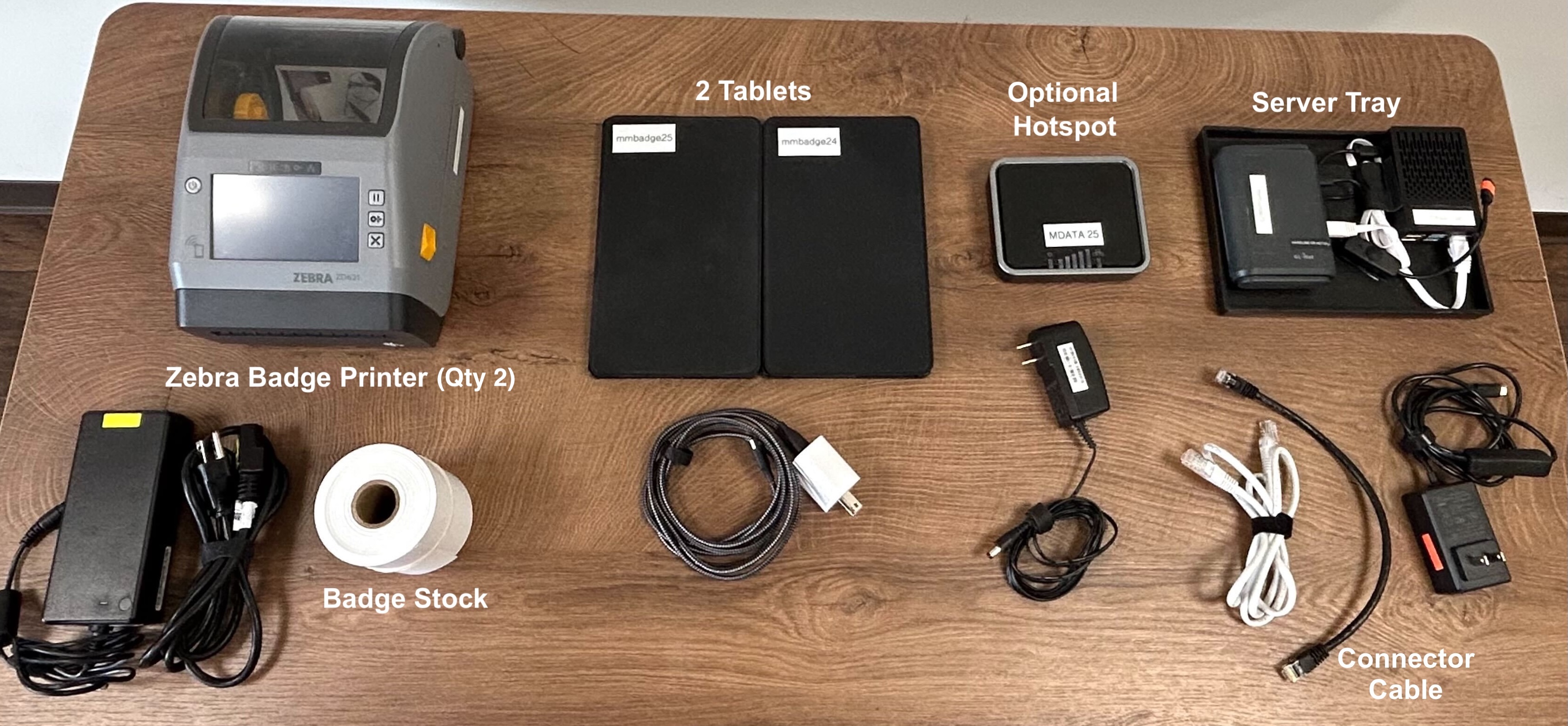
| Item | Qty | How it’s used |
| Zebra 620 | 2 | Name badge printers, each with 2-part power cord. One is intended as back-up. |
| Server Tray | 1 | A router and a server, already connected. Separate power cord. |
| Badge Stock | Our team will supply you with default badge stock, in a quantity for your event. | |
| Tablets | 2 | Check-in system access, with a split power cord |
| Hotspot | (Optional Item) If your venue doesn’t have a reliable wired internet connection, you can add this to your order. | |
| 12” Connector Cable | 1 | Ethernet cable that connects the Server Tray to your venue’s internet. |
| Green Zip Serial Tie (not pictured) | 1 | Retain this to secure the box when you ship it back. |
| AirTag (not pictured) | 1 | Helps our team track the package during shipping |
| Return Label | 1 | Retain this for shipping the equipment back. |
| If you’re missing any of these items, contact our Support team. | |
| Please don’t destroy any packing materials. You’ll need them, and the case, to return the equipment after your event. | |
| Before you unpack the equipment, you might want to take a quick photo. That’s very helpful for repacking the case after your event. |
Before your event date
Be sure to take these actions:
| Check on badge stock. | Verify that you have the quantity you confirmed with our team. |
| Charge the tablets. | Connect the tablets to a wall outlet for a few hours to charge. |
| Add a test Attendee. | When you add your Attendees to MeetMax, add a member of your team to the list as well. You’ll use this record to test badge-printing. |
What’s next
Now, it’s time to connect to power and internet.

