Can I disable email notifications for meeting requests?

For some events, MeetMax generates automatic email and Inbox notifications for every meeting request.
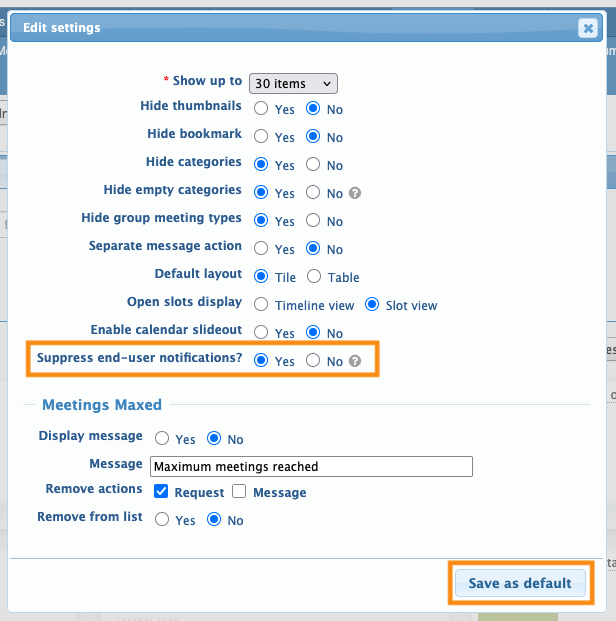
If you’d like to suppress these end-user notifications, you can do it from the Request Meeting page.
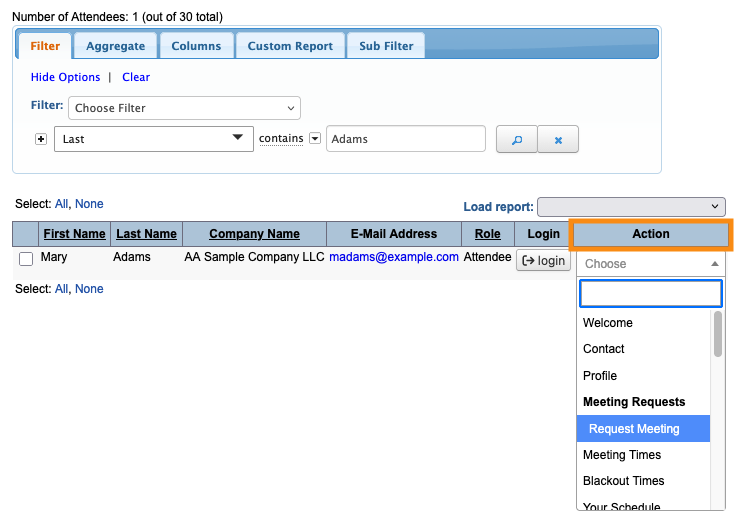
- Step 1. Head to the Attendee List:

- Step 2. Use any Attendee record. Changes you make here will apply to all Attendees.
- Use the Action menu to choose Request Meeting:
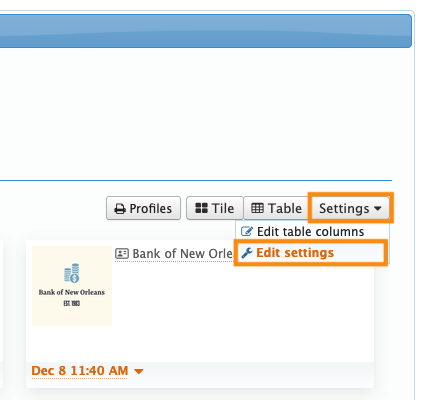
- Step 3. On the Request Meeting page, head to the upper right corner.
- Click the Settings button. Then choose Edit Settings:
- Step 4. Set Suppress end-user notifications to Yes. Click Save as default: