

The method you use will depend on your meeting program.
Moderated meeting programs
In these programs, scheduling is done by event Admins.
Because event scheduling tends to change frequently, MeetMax has no automated, individual request notifications for Moderated programs.
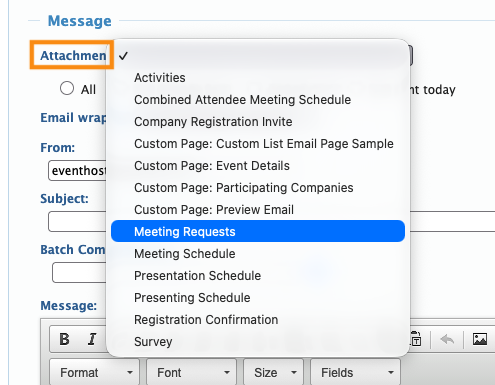
If you’d like to let Companies know about all of the requests they’ve received, you can do this via a batch email. Use the Meeting Requests attachment, as shown below.
Each Company receives a list of all the requests they’ve received as of the send date:
| If you’re running a Moderated program and you’d like your participants to get individual email notices when they receive requests, our Support team can configure this for you. |
Unmoderated meetings programs
If you’re running an Unmoderated meeting program, Attendees will request and schedule their own meetings.
By default, MeetMax sends an email notice and Inbox message for every new meeting request. You can disable these notifications if you prefer.
If your Attendees aren’t seeing these two notifications, reach out to our Support team.

