


Why did these emails bounce?

Whether you’re sending individual emails or batches, bounces can happen.
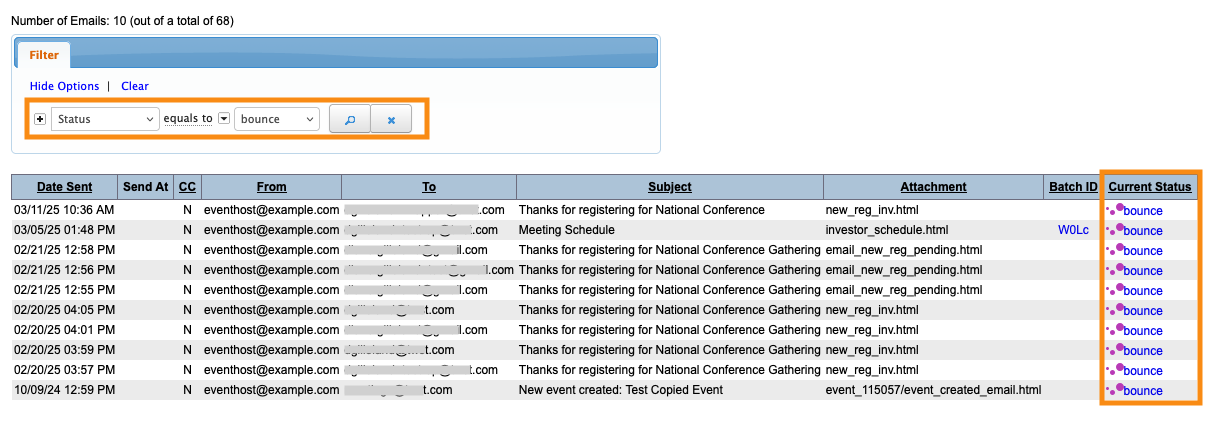
You’ll see the Bounce status in the MeetMax Email Logs:
Emails can bounce for a number of reasons:
Incorrect or invalid email addresses
The first thing to verify is the recipient’s email address. If there’s a typo, emails will bounce.
If the email address is no longer valid, that also causes bounces.
Temporary server issues
Sometimes, the recipient’s email server has an outage or is down for maintenance.
Emails will bounce during events like these, but you should be able to re-send later.
| In the Email Log, you can click the Bounce link for any email. That will show you the date and time it bounced. This detail might help your recipient see if a server issue was the culprit. |
Blocked email, spam filters
The recipient may have blocked emails from you on their side. Or, the recipient’s email server performed a spam check and your email didn’t pass.
In either case, you’d want to reach out to the recipient to make sure they’re allowing your emails.
Learn more:
- Tracking emails sent from MeetMax
- More detail on Email Log statuses, from our partners at SendGrid

