


When you’re emailing your participants from MeetMax, you’ll see these three terms often.
They’re all different kinds of content you can add to your event’s emails. Each one gives you different customization options.
Attachments: adding personalization to batch emails
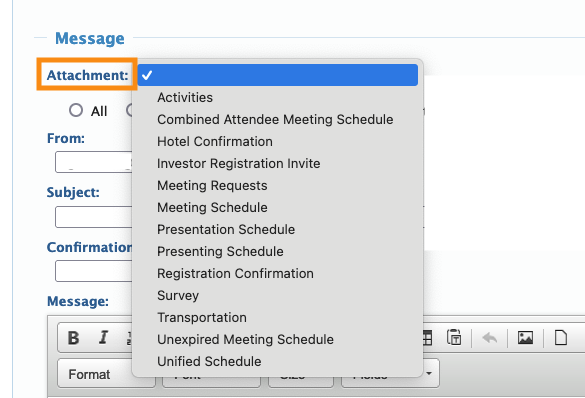
The MeetMax batch emailer has a menu of Attachments. Each of these creates personalized content.
With an Attachment, you can email 100 people at once, but each of them will get details for their own registration or schedule.
You’ll only see Attachments in the batch emailer:
Messages: adding custom information to event emails
In MeetMax, Messages let you insert custom content into many of the MeetMax-generated emails.
For example, you can email a batch of schedules. At the top of that email, you can add a note about event parking options.
Messages can appear on:
- Automated emails, like the login details email a participant gets when they complete registration.
- Batch email Attachments, to add event-specific details to that personalized content.
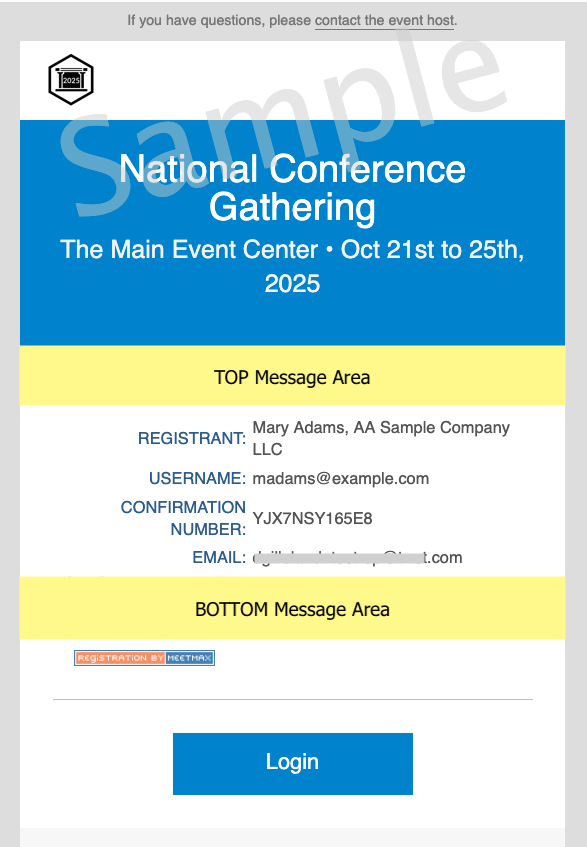
Here’s a sample email with the customizable areas marked in yellow:
| You can also use Messages to add content to MeetMax web pages. |
Custom Pages: creating anything you need!
Custom Pages are useful when you need to send an email that’s outside the scope of MeetMax’s default emails.
The Custom Page builder lets you create a web page to use as an email message:
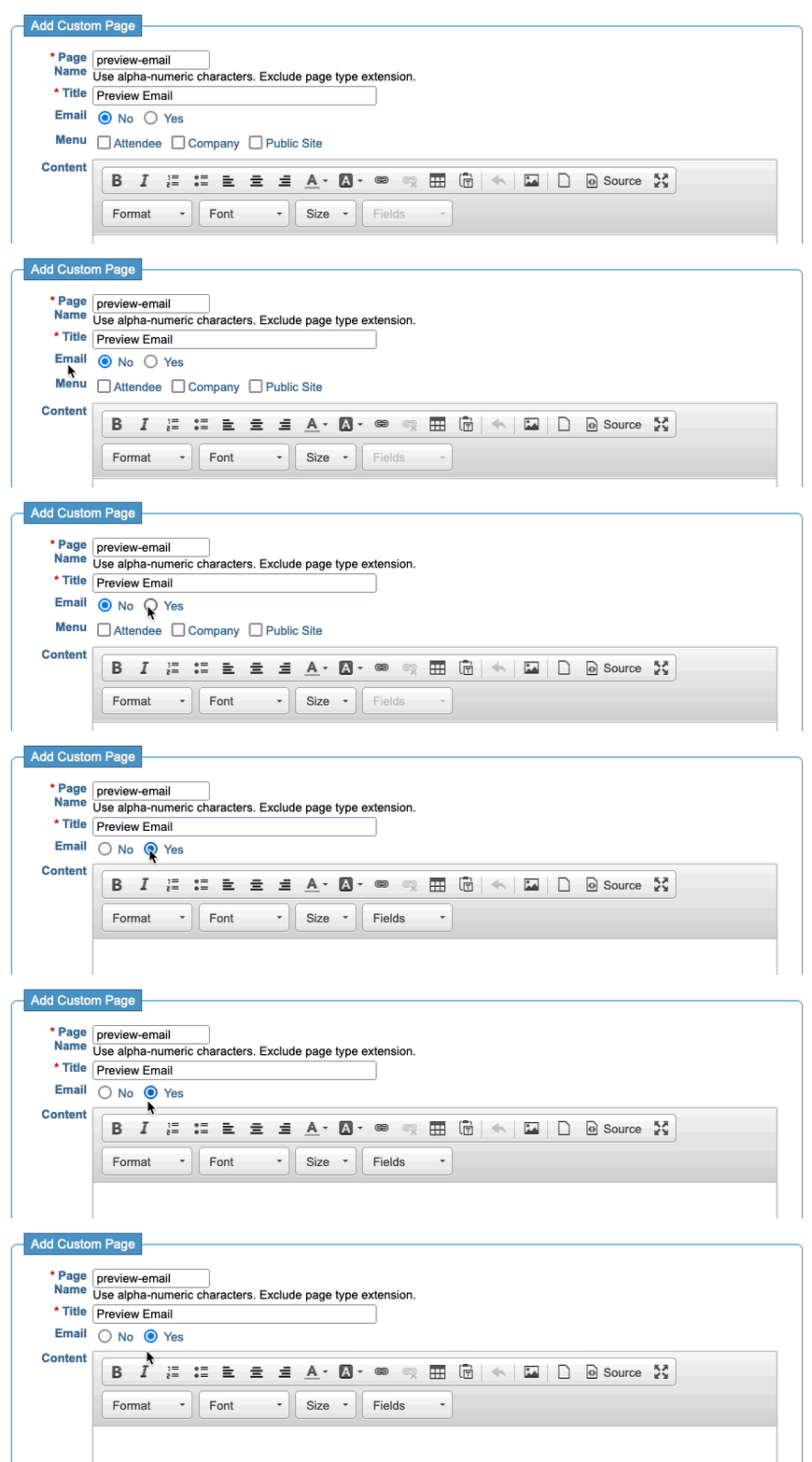
You’ll be able to add any amount of text, formatting, and images.
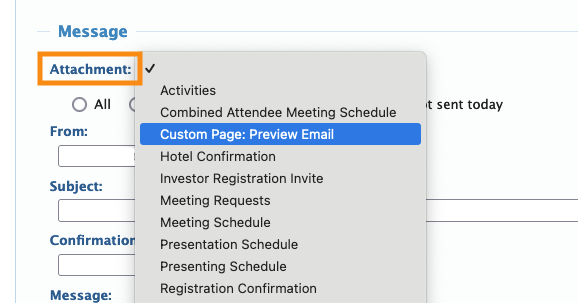
Once you’ve built your Custom Page email, you’ll access it in the batch emailer. It appears in the Attachments menu:
| As you might guess from the name, Custom Pages can also be used to build web pages for your event. |

