Report: Companies that haven't set meeting availability

How it’s used:
• This is a useful report to run before you start scheduling meetings.
• This report helps you catch any Companies that haven’t yet set up their availability for 1x1 meetings.
In this article:
Running the report
- Step 1. Head to the Companies tab. Choose Company List:

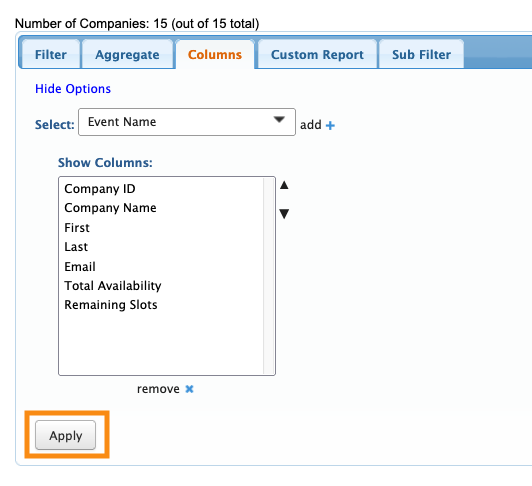
- Step 2. Go to the Columns tab. Here, you can add and remove columns. Click Apply to save the changes.
- We recommend including these columns:
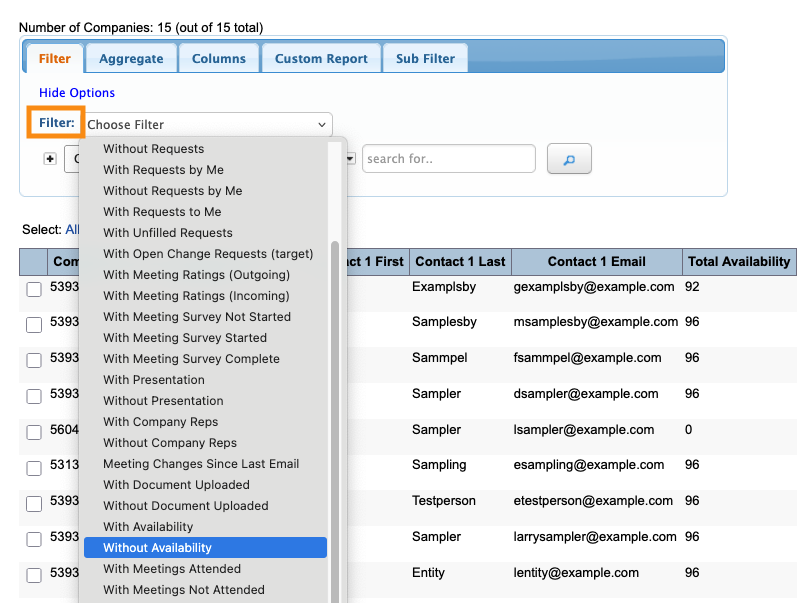
- Step 3. Now, head to the Filter tab. Set the top filter to Without Availability:
| Your event might have slightly different names for these columns. |
Exporting the report
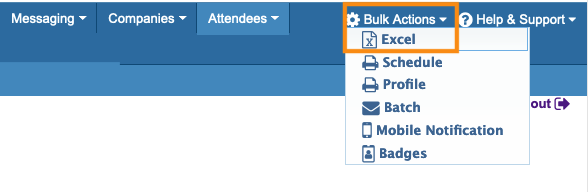
To export the report in spreadsheet form, head to the top right corner of the page. Click Bulk Actions, then choose Excel.
You can open the exported file in any spreadsheet software:
Saving the report
Want to save this report so you can quickly access it later?
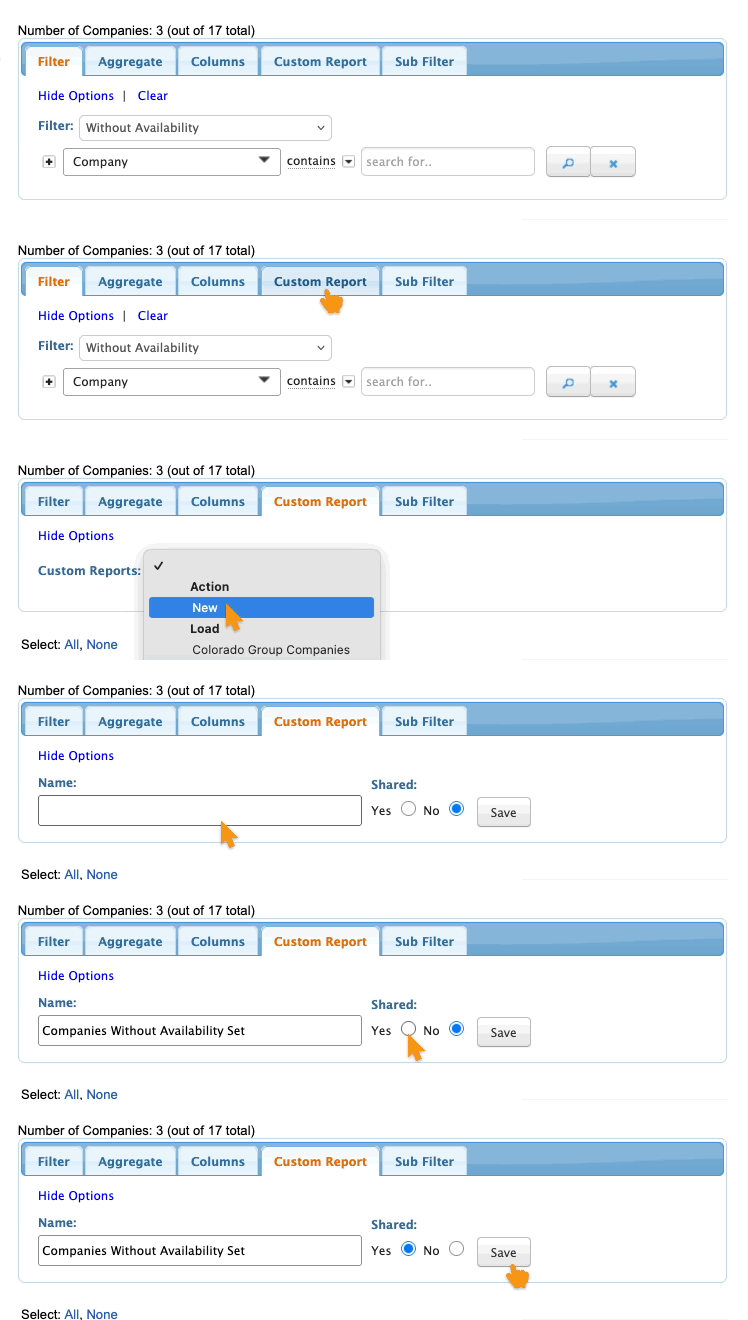
Head to the Custom Report tab. Choose New from the menu.
Then give the report a title, choose whether to share it with your team, and click Save: