


In this article:
- Where is it?
- Customizing, saving, and exporting
- Posting balance adjustments
- Managing duplicate registrations
- Canceling a pending registration
- Batch emailing payment reminders
- Comping a pending registrant
Where is it?
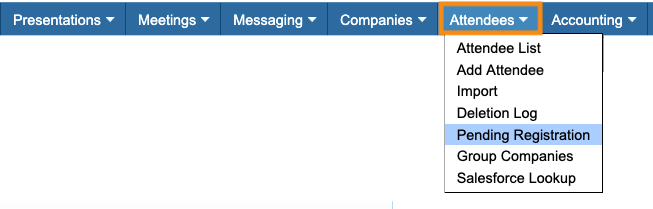
As soon as you have one Attendee who’s completed registration but not paid, you’ll see the Pending Registration List in MeetMax:
Once one Company has registered but not paid, the same list will appear for Companies:
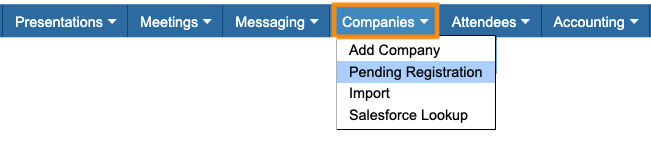
| We’ll show the Attendee version of the Pending Registration list in this article, but you can use the Company version in the same ways. |
Customizing, saving, and exporting
The Pending Registration List has similar filter options as the Attendee List or Company List. You can narrow the list down to find specific groups of registrants:
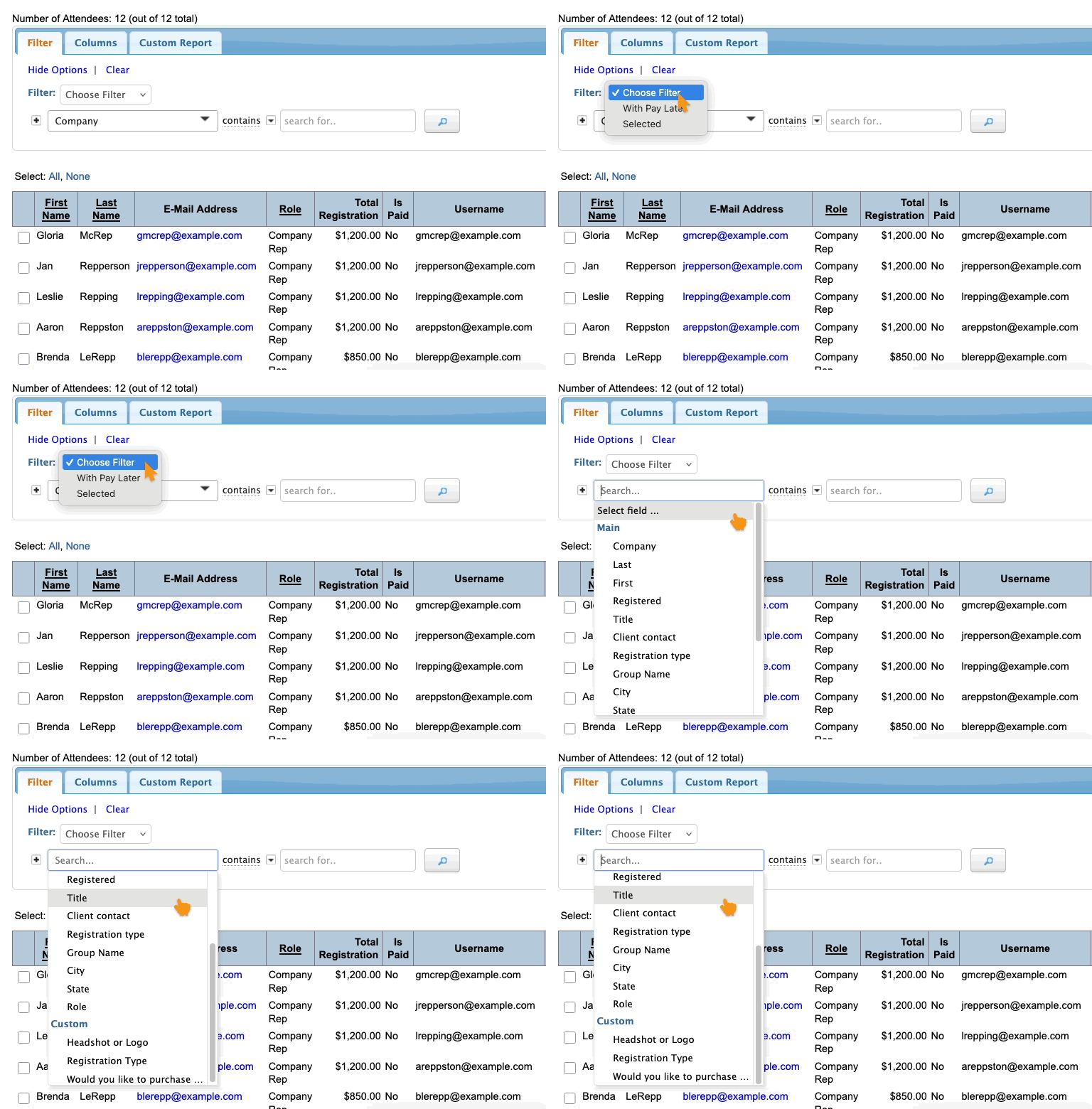
- You can add and remove columns of data as needed
- You can also create custom reports from this list.
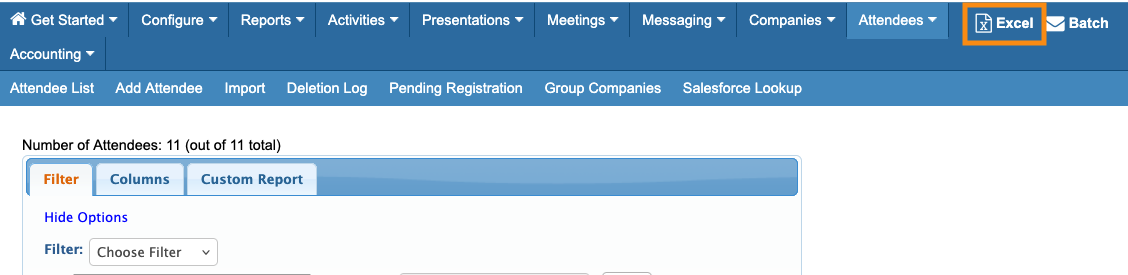
- Export the list in spreadsheet form any time. Head to the top right corner of the page:
Posting balance adjustments
- If a participant pays their registration by check or money order, you’d post that payment from this Pending Registration List.
- If you need to manually change a registrant’s balance due before they pay, you can do that here as well.
Managing duplicate registrations
The Pending Registration List is the only place in MeetMax that tolerates duplicate registrations. The reason we allow them here is to make a participant's registration process as simple as possible.
If they fill out the registration form and then forget they’ve done so, they can fill out the form again without encountering any errors. MeetMax will create a duplicate Pending registration.
In this example, Aaron McSample has registered three times, creating three Pending registrations:
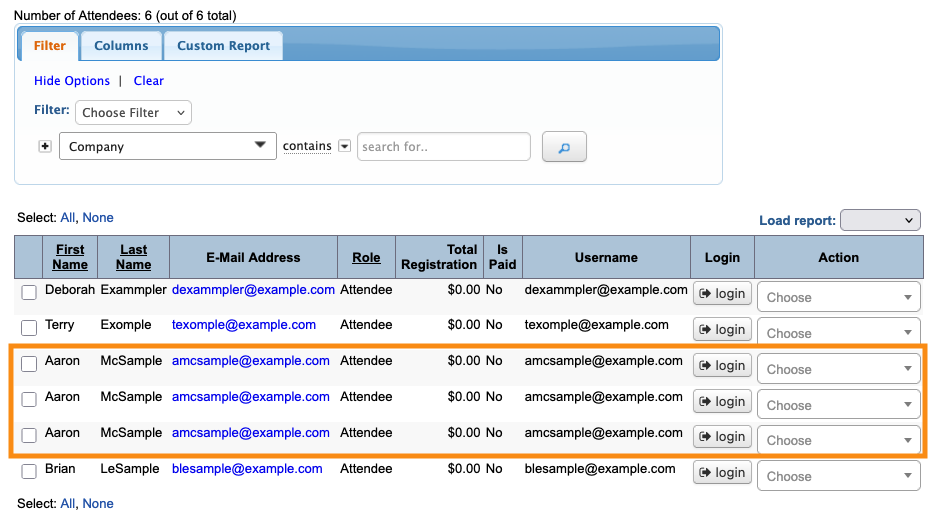
At this point, Aaron can log in using any of these pending registrations to pay. He could even create a fourth registration and pay there! Whichever registration Aaron uses to pay becomes his actual registration.
Once you see Aaron on the Attendee List (meaning he’s paid), you can head to the Pending Registration List, and delete the remaining duplicates:
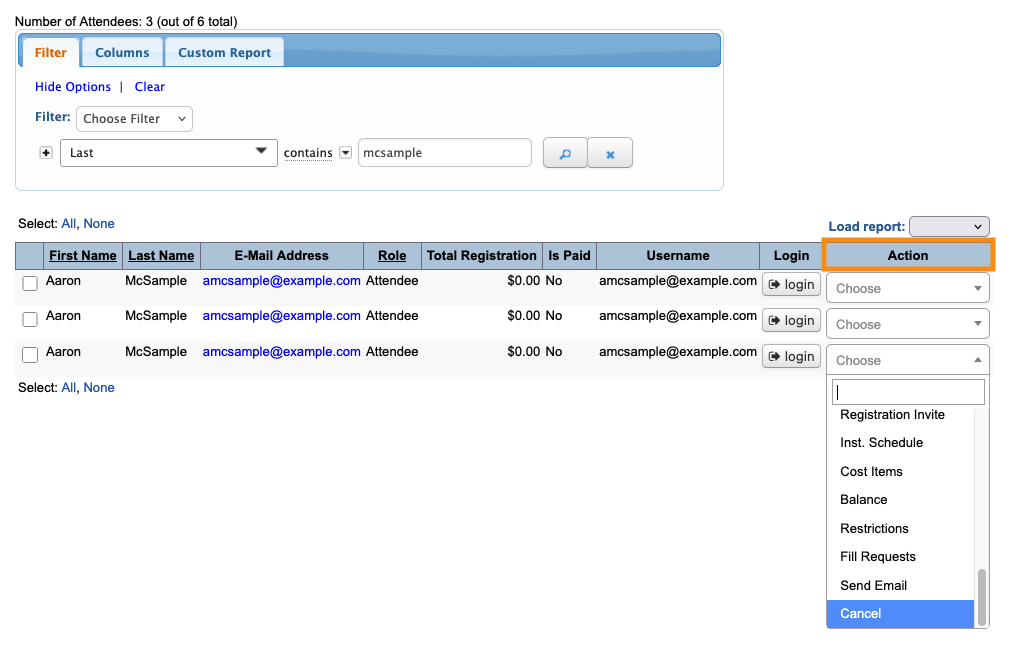
Canceling a pending registration
Sometimes, a registrant has to drop out of your event before they’ve paid. Use the same process shown above to cancel their registration.
| If a participant needs to cancel after they’ve paid, you can refund their payment and then cancel them from the Attendee List. |
Batch emailing payment reminders
You can send batch emails from the Pending Registration List, just as you might from the Attendee List or Company List. This comes in handy when you need to remind registrants to pay.
You can filter the list to a specific group, or use the entire list.
Head to the top right corner of the page, and click Batch:
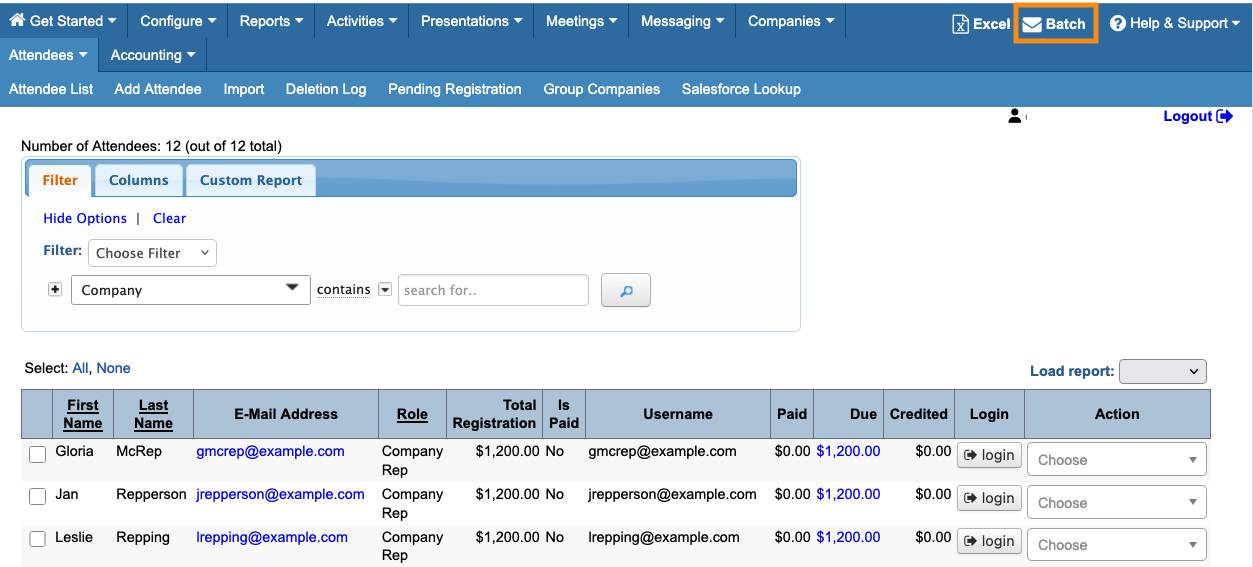
From there, you’ll use the MeetMax batch emailer to send your reminder.
Comping a pending registrant
From time to time, you might have a participant who’s already registered under your standard fee, but hasn’t yet paid. Then you need to update that registration so they attend for free.
- Step 1. Locate the participant on the Pending Registration List.
- Step 2. Use the Action menu to choose Balance:
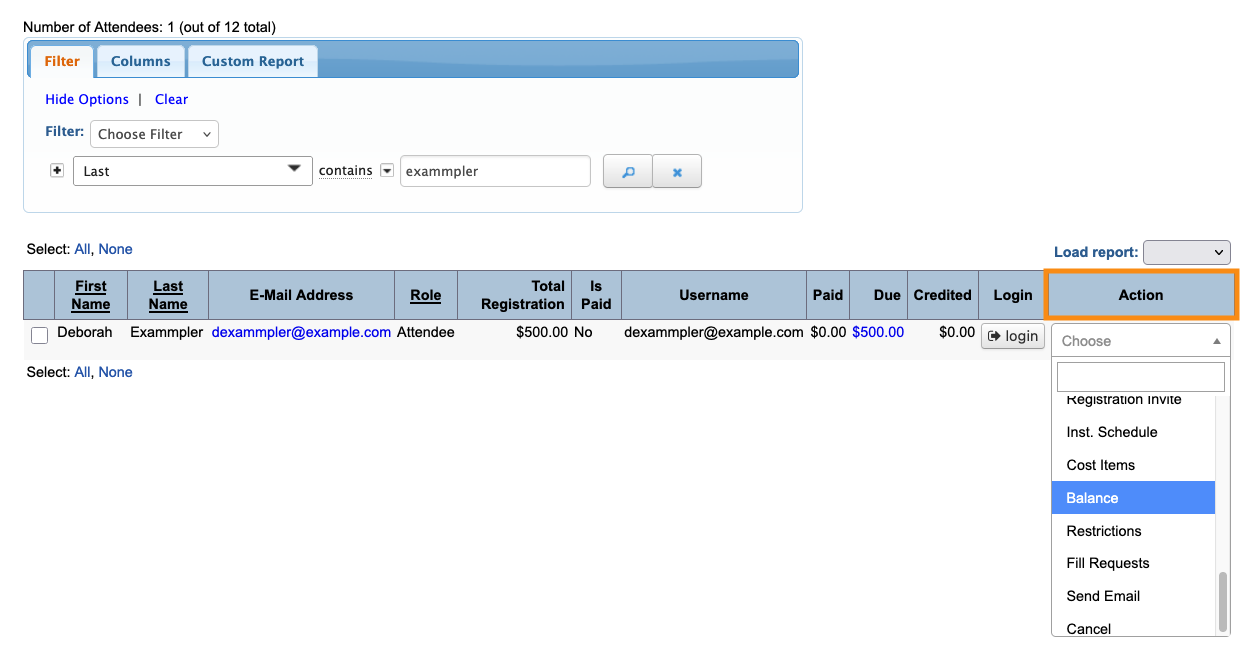
- Step 3. Post a manual credit for the full amount due. That takes their balance due to zero and automatically completes their registration:
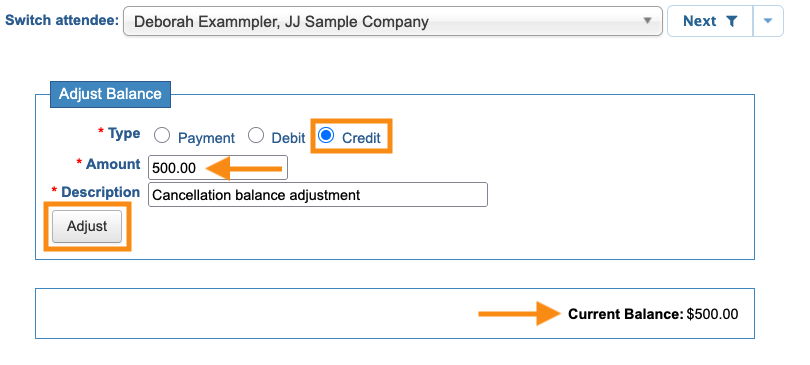
- Step 4. The participant now gets an email confirmation. They’ll also have access to all MeetMax features.

