


How do I customize the subject line of an email?

Some subject lines you can customize yourself. Our Support team will customize any others for you.
Subject lines you can customize
When you’re sending any batch email from MeetMax, you’ll have access to the Subject field. That’s where you can enter a custom subject line:
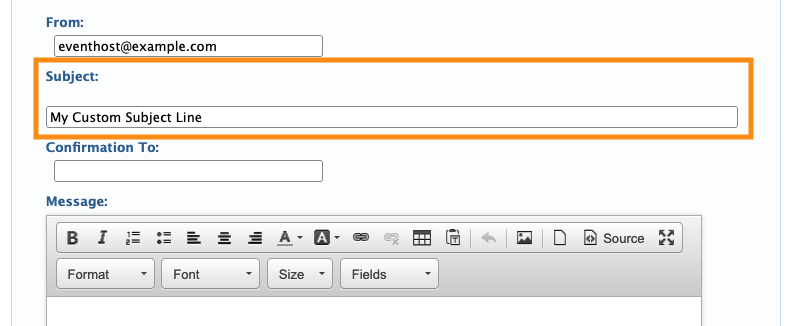
If you’re using a Custom Page as an email, the same is true. You’ll use this page as an Attachment in the batch emailer, so you can add your own Subject as shown above.
| If you’re batch emailing and want to include merge tags or tokens to pull user details into the subject line, our Support team is happy to help. |
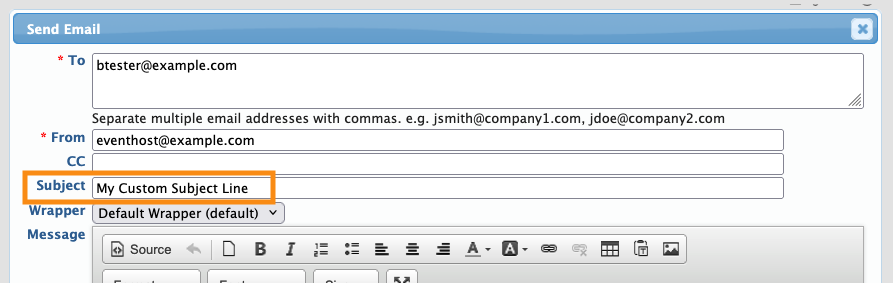
When you’re emailing a single Attendee, you can also add your own subject line:
Support can customize these subject lines
If you want to customize the Subject line of any of the emails below, reach out to our Support team. They’ll add your custom subject on the backend.
- Invitation emails
- Automated registration confirmations
- Registration approval confirmations
- Payment notifications
- Emails sent while updating or canceling meetings

