Finding Presenters

No matter what type of presentations your event has, MeetMax offers several ways to quickly locate any presenter, panel, or moderator.
In this article:
- Where is it?
- Finding presenter Companies or Attendees
- Combined presenter report
- Finding panel presenters
- Finding moderators
Where is it?
Depending on your needs, you can locate presenters in any of these locations:
See the sections below for details.
Finding presenter Companies or Attendees
If Companies, Company Reps, or Attendees are presenters at your event, you can run a report of all presenters, or filter it by day or presentation.
- Step 1. To find a presenting Company, head to the Company List:

- To find a presenting Attendee or Company Rep, head to the Attendee List:

- Step 2. In either list, Set the top Filter menu to With Presentation. Then click the magnifying glass icon:
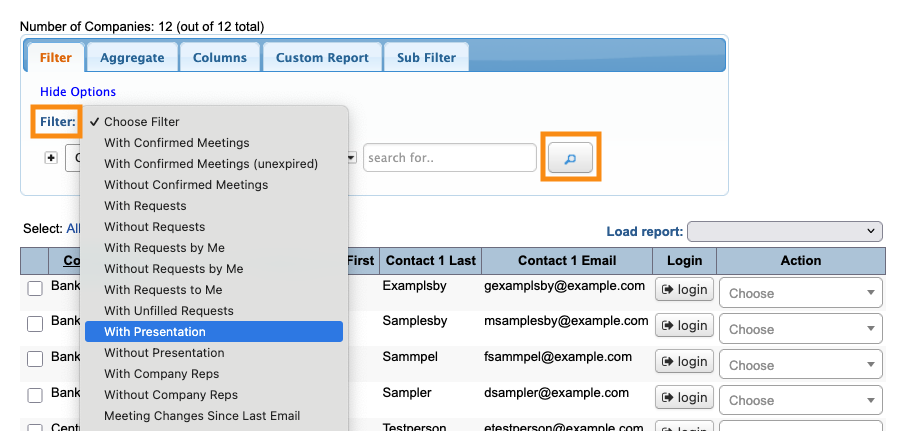
- Step 3. You now have a view of all presenters.
- Sometimes, it’s useful to break this list up by date. Click the Presentation Filter link:
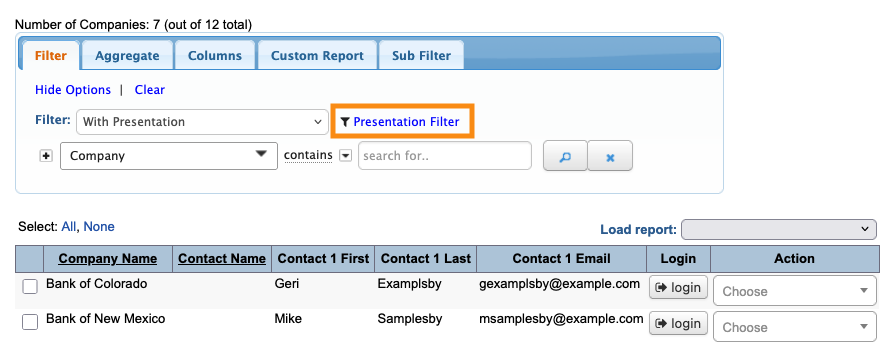
- Step 4. With this filter, you can choose any event date, and see a list of who’s presenting on that date:
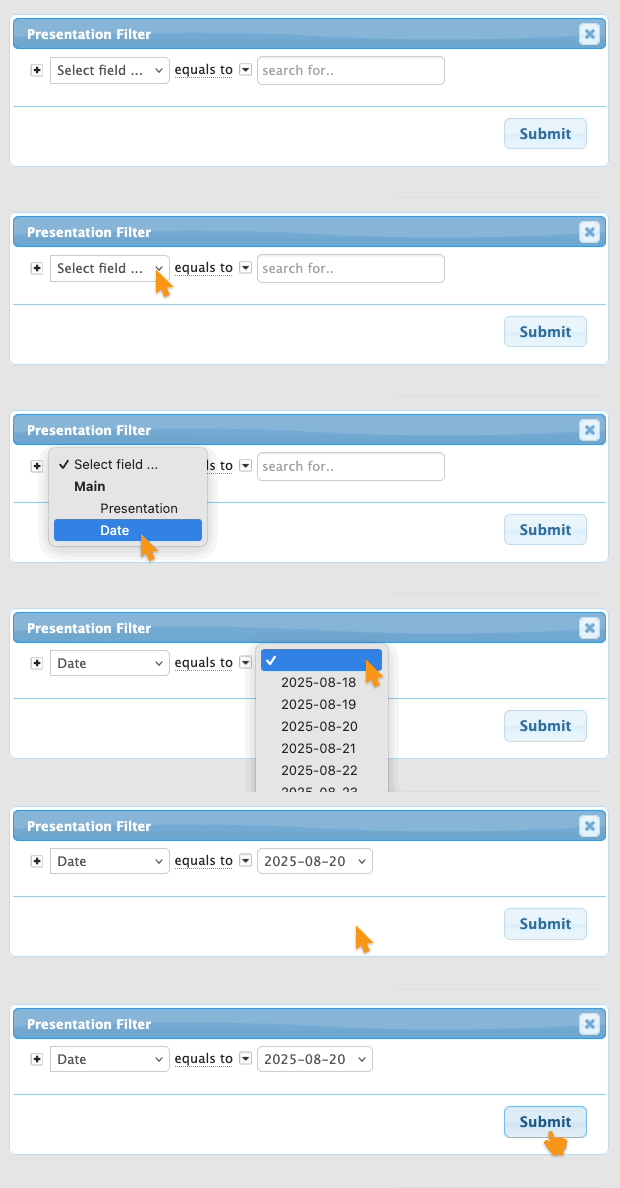
- Step 5. As with any Company or Attendee List view, you can export it in spreadsheet form, or save a custom report.
Combined presenter report
If your event has both Companies and Attendees presenting, you can run a single, combined list.
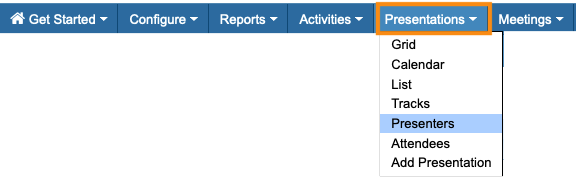
- Step 1. Head to the Presentations tab, then choose Presenters:
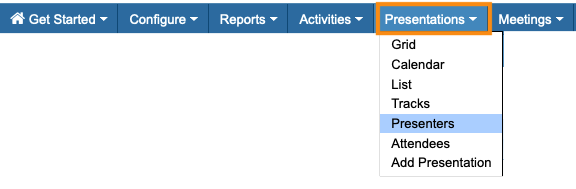
- Step 2. This list shows you all presenters, both Attendees and Companies, in all presentations.
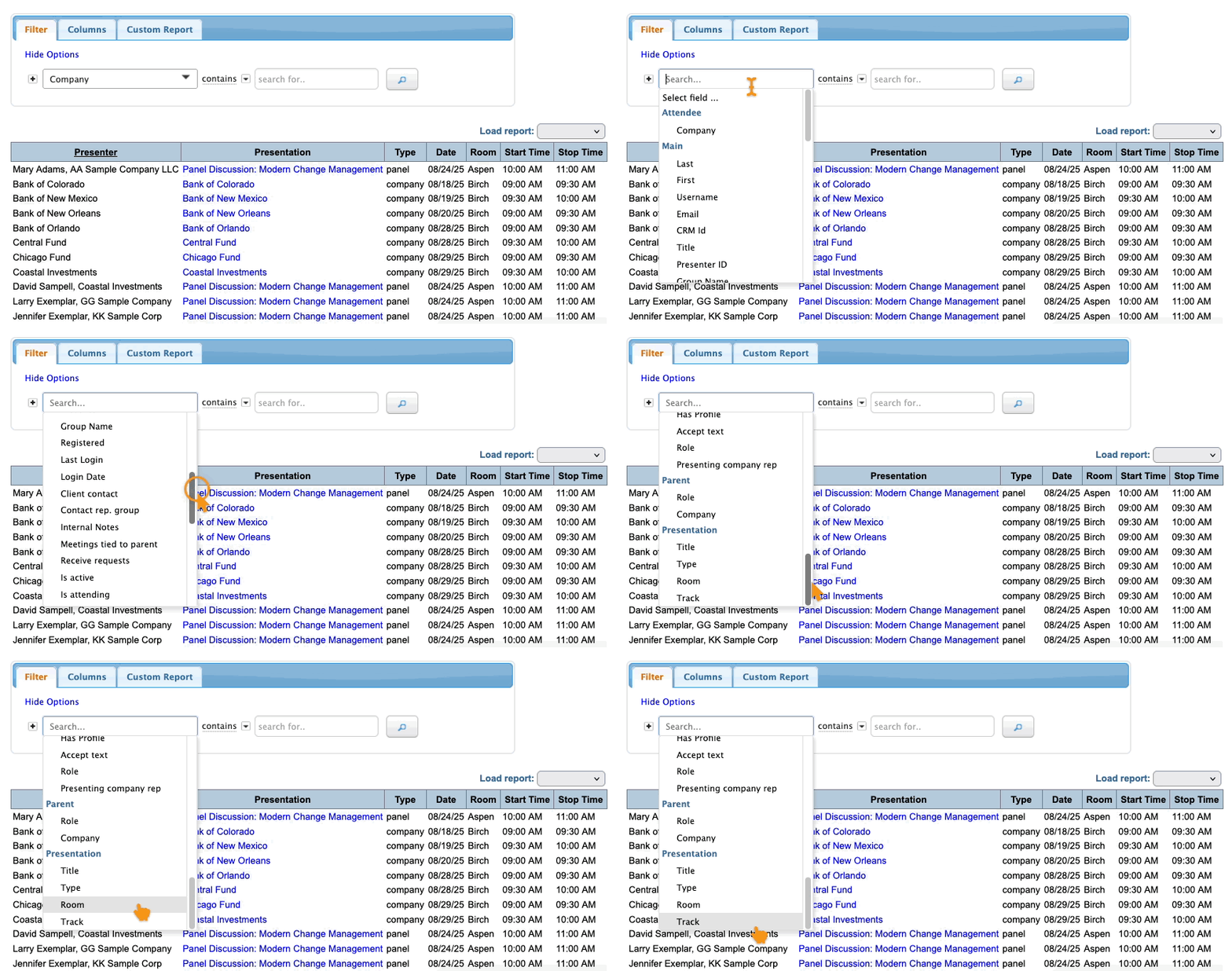
- Use the Filter menu to narrow things down. You could filter the list to show:
- • All presenters for a specific type of presentation
- • All presenters on a specific date
- • All presenters who’ll be in a specific room
- • All presenters in one of your presentation tracks
Finding panel presenters
If your event has panels, with groups of presenters, you can get a list of each session’s panelists.
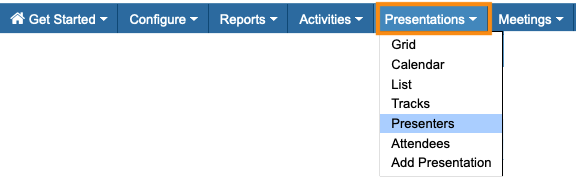
- Step 1. Head to the Presenters List:
- Step 2. In the Filter menu, choose Type. Then choose Panel. Click the magnifying glass:
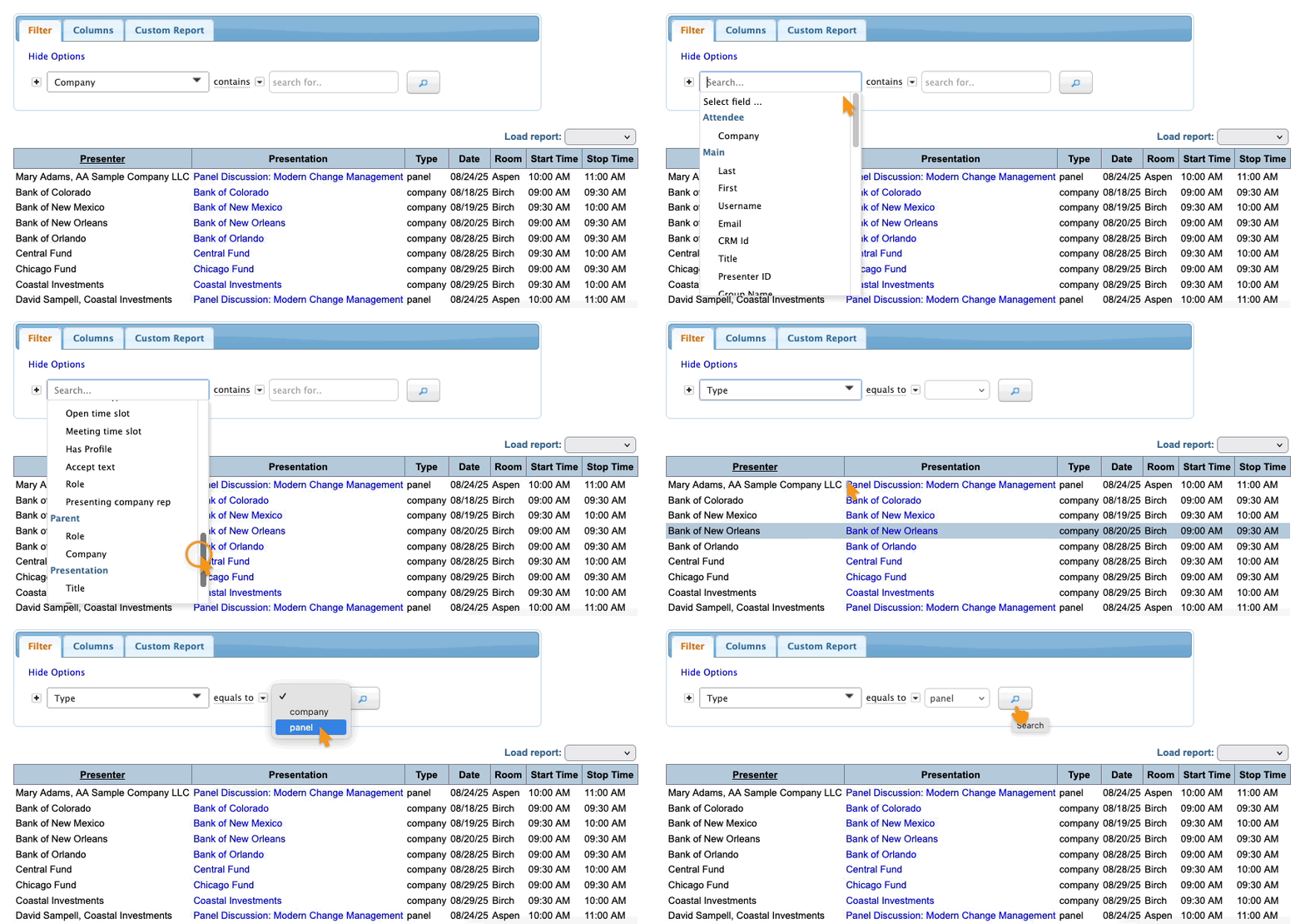
- Step 3. Want to narrow this list down to a specific panel? Add a second filter.
- Set it to Title, and type in all or part of the presentation’s title:
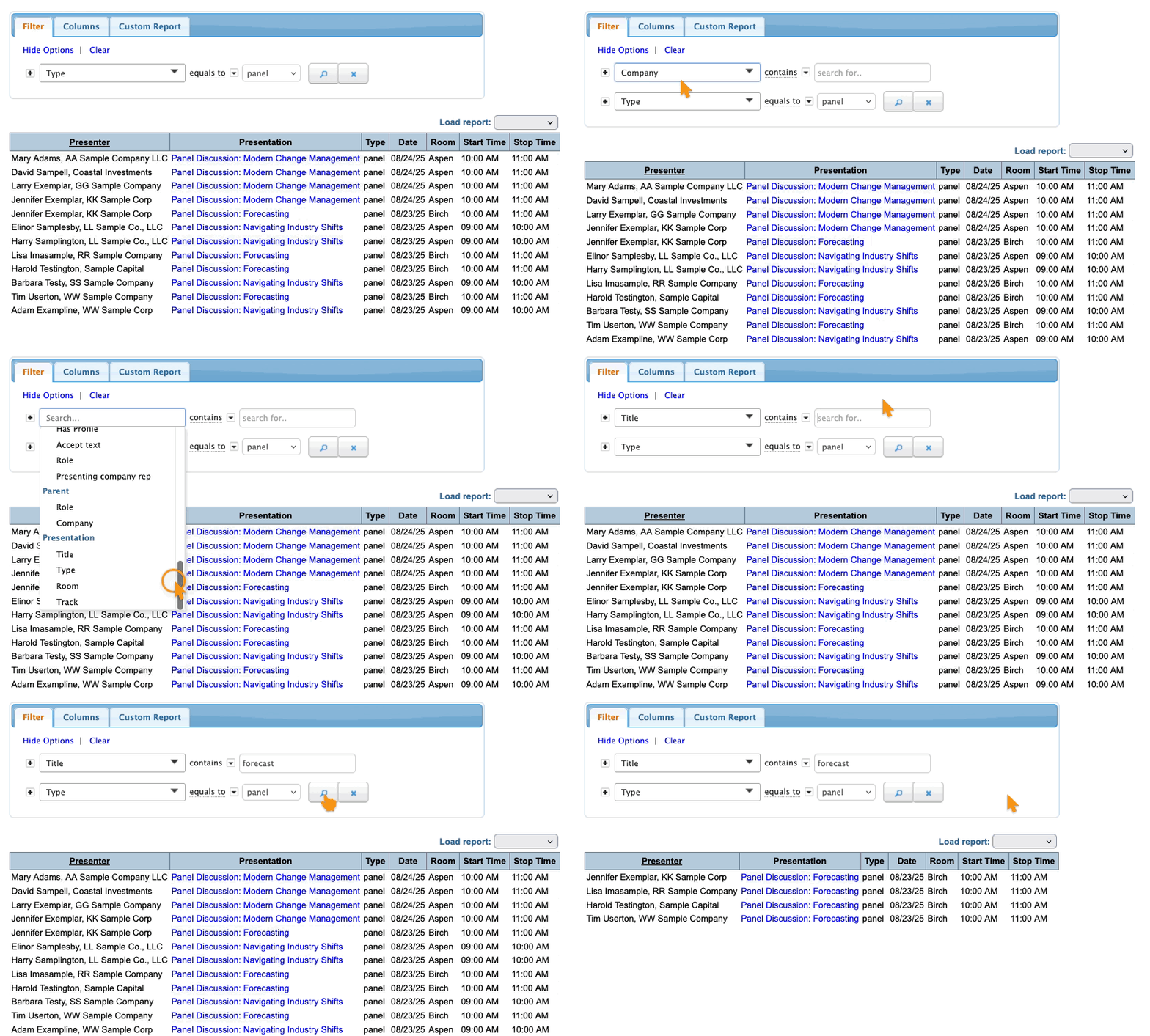
- Step 4. As with any list, you can export it in spreadsheet form, or save it as a custom report.
Finding moderators
If your presentations have moderators, you can keep track of them as well.
- Step 1. Head to the Presenters List:
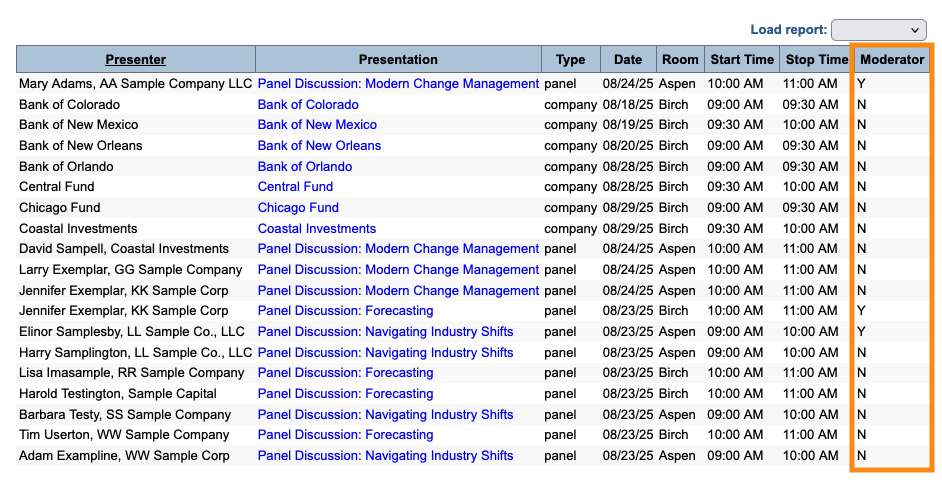
- Step 2. In the Columns tab, add the Moderator column. Be sure to click Apply:
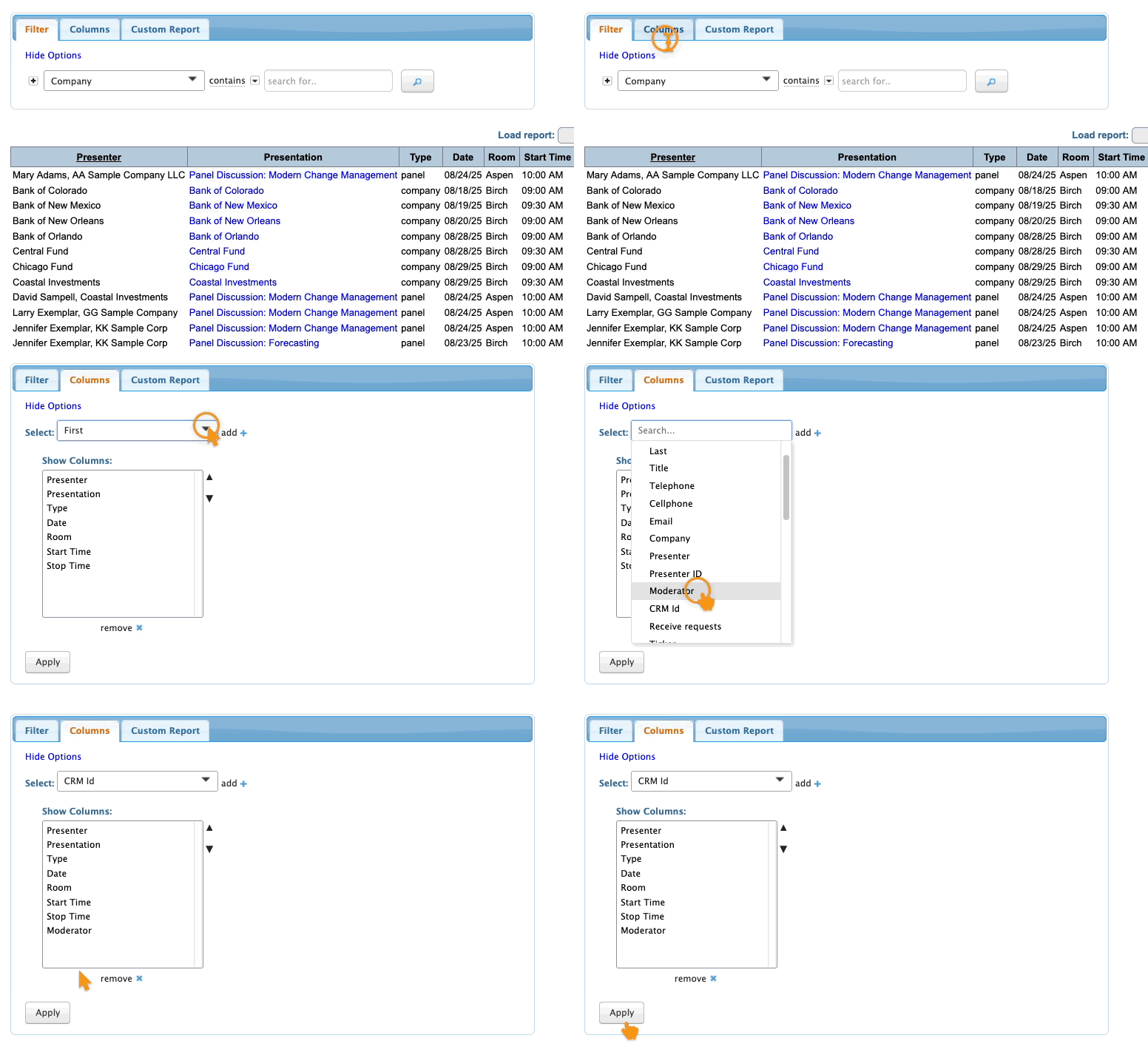
- Step 3. Your list now shows who’s a moderator: