

How do I reinstate a canceled registration?
If an Attendee or Company has canceled their registration, you can always reinstate it.
- Step 1. Head to either the Attendee Deletion Log or Company Deletion Log, depending on the type of participant:


- Step 2. Locate the participant in the list. Click the Un-delete link:
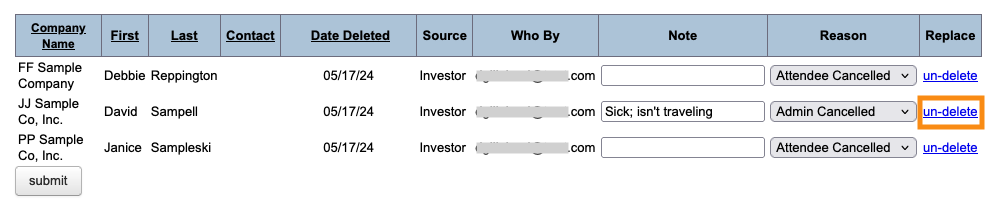
- Step 3. The participant disappears from this list, and you’ll find them in the Attendee List or Company List again:


-
When you reinstate a participant, it registers them for the event again. It doesn’t restore any of their previous meetings, meeting requests, presentations or activities. Those need to be re-booked manually.
To get a list of their previous meetings, you can use the Canceled Meetings List.

