


How do I list a Company’s Reps on the Request Meeting page?

| This article applies to Moderated meeting programs. |
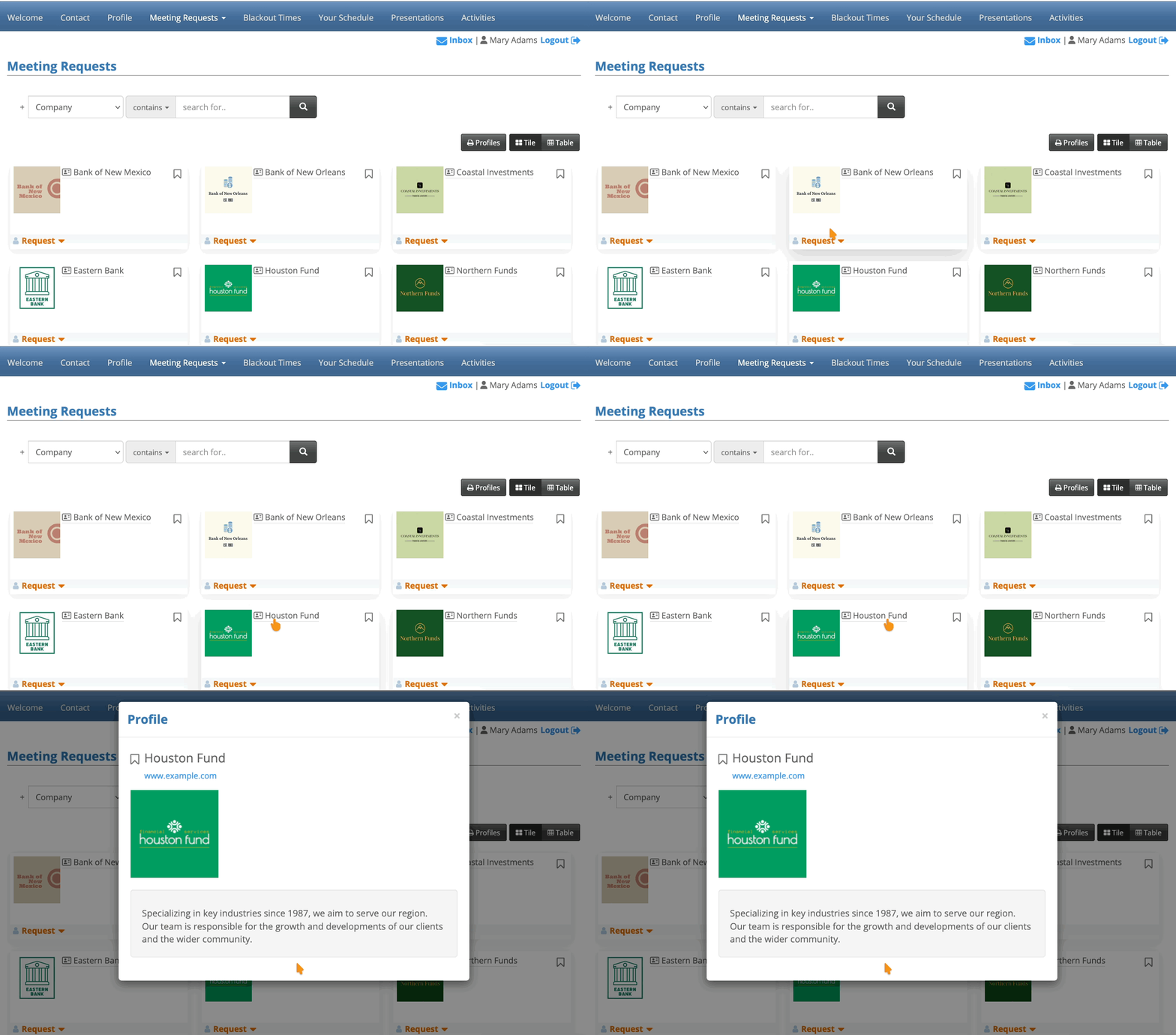
By default, when Attendees log into MeetMax and head to the Request Meeting page, they see a display of Companies.
An Attendee can click on any Company’s name, and open a pop-up profile:
As an option, you can display the Company Reps in this pop-up. You can display only their names, or names and profile headshots. See the examples below:
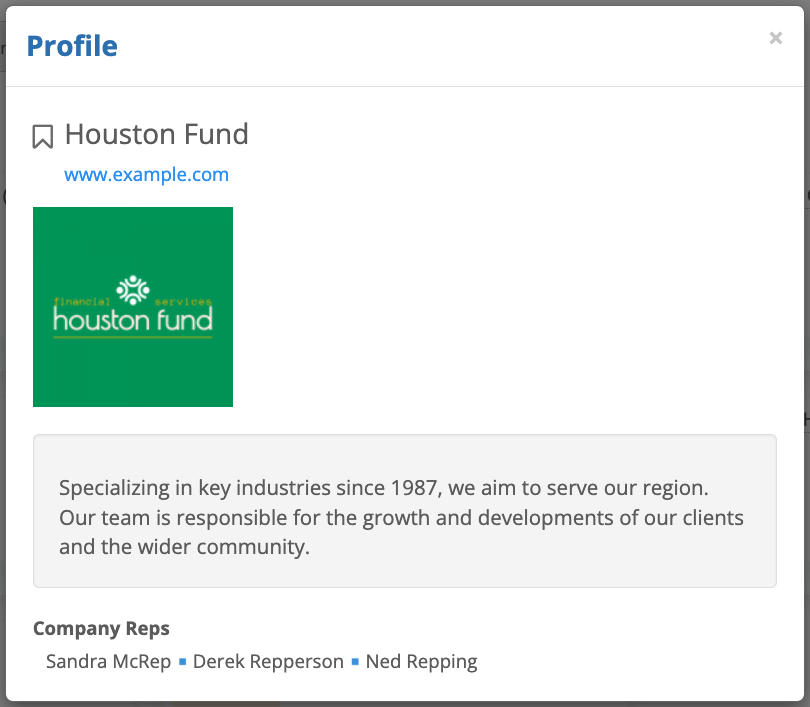
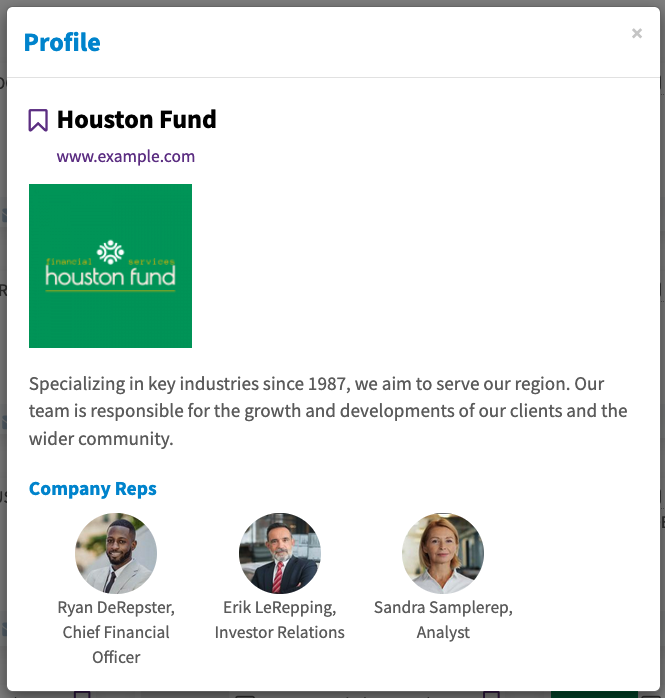
| Currently, MeetMax can list all Company Reps or none. It's not currently possible to opt individual reps out. | |
| If your event has all Company Reps tied to their Company’s meetings, then requesting a meeting with this Company automatically means meeting with all of these Reps. Some events schedule Company Reps individually into meetings. In that case, if an Attendee requests a meeting with this Company, an event Admin would book them to meet with specific Company Reps. |
Preliminary steps
To add this display setting:
- The Company Reps should be registered in MeetMax.
- The Company should have completed its profile.
- If you want to display headshots, each Company Rep also needs to complete their profile and upload one.
Changing the display setting
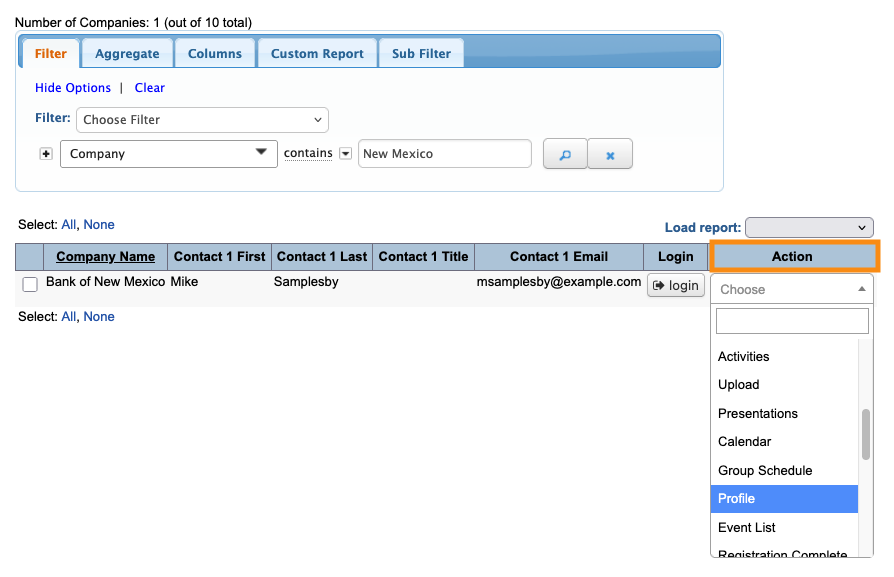
- Step 1. Head to the Company List:

- Step 2. Use any record. Changes you make here will apply to everyone.
- Use the Action menu to choose Profile:
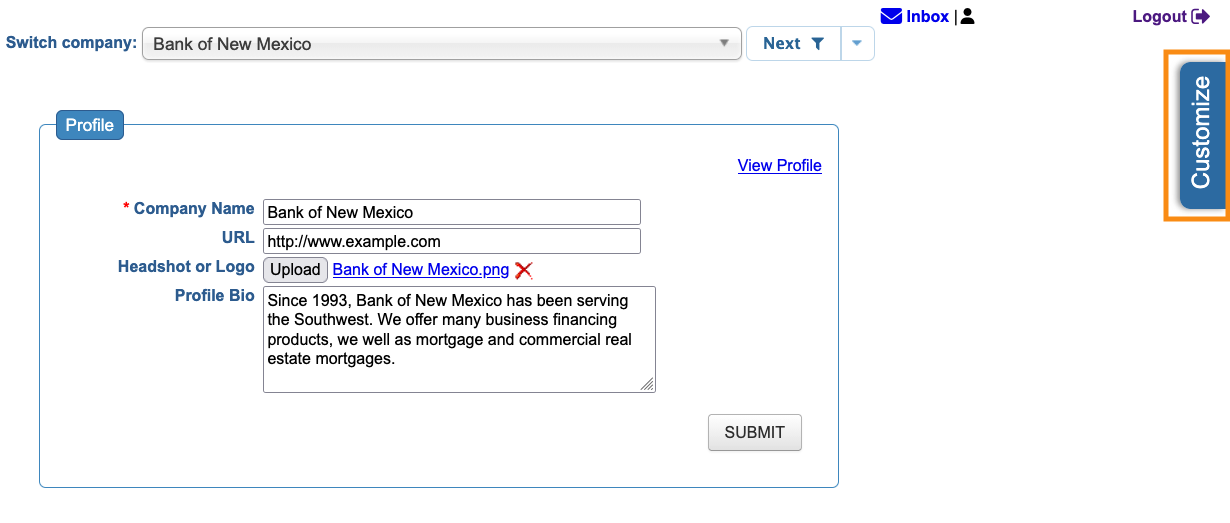
- Step 3. You’re now in the Admin version of this Company’s Profile form.
- Head to the right edge of the page and click the Customize tab:
- Step 4. Click the Show Guests checkbox.
- You’ll then see some extra, optional settings:
- • Show title: Display each Company Rep’s title, from their registration form.
- • Show presenting: If a Rep is giving a presentation, MeetMax lists it here.
- • Show profile picture: Include each Rep’s headshot, from their profile form.
- • Show email address: Display each Rep’s email, from their registration form.
- • Show telephone number: Display each Rep’s phone number, from their registration.
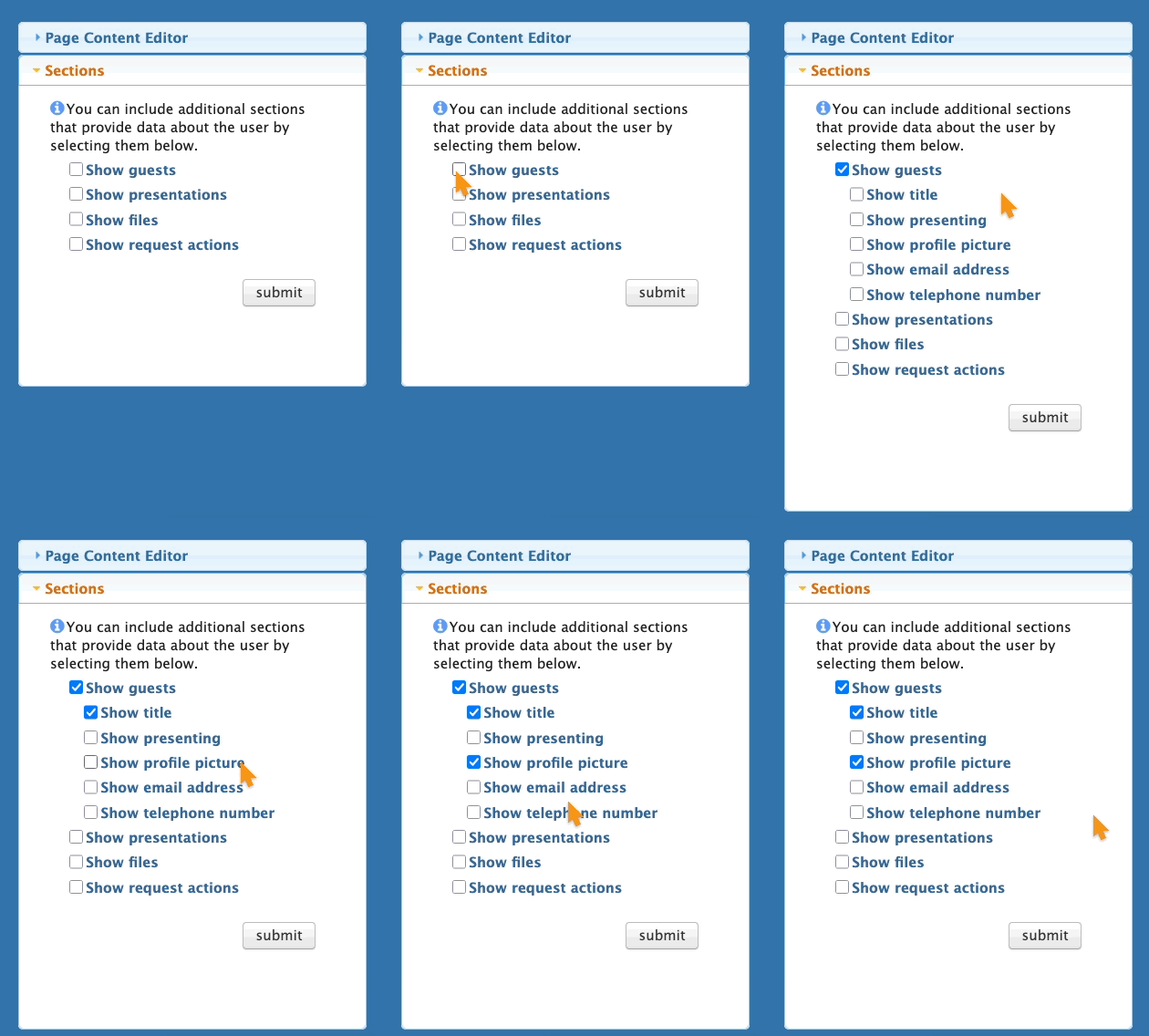
- Step 5. Click Submit to save.
-
In this context, “Guests” refers to Company Reps. MeetMax also uses this term for “plus-ones” invited by Attendees.
MeetMax will now include the Company Rep details you’ve chosen in each Company pop-up.

