

As I schedule meetings, can I auto-assign rooms?

With this setting, MeetMax will add a location to every meeting automatically, while you’re scheduling.
This option isn’t for all meeting programs. You might find it useful if you’re:
- Using automated scheduling
- Organizing a smaller event, with fewer meetings and meeting locations.
- Scheduling all meetings into a single location.
| Learn more about meeting locations here. | |
| Our Support team can help you decide whether this setting is a good fit for your event. |
Enabling the setting
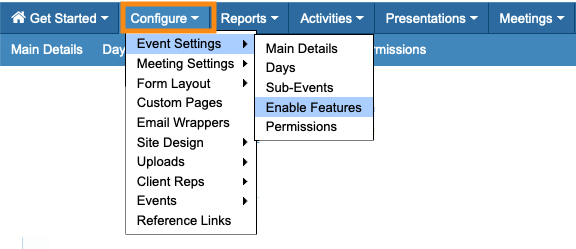
- Step 1. Head to the Configure tab. Choose Event Settings, then Enable Features:
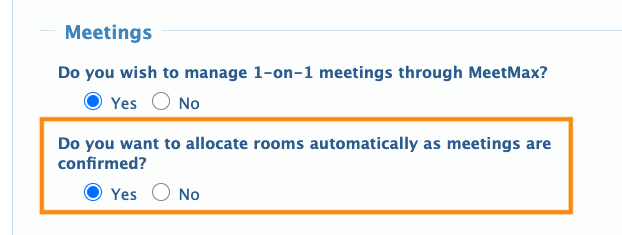
- Step 2. Scroll to the Meetings section.
- For Do you want to allocate rooms automatically as meetings are confirmed, choose Yes:
- Step 3. Scroll to the bottom of the page and click Save:

What Admins see
Each time your team schedules a meeting, MeetMax will automatically find the best available location and assign it:
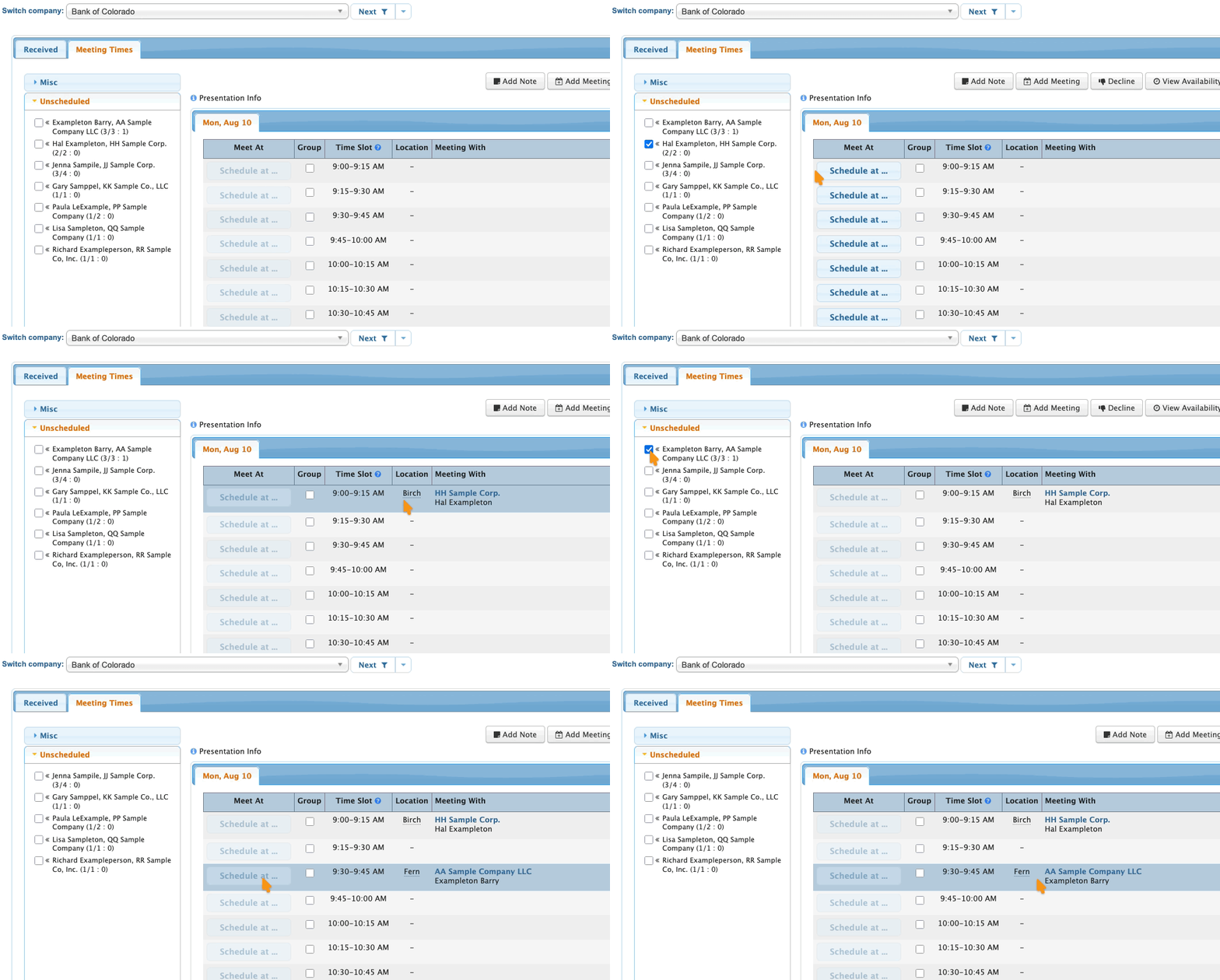
MeetMax aims to schedule your locations effectively. You might still need to change the location of one or more meetings as your program develops.
Alternate ways to auto-assign
Depending on your event, you might find some of these auto-assignment tools useful:

