Can I schedule “Untied” Company Reps into meetings?
This article is for events where some Company Reps aren’t automatically scheduled into all of their Company’s meetings.
Once you “untie” a Rep from their Company’s meetings, you can still manually schedule them into individual meetings as needed.
| Your event might use a different name for this role, such as Company Attendees. |
- Step 1. Head to the Company List
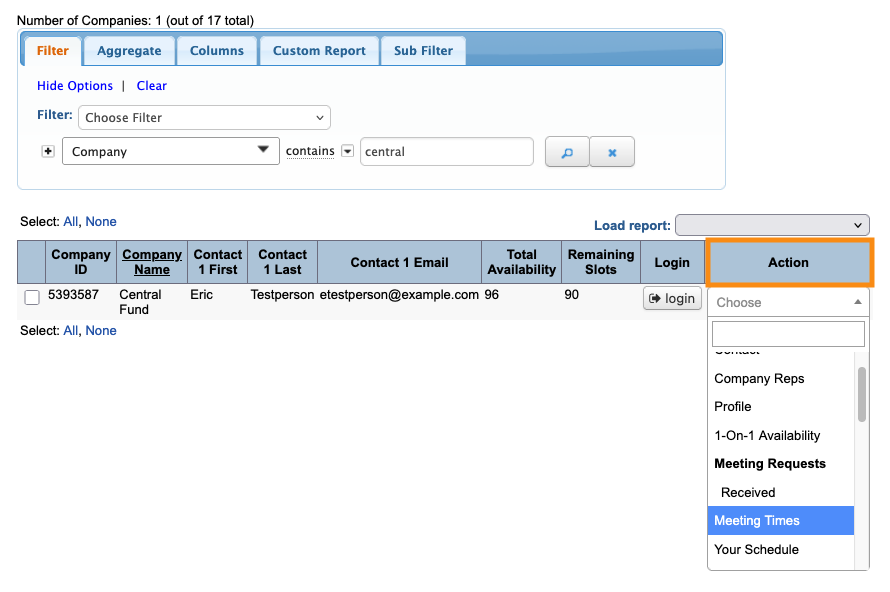
- Step 2. Filter the list to find the Company who’s Reps you need to schedule.
- Use the Action menu to choose Meeting Times:
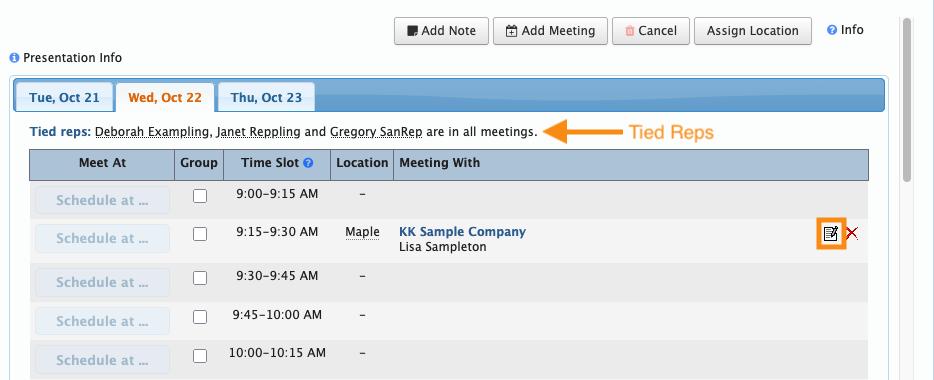
- Step 3. For this process, you’ll first schedule a meeting for the Company. Then after saving, you can add the untied Rep to it.
- You can start by:
- • Editing an existing Company meeting (as shown below)
- • Scheduling a Company meeting from a request
- • Creating a meeting from scratch
- If you’re creating a new meeting, save it and proceed to the next step.
- Step 4. Click the Edit icon for the meeting:
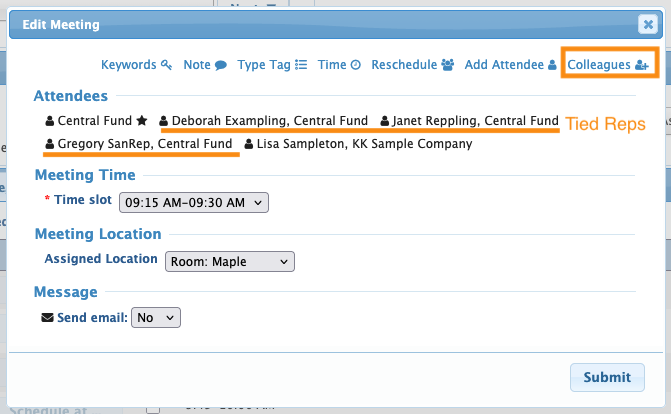
- Step 5. In the pop-up, you’ll see that any tied Company Reps are automatically listed as participants in this meeting.
- To add an untied Rep, click the Colleagues link:
-
If you don’t see this link, our Support team can enable it for you. - Step 6. Click the checkbox to add an untied Company Rep to this meeting.
- Click Submit:
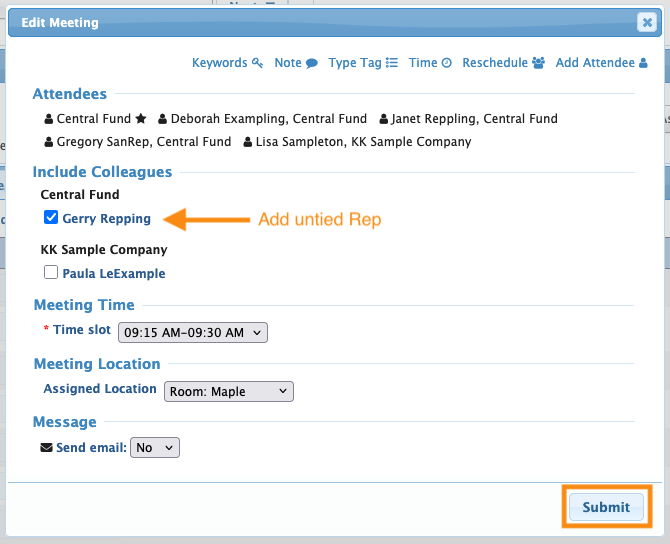
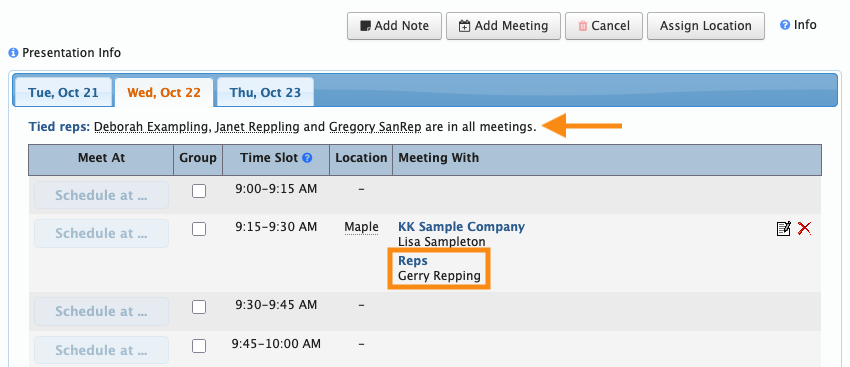
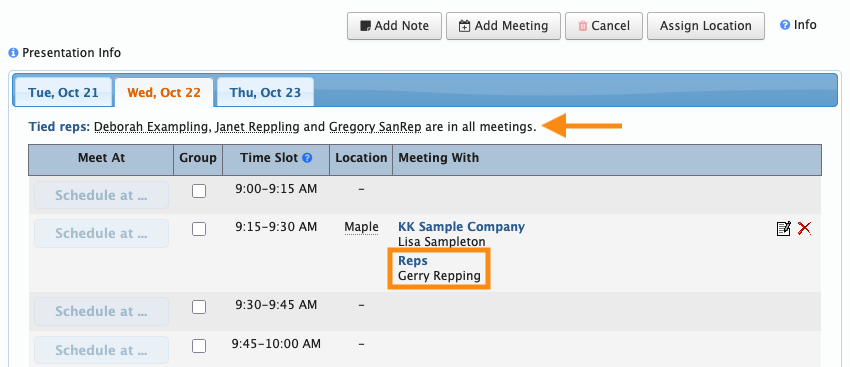
- You’ll now see the untied Rep listed, separately from the tied Reps: