

What are Pending, Confirmed, and Approved meeting requests?
Depending on your meeting program’s set-up, some or all of these statuses are visible.
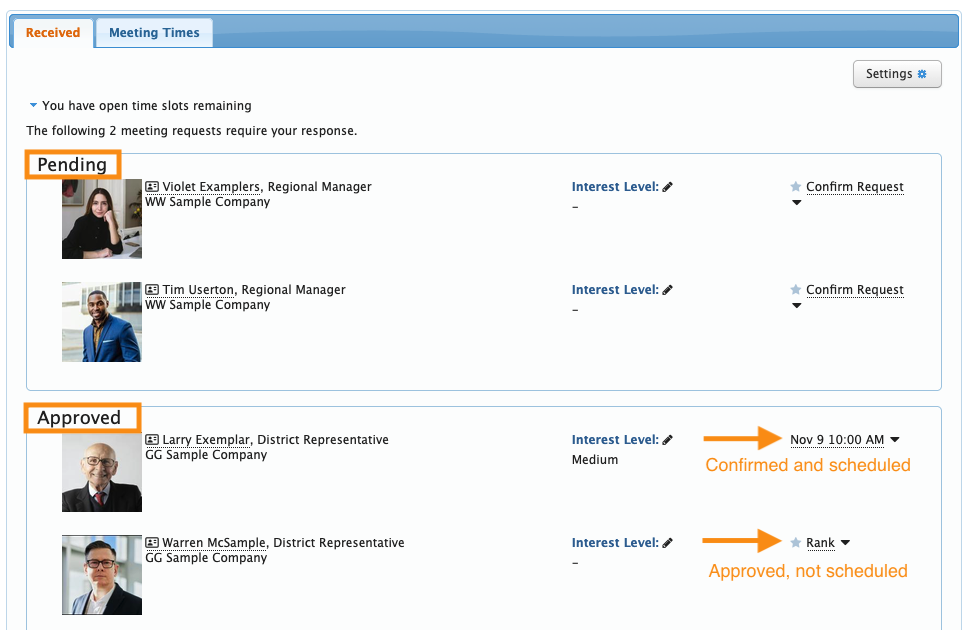
Here’s an example of an event Admin’s view, showing a Company’s received meeting requests. MeetMax organizes them by their current status:
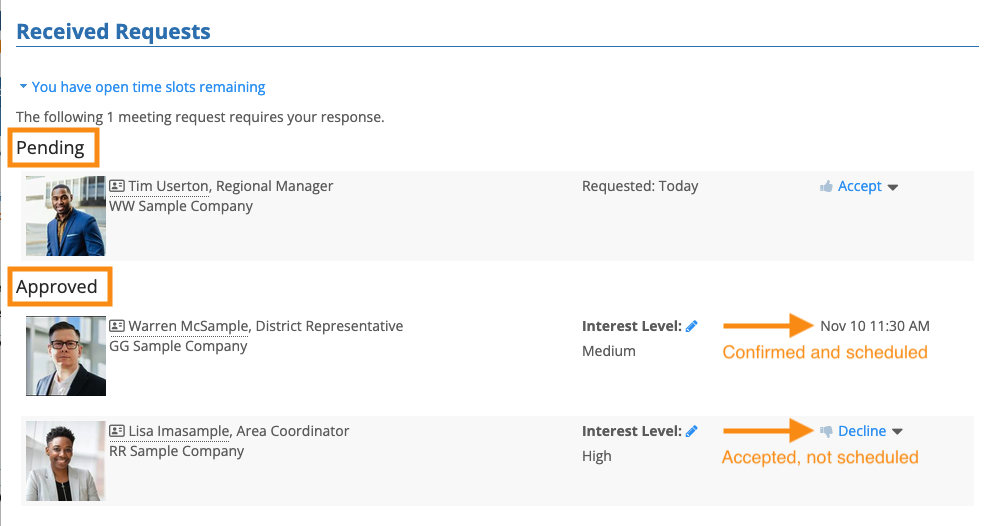
Logged-in participants also see these statuses on either the Meeting Requests Sent or Meeting Requests Received pages. Here’s an example:
What the statuses mean
| In MeetMax, the Source is the person who sends a meeting request. The Target is the person or organization that receives that request. |
- Pending: A Source has submitted a request. The Target hasn’t yet responded.
- Approved: The Target has accepted the request. Depending on your meeting program, that acceptance might also include booking the meeting, or not.
- Confirmed: An accepted request that’s been scheduled as a meeting.
- Declined: A Source submitted a request. The Target (or an Admin on behalf of the Target) declined it.
Report: Meeting requests with statuses
You can run a custom report from the Meeting Request List. .

