


In this article:
- Before registration
- How a Company registers
- Receiving a registration confirmation
- What the Company does next
- Accessing a registered Company
Before registration
The registration process in MeetMax is highly customizable. Our team will help you choose the best registration method for your event, and design registration forms to capture all the data you need.
In this article, we’ll show a general overview of what Companies see during registration. Depending on how your event is set up, your participating Companies might have a slightly different process.
| When a Company registers, they’re registering as an organization, or “entity.” The Company will also have people attending the event. They’re added separately as Company Reps. |
How a Company registers
Different events handle Company registration differently.
Most commonly, your Admin team will either add individual Companies to MeetMax, or import a list of Companies. In either process, you’ll fill out the registration form on behalf of the Company:
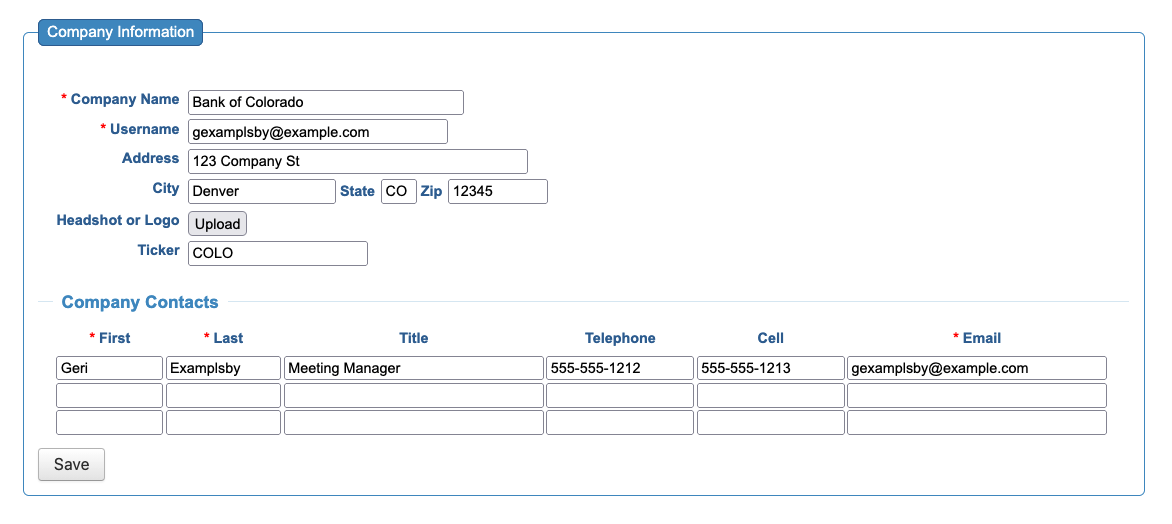
| As your team adds a Company to MeetMax, they’ll only need to complete the Required fields in the registration form. The Company’s main contact can access this form after registration, and add or change details. |
Once you’ve added them to MeetMax, a Company is effectively registered for your event. But they still need to access their MeetMax account, so you’d email a confirmation to the Company’s main contact person. See the section below for details.
Receiving a registration confirmation
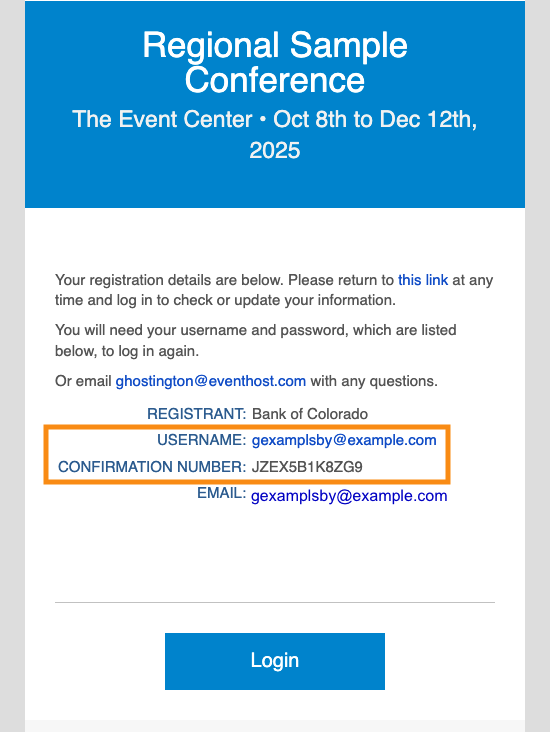
Once you’ve added all of your event’s Companies, you’ll send a batch email with registration confirmations.
The email looks something like this, and contains the main Company contact’s login credentials. As with everything MeetMax, this email is highly customizable for your event:
- You can resend a Company’s confirmation email any time.
- If they lose their confirmation number, you can retrieve it for them.
What the Company does next
When the Company’s main contact logs into MeetMax, they’ll see a Notifications icon on their welcome page. This is the quickest way to see what actions they need to take:
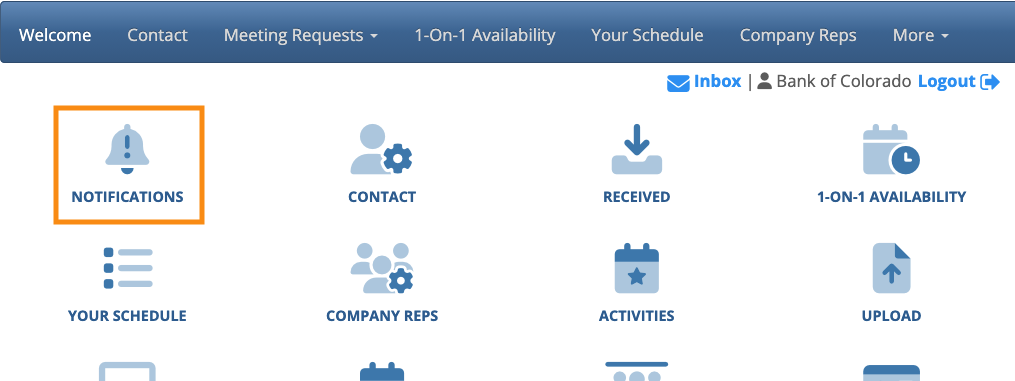
| Remember, this experience will be branded and customized for your event. |
See more details on each action below.
Adding 1x1 Meeting Availability
In the 1-On-1 Availability tab, the Company chooses the times the organization will be available for 1x1 meetings with Attendees:

| Once the Company adds its Company Reps, those individuals can adjust their own meeting availability. |
Adding Company Reps
Your Company contact can add their team members. These Company Reps will be attending your event and participating in meetings:

Profile
If your event is using Profiles, it’s also a good idea for the Company to complete the Profile tab. Profile information helps Attendees make meeting requests:

Accessing a registered Company
Once a Company is registered, your Admin team can locate them in the Company List:


