

How do I change the main details of my event?
You can update your event’s core information at any time.
In this article:
Accessing the Main Details
To get started, head to the Configure tab. Choose Event Settings, then Main Details:

On the Main Details page, you can update any of the information in the form:
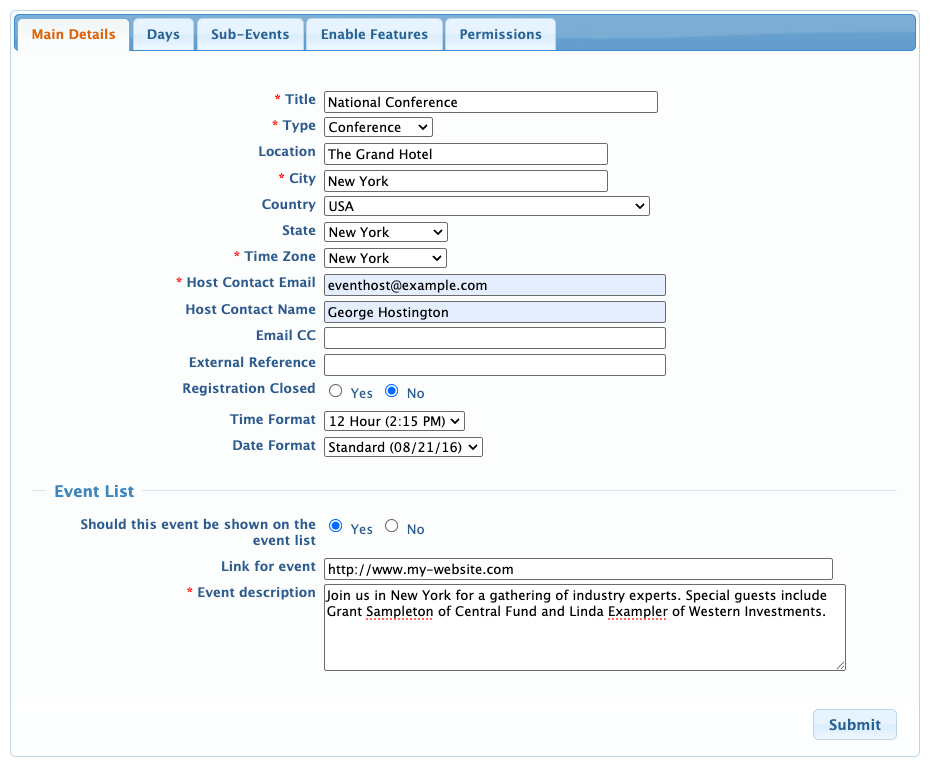
- Title: This is the name of your event, which appears on all web pages and emails.
- Type: If you host different kinds of events, you can set and select types here. See the section below for details.
- Location: You can change the city, state, and country.
- Time zone: Choose the same city where your event is, or the city that represents your event's time zone. MeetMax can convert your event's time zone to participants' time zones. You can also set different time zones for different event days.
- Contact: The name and email you enter here will appear on automated email notifications MeetMax sends. You can customize how the main contact’s sender name appears.
- Email CC: This optional field sets an automatic cc for certain emails sent from MeetMax. This email address receives confirmations of successful batch email sends, as well as copies of single emails sent from the Attendee or Company List. This email also gets copies of emails sent from any participant's Your Schedule page.
- External reference: This field is used by our Support team.
- Registration Closed: Learn about closing event registration here.
- Time and Date Format: MeetMax can display times in a 12-hour or 24-hour format. Dates can be either MM/DD/YY or YY/MM/DD.
- Event List: As an option, you can add this event to a public list of upcoming events.
| If you've scheduled some meetings and then change your event's time zone, that updates the time zone of those scheduled meetings as well. |
Setting the Event Type
By default, MeetMax sets new events to the Conference type. If you don’t host other types of events, you can leave this default setting.
If you do host different event types, use this menu to assign a type to each event.
Need to create a type? Open the Type menu. Choose add new type, and enter the name:
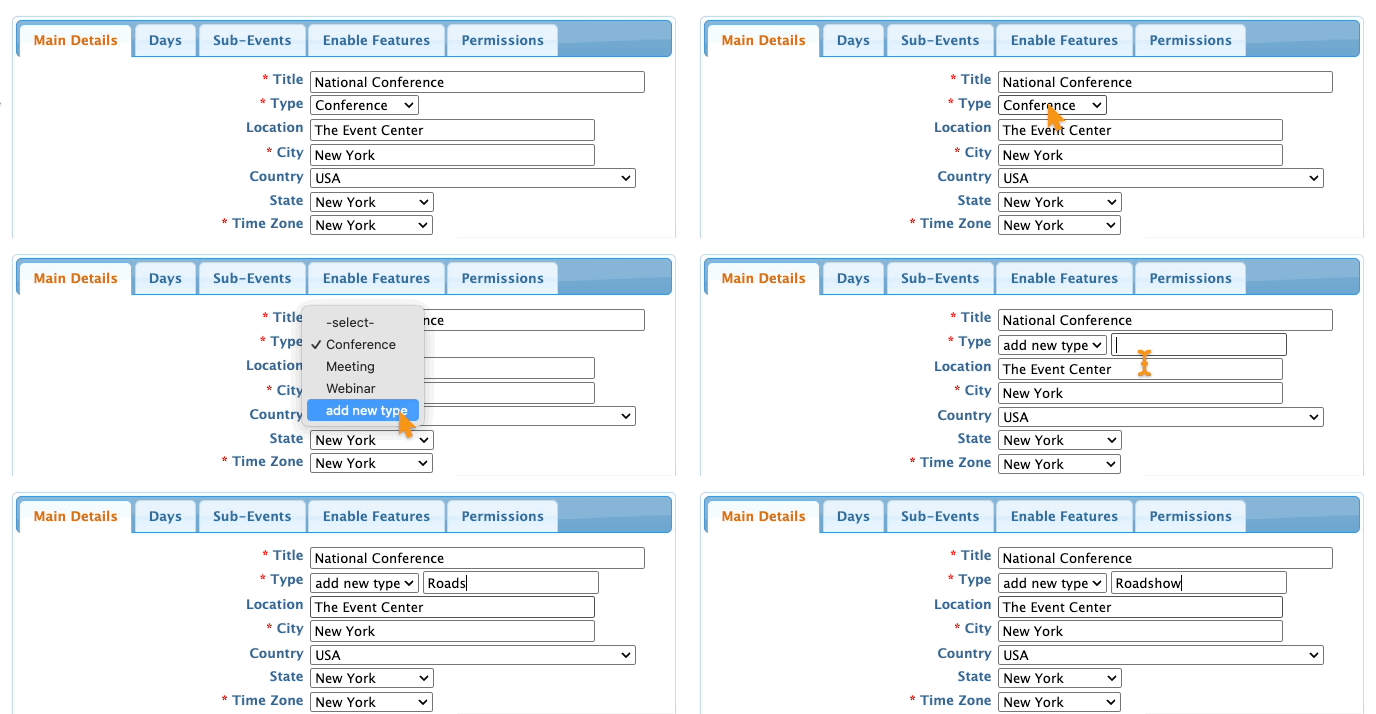
Be sure to click Submit to save

