


How do I see who’s available in a specific time slot?

This feature is helpful if you have a last-minute cancellation, or you need to fill a few unclaimed time slots.
You can use it with both Moderated and Unmoderated meeting programs.
| In MeetMax, the Source is the person who sent the meeting request. The Target is the person or organization that receives that request. |
- Step 1. Start in the Target's list. In this example, Companies are Targets. So we'll head to the Company List:

-
If Attendees are the Targets in your event, you’d start from the Attendee List instead. - Step 2. Filter the list to find the Company you need to schedule meetings for.
- In the Action menu, choose Meeting Times:
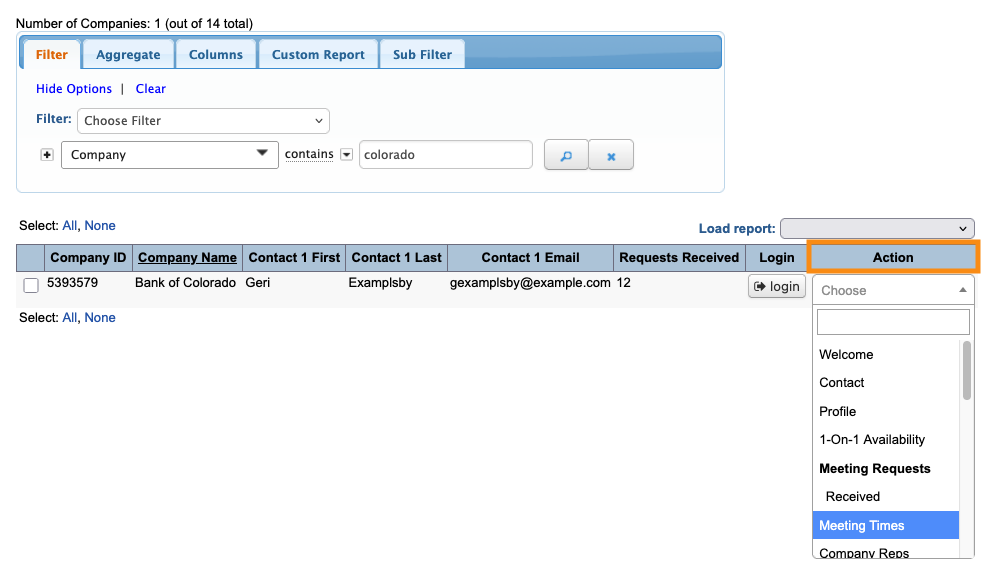
- Step 3. Click the tab for the event day you need. Then click on any time slot.
- Depending on your meeting program, it can be an empty time slot or an occupied one:
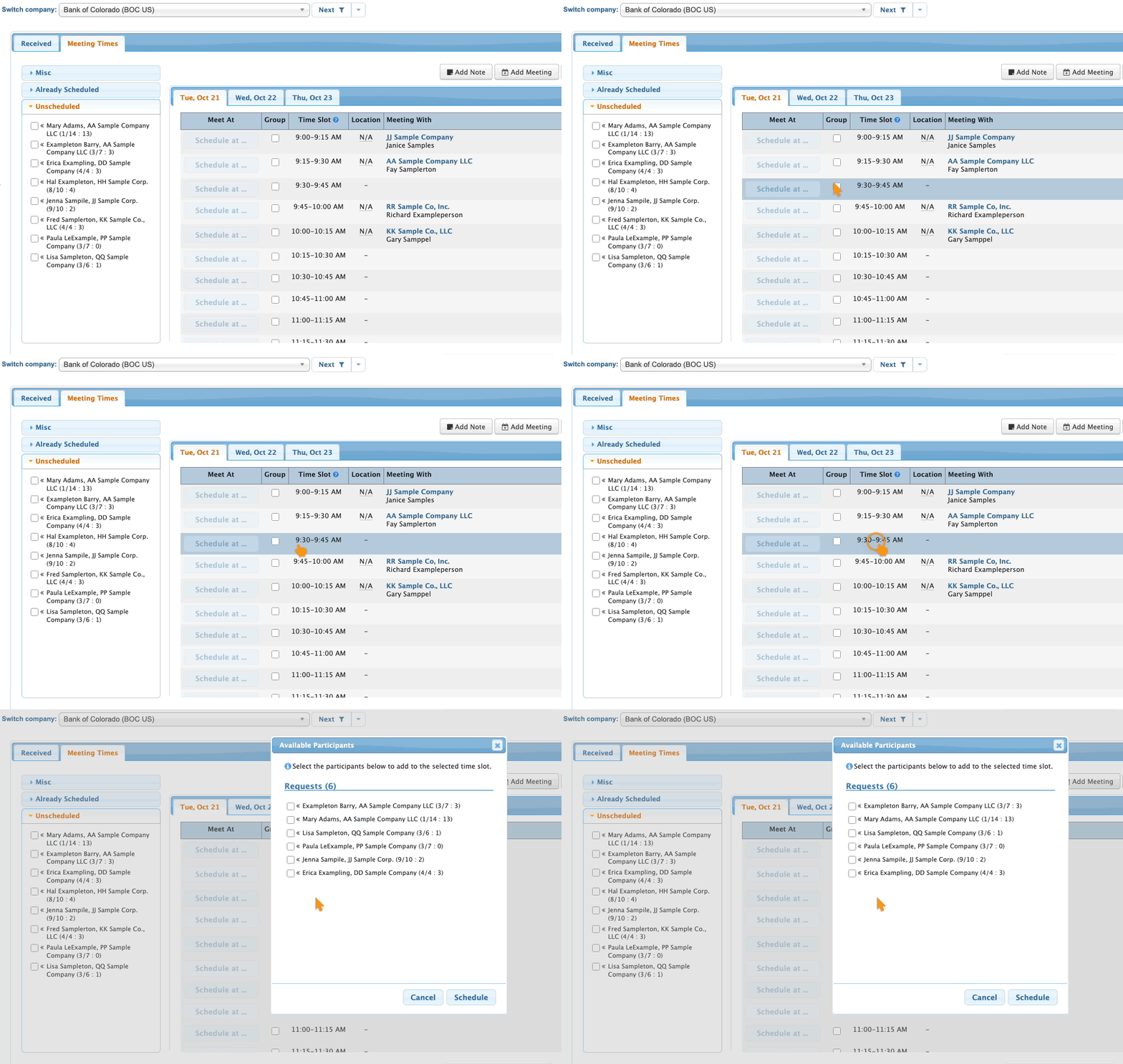
-
Wondering what those numbers are after each name? Check out this article. - Step 4. The pop-up will show you a list of Attendees who:
- • Are available in this time slot
- • Have a pending meeting request for the Target
- • Aren’t already scheduled in a meeting with the Target
- • Haven’t had their meeting requests declined
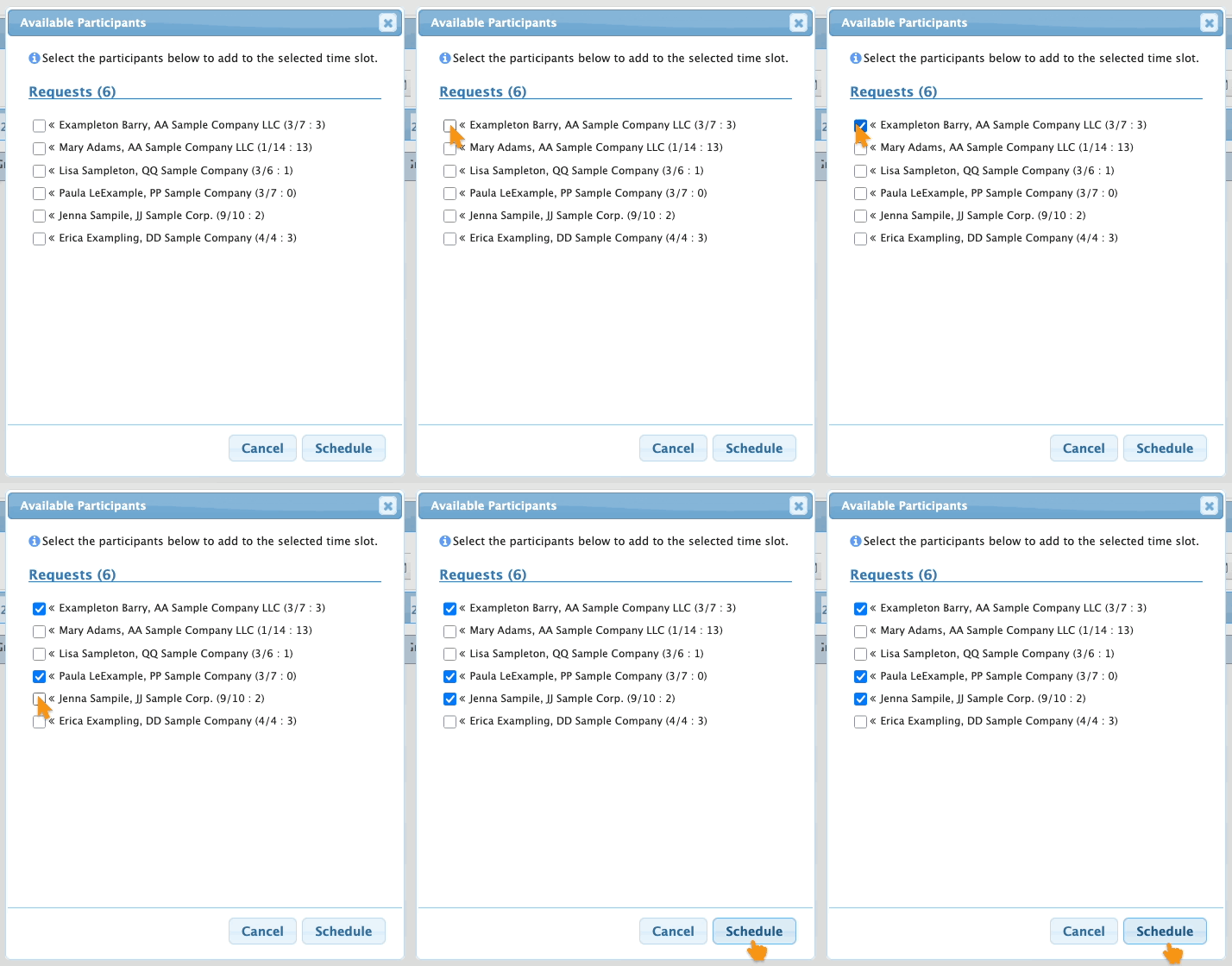
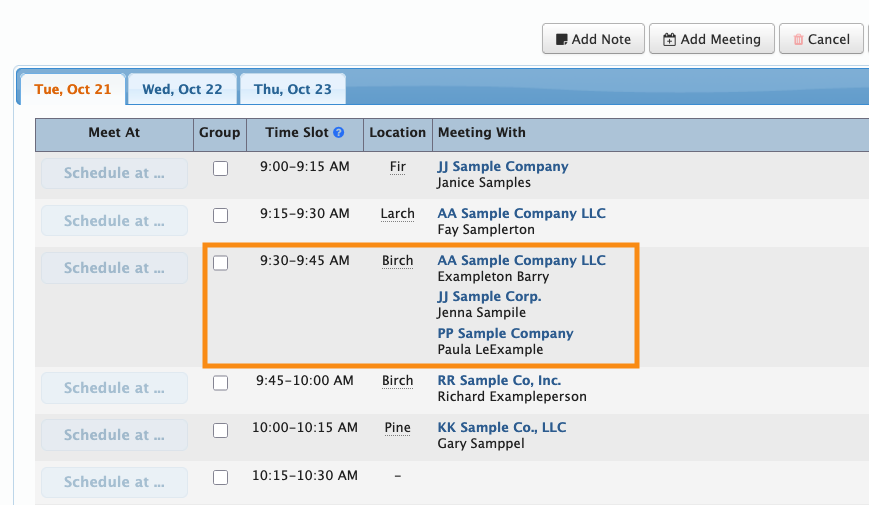
- Step 5. Click on one or more of these Attendees, then click Schedule. That books them into a meeting at this time:
-
If you need to add another Attendee to an existing meeting, this feature works exactly the same way. Click on the scheduled time slot, and you’ll see a list of people who are available to add to this meeting.

