When you’re adding a single presentation or importing a list of them, you’ll use the Type and Type Label fields.
Presentation Type
When you choose a Type for your presentation, MeetMax will be able to filter your Presentations List for that type:
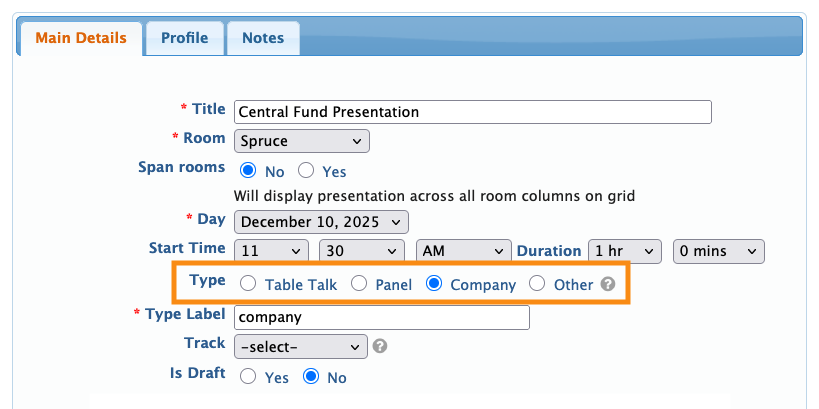
MeetMax has up to four Types, depending on how your event is set up:
- Table Talk: An optional Attendee-proposed and led discussion. Learn more about Table Talks here.
- Panel: A multi-presenter session. Presenters can be Companies, Company Reps, or Attendees.
- Company: A single-presenter session, usually presented by a Company or Company Rep.
- Other: If your session doesn’t fit any of the above types, you can use Other. You’d add a Type Label to specify what this session is. (More on that below.)
| In MeetMax, Attendees aren’t enabled as presenters by default. Reach out to our Support Team if you need Attendee presenters. | |
| If your presentations are webinars, you can use either the Company or Panel types. Then you’d use a Type Label like Webinar. |
Type Label
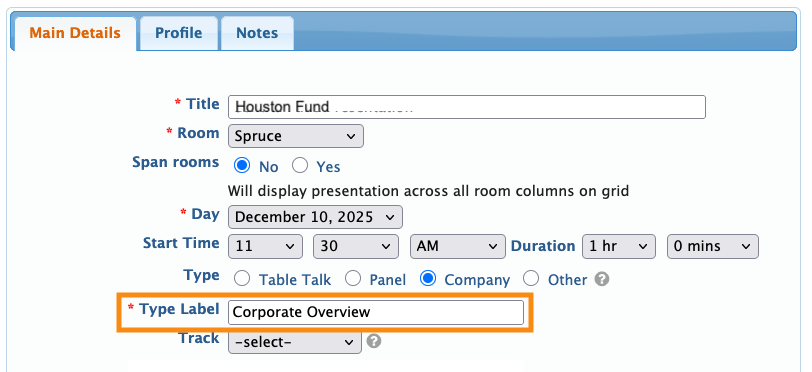
This is a required field. When you choose a Type for your presentation, by default MeetMax adds the same information to the Type Label field. Then you can customize the Type Label text as needed.
Here’s an example, where our event will have more than one kind of Company presentation. So we’ll add Type Labels to differentiate them:

| You don’t have to customize the Type Label. If you don't need to display any presentation types to participants, use the default text MeetMax adds. |
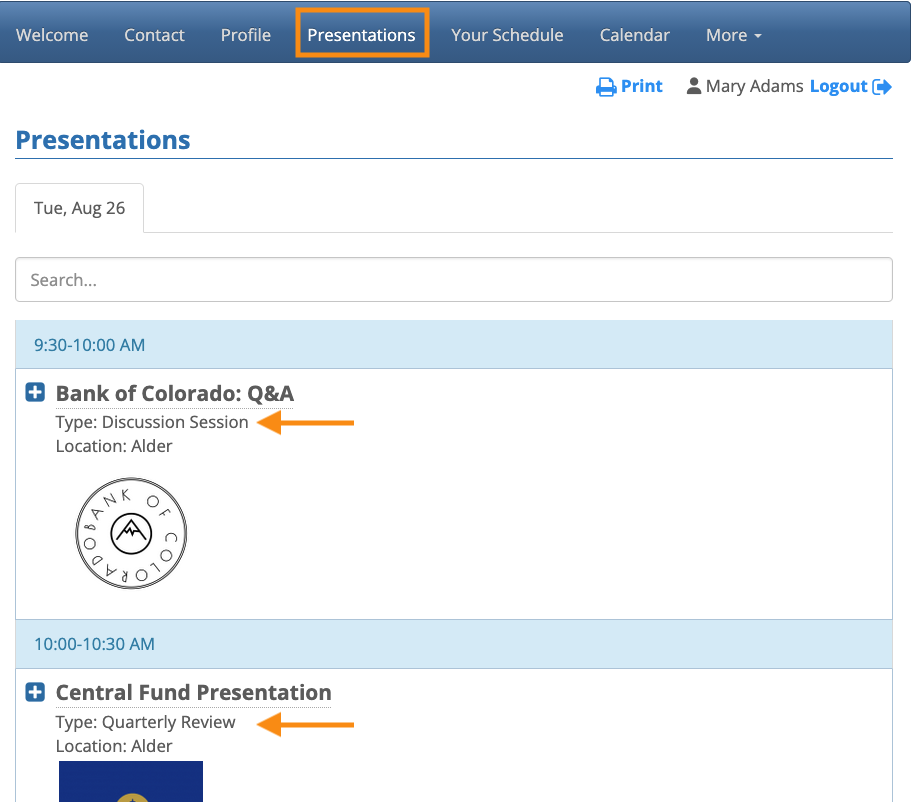
Type Labels on the Presentations page
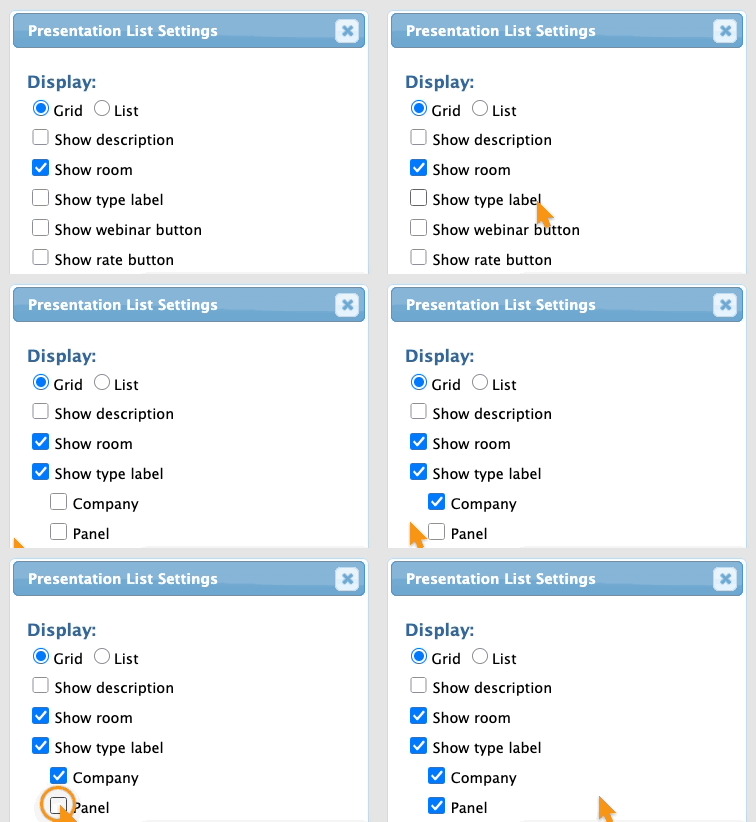
You can customize the Presentations page your participants see. One of these customizations is to display the Type Label for each presentation.
You can show the label for the Company or Panel types, or both:
Type Labels in participant schedules
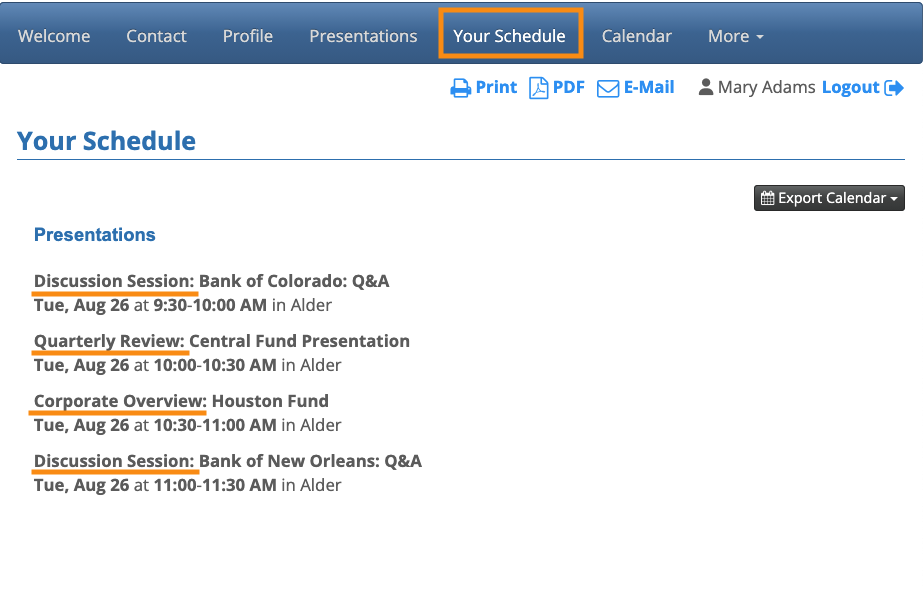
Once a participant signs up for a presentation, they’ll see the Type Label on their schedule. It’s part of the presentation title.
Learn more about schedule customization here.