

If I restore a canceled participant, can I also restore their meetings?

If you need to cancel an Attendee or Company registration, that automatically cancels any meetings they had booked.
Occasionally, you might need to reinstate a canceled participant. MeetMax doesn’t re-create their meetings in that case. We’re assuming that you’ve continued scheduling since that cancellation, and automatically re-booking could cause conflicts.
Instead, you can pull a list of the original meetings. That’s a useful reference for re-scheduling the meetings.
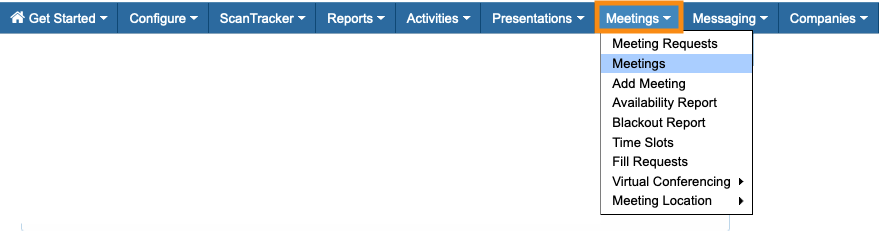
- Step 1. Head to the Meetings List:
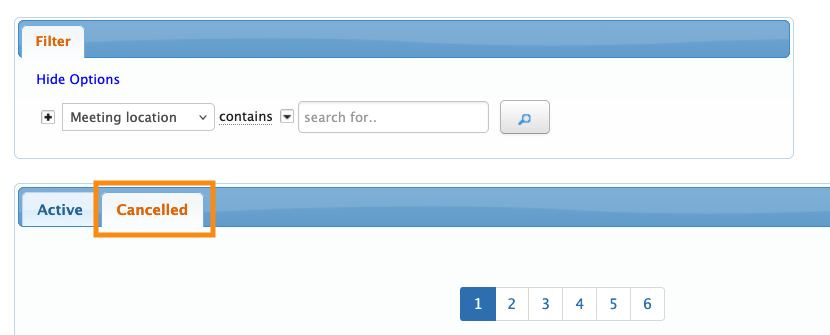
- Step 2. Click on the Cancelled tab:
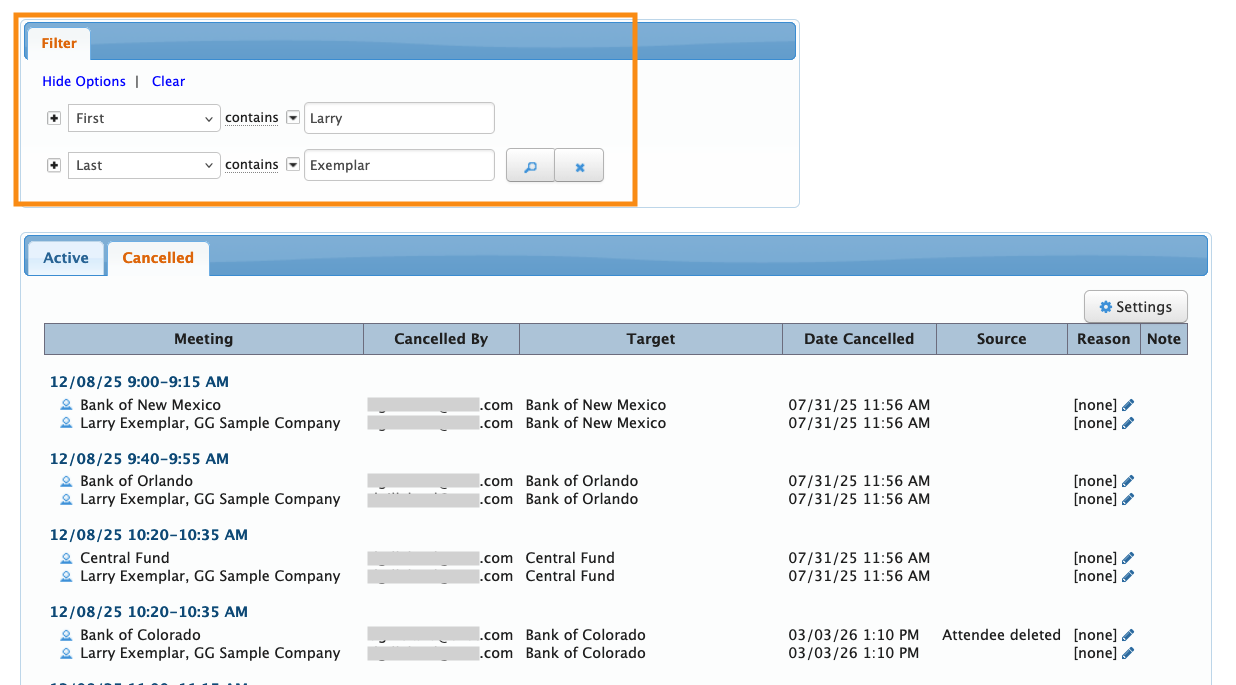
- Step 3. Add one or more filters to narrow this list down to the canceled participant's meetings. We’re using First and Last name filters here:
- Step 4. Want to export this list to use as a reference? Head to the top right corner and click Excel:
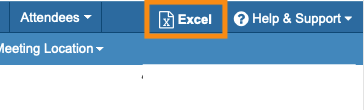
- You can open the downloaded file in any spreadsheet software.
| When a registration is canceled, MeetMax also cancels any presentations and activities the participant had signed up for. |

