In this article:
- Overlap meetings in a location
- Overlap meetings for one participant
- Overlap meeting times at your event
Not all events will need these optional settings. They’re great when you have specialty scheduling needs.
| These options apply only to in-person meetings. For virtual meetings, MeetMax always schedules one at a time. |
Overlap meetings in a location
When you add a meeting location to MeetMax, you’ll set its Capacity. That’s the maximum number of concurrent meetings the location can hold.
One way to overlap meetings is to set a location’s capacity above 1. If you set the capacity to 2, for example, you can schedule 2 unrelated meetings into that location in the same time slot:
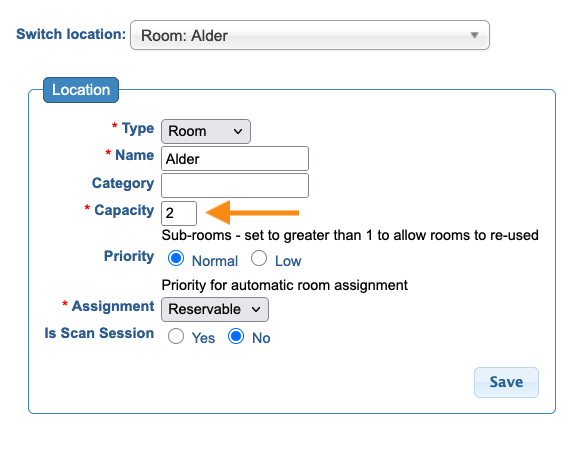
Learn more about meeting location capacity here.
| A related setting that’s useful for some events is Maximum Meetings per time slot. It sets the total number of meetings that can happen at the same time at your event. |
Overlap meetings for one participant
For Moderated meeting programs, you might need to schedule an Attendee or Company Rep into more than one meeting at the same time. The idea is that they’d visit each meeting during the time slot - not that they’d be in multiple places at once!
You can add a field to the Admin version of the Attendee registration form. That lets you set the number of simultaneous meetings for each person:
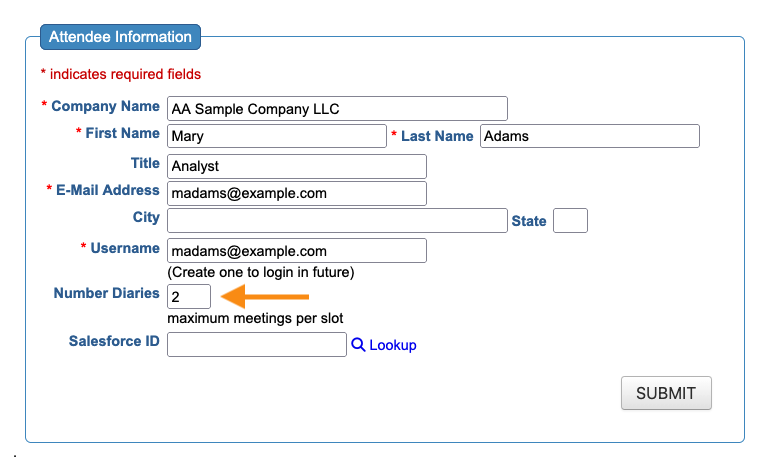
Learn more about our Multiple Diaries feature here.
Overlap meeting times at your event
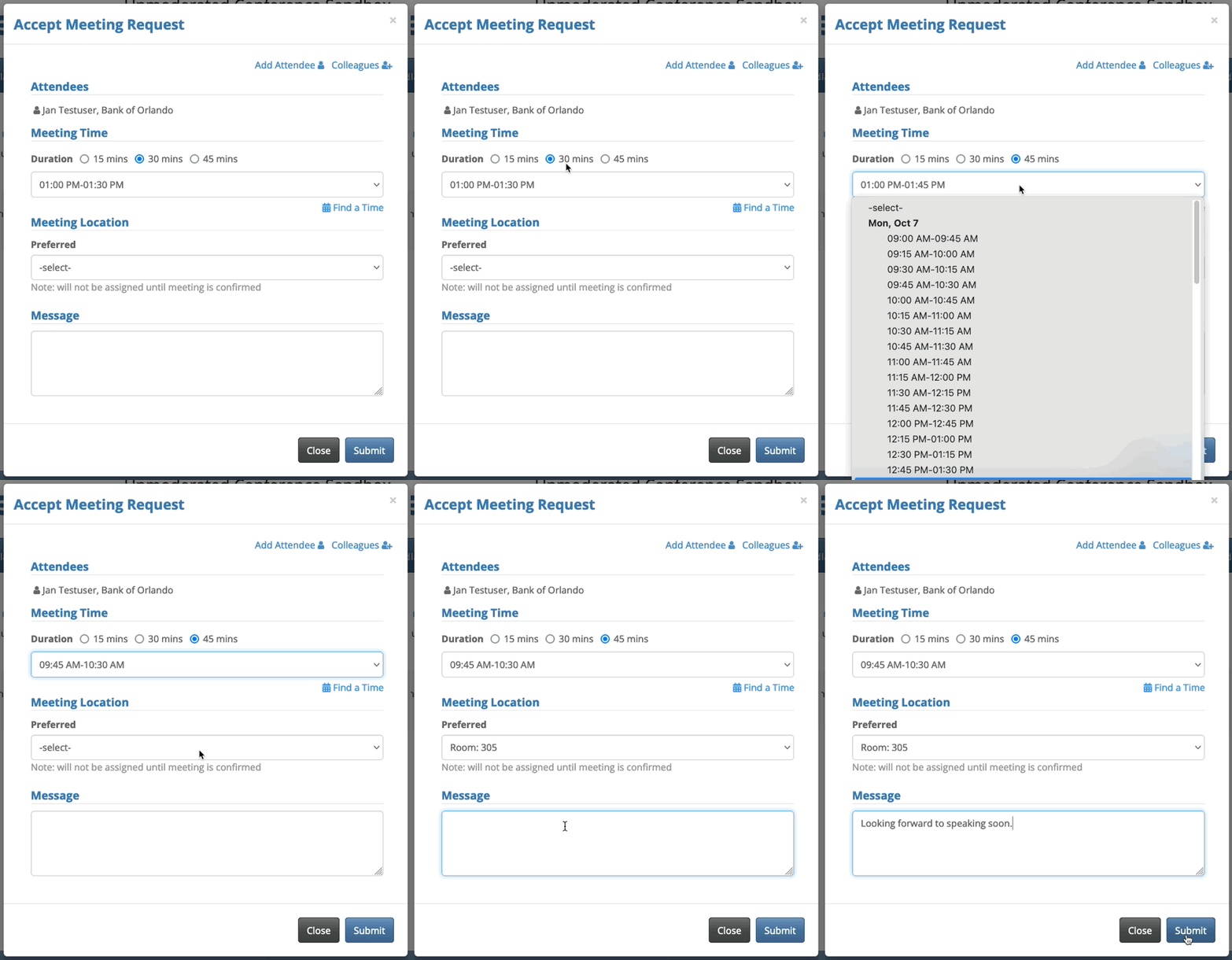
For Unmoderated meeting programs, you can enable multiple meeting lengths. This also creates multiple, overlapping meeting start times. It’s a way to give Attendees more choices as they build their own schedules: