

MeetMax offers two ways to send registration confirmations. Our team will help you set up the method that works best for your event.
Automated registration confirmations
If your event has participants registering themselves individually, MeetMax will send automated confirmation emails.
We send to the email address the participant added to their registration form. It looks something like this:
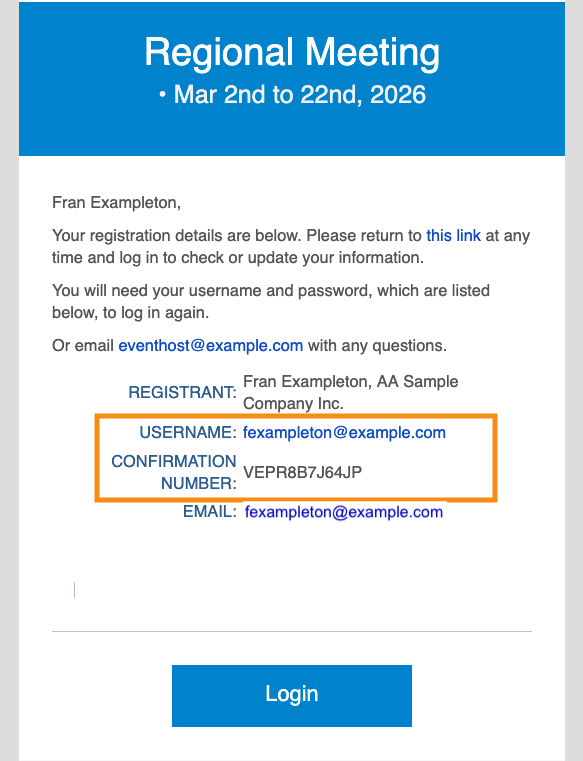
You can add custom content above or below the automated registration details.
| These automated confirmations are generated once. If you need to resend a confirmation, see this article. |
Batch emailing confirmations
For some events, your Admin team registers all participants. This is often done by importing them to MeetMax.
After that, you’d use the batch emailer to send registration confirmations to everyone at once.
In your batch email, use the Attachment menu to choose Registration Confirmation:
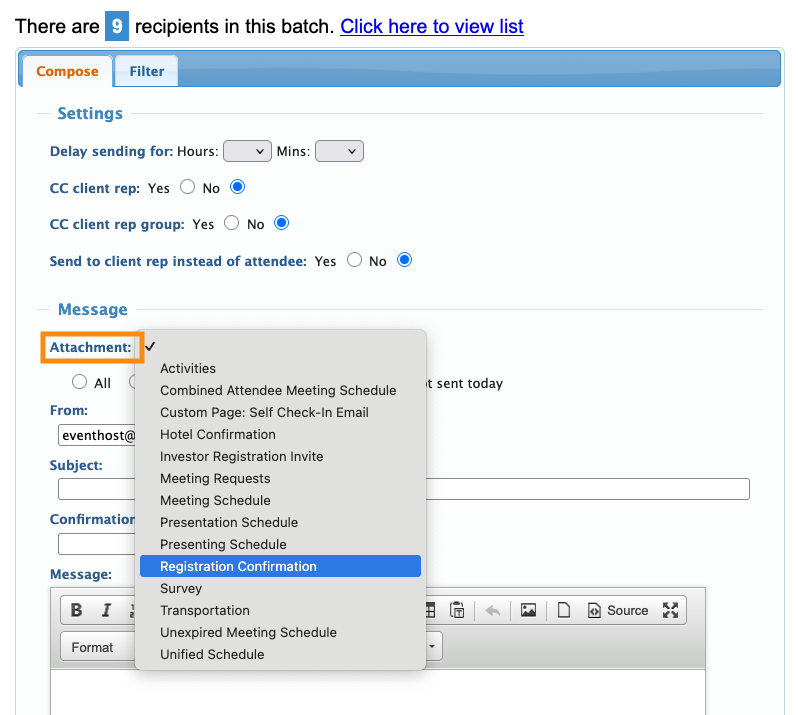
This Attachment creates a personalized confirmation with each registrant’s login details. It looks something like this:
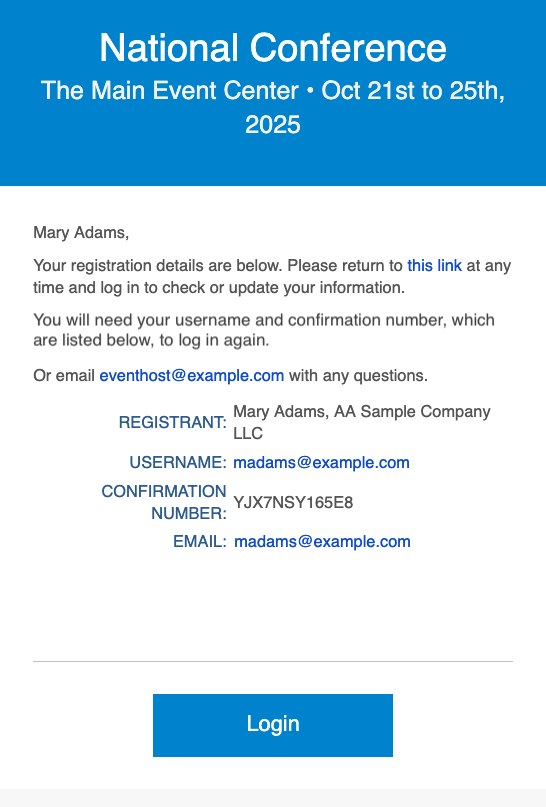
You can send confirmations to any size batch of participants - one person or multiple people.

