


If your participants are handling their own hotel bookings, you won’t need to use the Hotels module in MeetMax.
Instead, you’ll need to:
- Set up a web page for participants, with hotel details and links to register.
- Email reminders to book accommodations.
Creating a hotel details page
Your participants will need a web page where they can learn about the event hotels, and link directly to where they can make reservations.
You’ll use a Custom Page for this. You’ll be able to choose whether Attendees and/or Companies can access it.
Learn more about creating Custom Pages here:
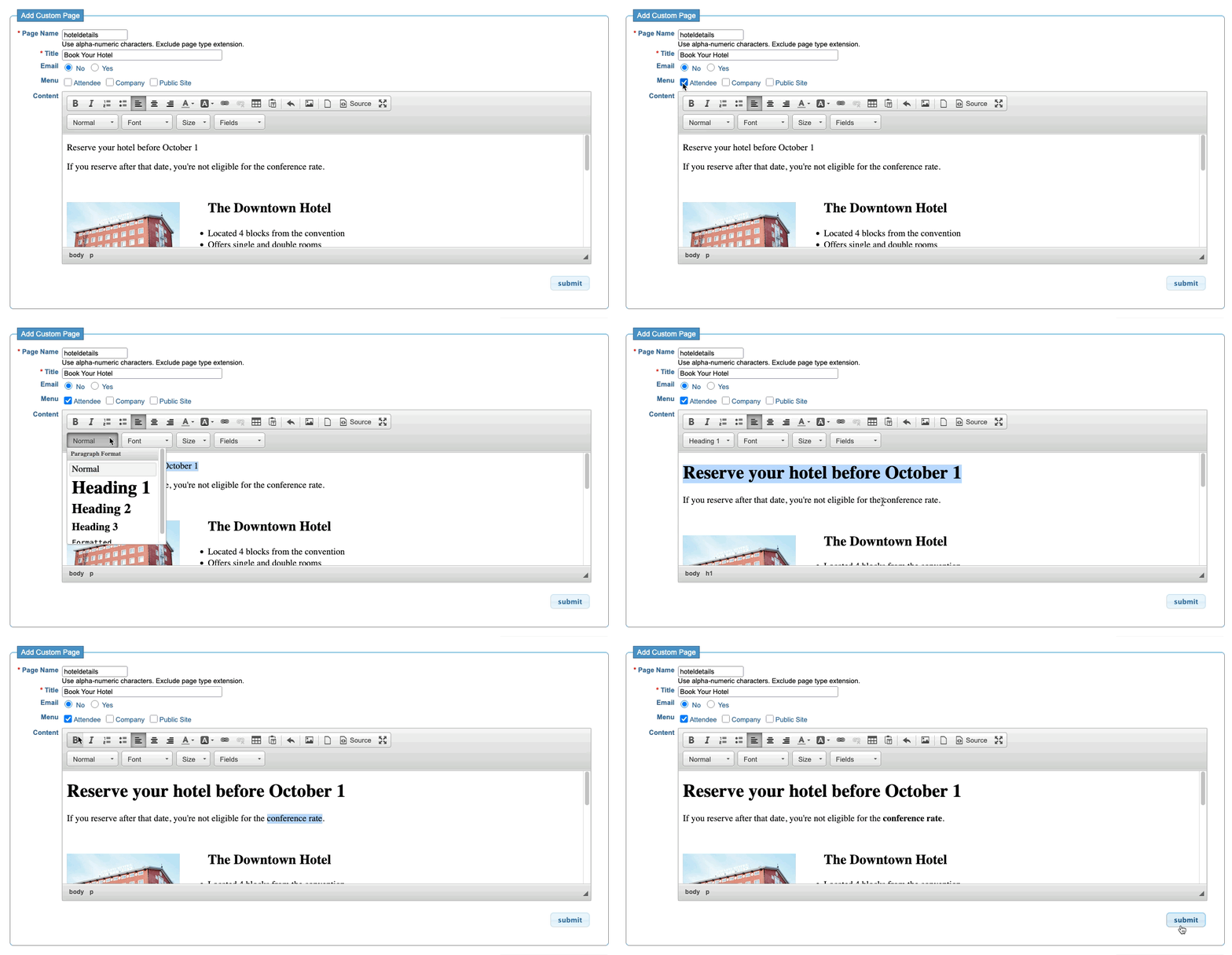
Our custom content editor lets you add images and links to each hotel’s reservations page.
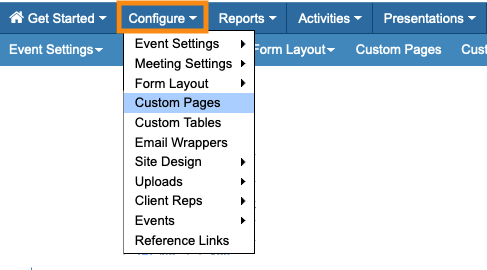
As your event progresses, you might want to update this page. You can head back to Custom Pages any time:
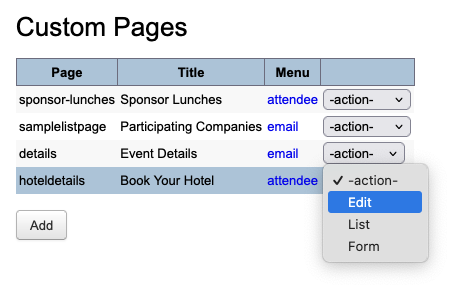
Use the menu to open your page for editing:
Updating the participant menus
Once you’ve created the page, it automatically appears in the menus you’ve chosen. You might want to use the Menu Editor to make a couple of changes:
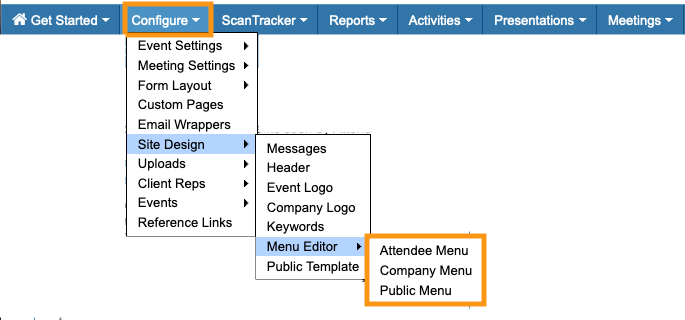
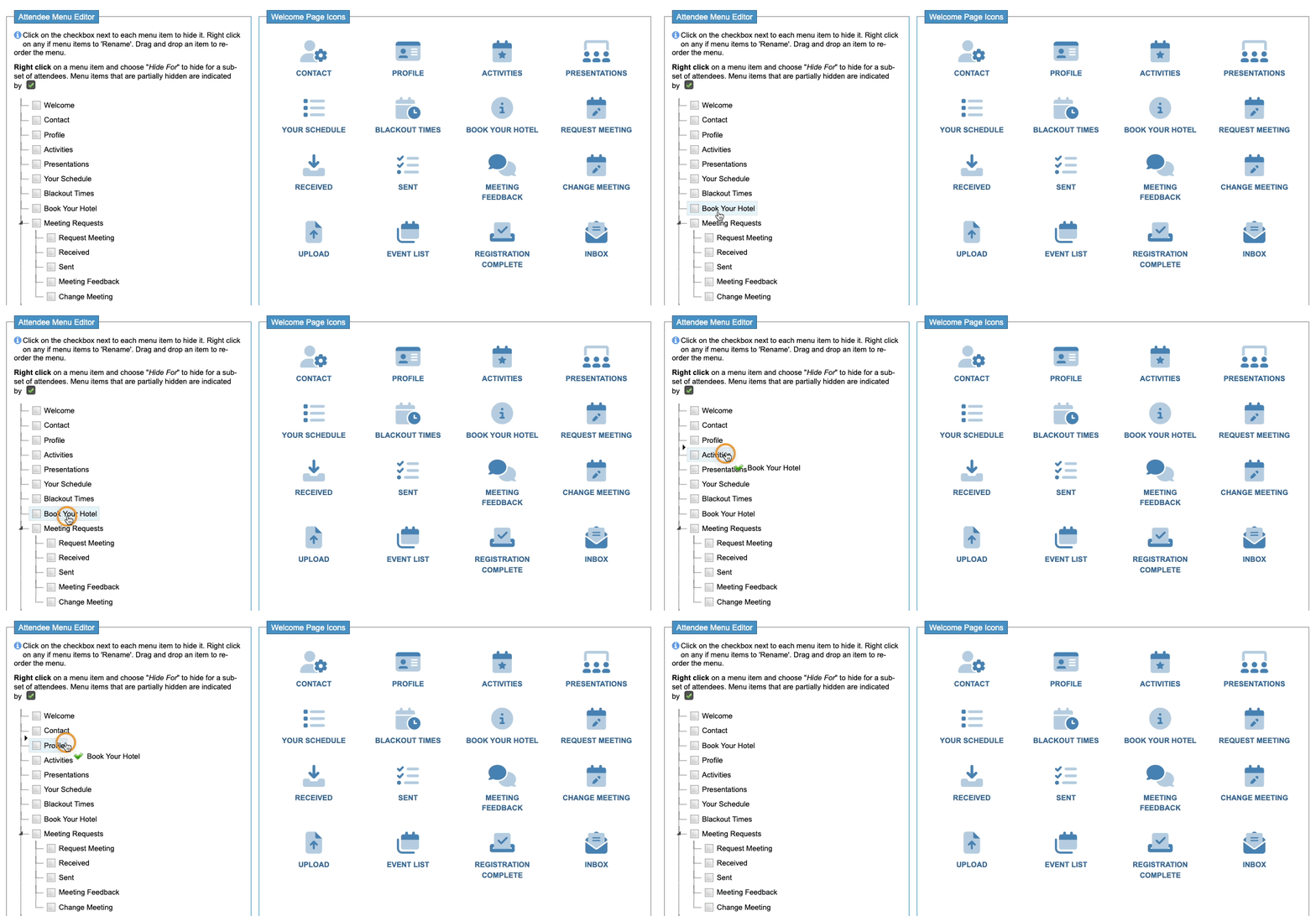
First, you can click and drag your new page to another part of the menu:
| If you only need certain groups of participants to see your hotel page, you can customize how it displays. |
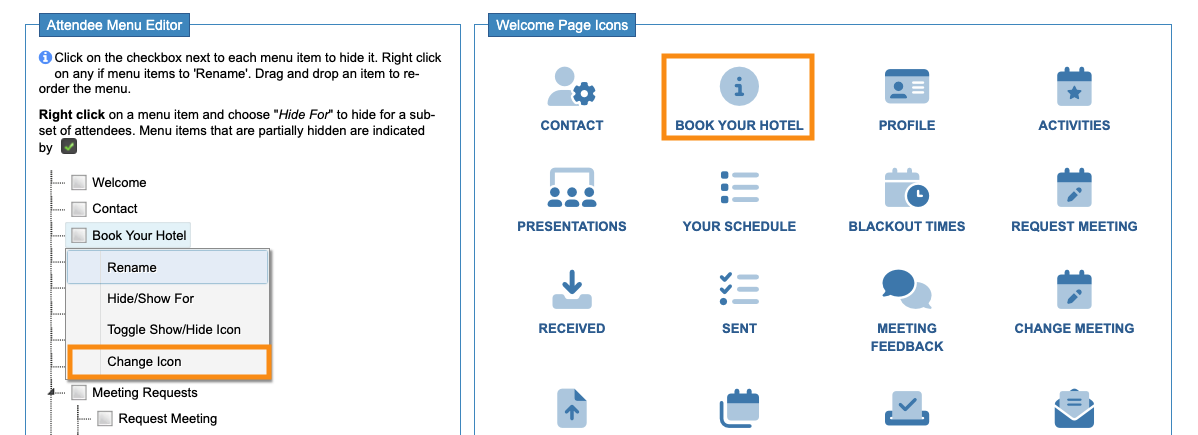
Your new page will display the default icon, as shown below.
In the left column, right-click on the page name. That lets you change the icon:
Sending reminder emails
You might need to email your participants and remind them to book their hotels. You can also use the Custom Pages feature to create custom batch emails.

