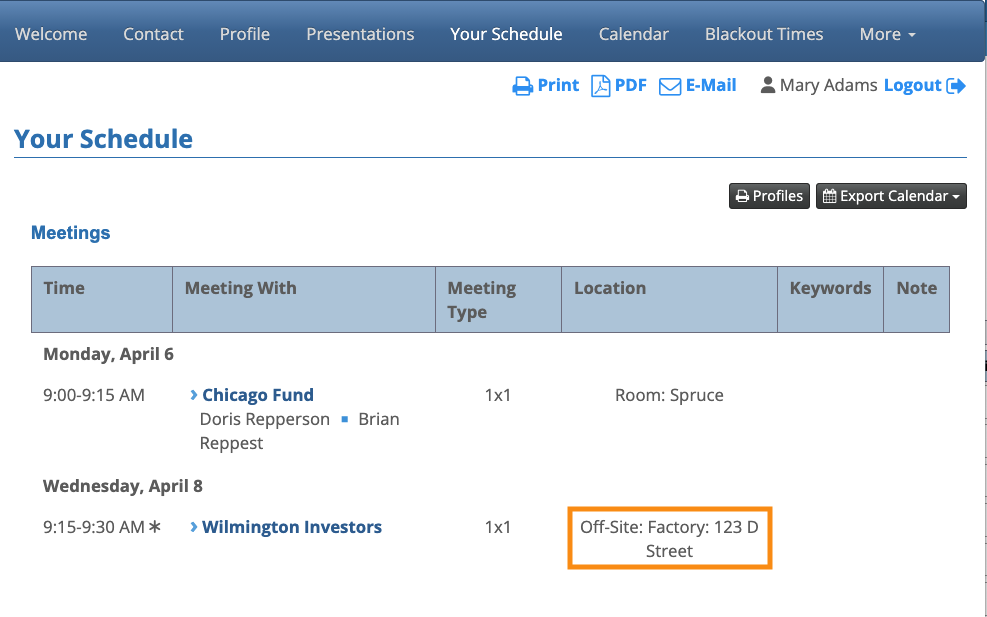
How do I represent meetings that are off-site?

Some events have 1x1 meetings at locations outside the event venue. You can still represent these meetings in MeetMax, and include them on participant schedules.
- Step 1. First, create a location in MeetMax for the off-site meetings.
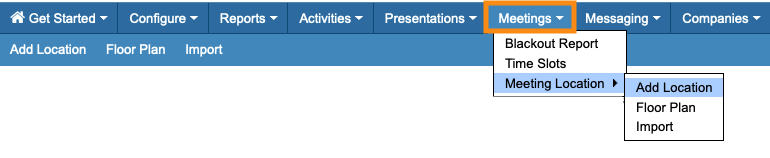
- Head to the Meetings tab. Choose Meeting Location, then Add Location:
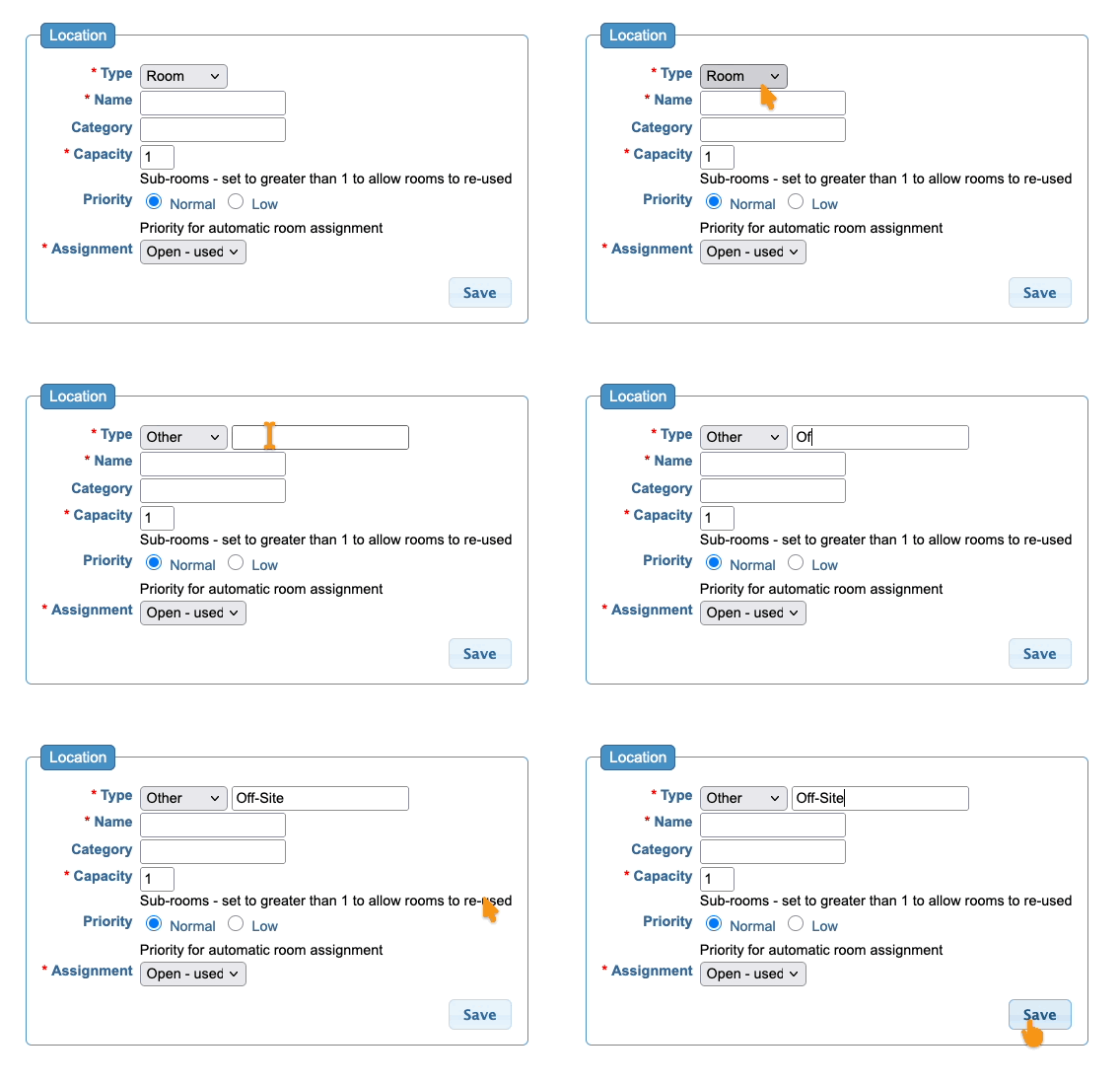
- Step 2. In the Add Location form, we recommend creating a new location Type as shown below. That helps highlight off-site meetings on schedules:
- Give this Type any label that makes sense for your event:
- Step 3. In the Name field, add the name and address of the location. That makes it easy for participants to get to the meeting.
- Step 4. The Capacity field sets the number of concurrent meetings that can happen in this location. If you only want one meeting at a time, leave this set to 1:
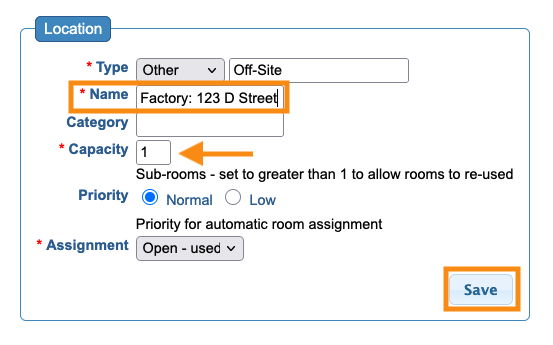
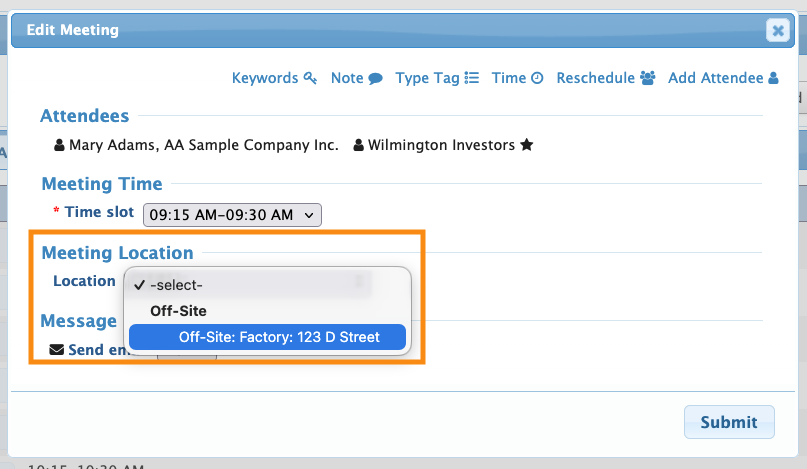
- Once you save this location, you can schedule meetings into it as usual:
- On participant schedules, the location looks something like this: