

In this article:
- Ways Sponsors can participate
- Sponsor logos
- Registration for Sponsors
- Payments (optional)
- Sponsor details page
- Sponsors hosting presentations or activities
- Sponsors in 1x1 meetings
Ways Sponsors can participate
There are many different options for sponsor participation via MeetMax. Here are some common examples:
- Sponsors pay a fee to have their logos visible on your MeetMax event website.
- Sponsors pay to be listed with their details and contact information on a Sponsor page.
- Sponsors choose from different levels of sponsorship.
- Sponsors pay for exhibit space at your event, or rent A/V equipment.
- Sponsors host a part of your event, like a presentation or activity.
- Sponsors participate in 1x1 meetings.
- Some events use the name “Sponsors” for all participating Companies.
| Every event is different. For all of the options you see below, reach out to our Support team. They’ll help you set things up. | |
| As always, the Menu Editor lets you control which features Sponsors can access in their MeetMax accounts. |
Sponsor logos
For many events, sponsors pay a fee to display their logos (or other graphics) on your event’s MeetMax website.
Our Support team will help you with this display. Once they register in MeetMax, sponsors can upload the logos themselves. Alternatively, you can deliver the logos to our Support team via email.
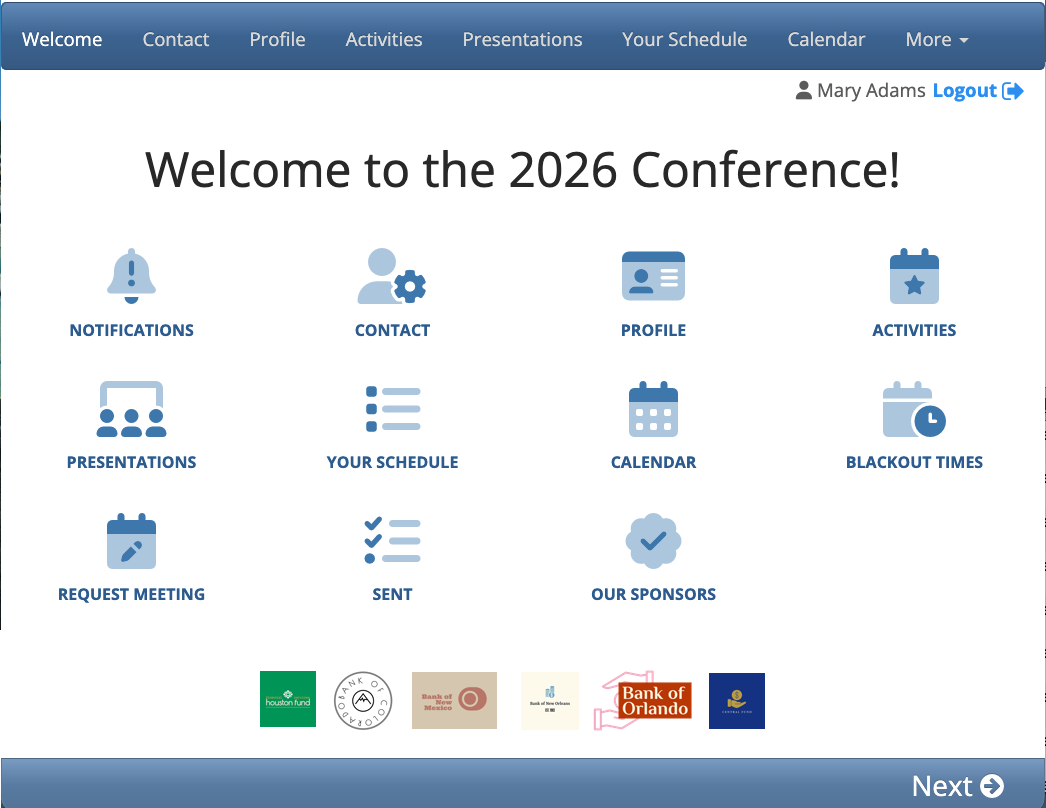
| MeetMax pages are always branded for your event, and contain the menu options you’ve enabled. |
Image specs for Sponsor logos
- MeetMax accepts JPG or PNG image files.
- Logo files should be under 100KB. MeetMax automatically scales logos to fit the pages where they’re visible.
- MeetMax will convert logo images to 72dpi for screen display.
Registration for Sponsors
It’s optional to have Sponsors register for your event - they might just pay for marketing placement on your conference pages instead.
If Sponsors will attend your event, they’d register with the Company user role. They’ll appear on your event’s Company List:

You can always set up an internal group to organize Sponsors separately from other registered Companies. That way you can:
- Customize Sponsor access to event programming.
- Direct MeetMax communications to Sponsors.
Payment (optional)
As another option, you can also collect Sponsors’ payments through MeetMax. That can take any form you need. Here are some common examples:
- Create a registration package for Sponsors, including a set number of admission tickets.
- Create registration levels with different prices, and let Sponsors choose one as they register.
- Create a custom form for renting exhibit space or equipment.
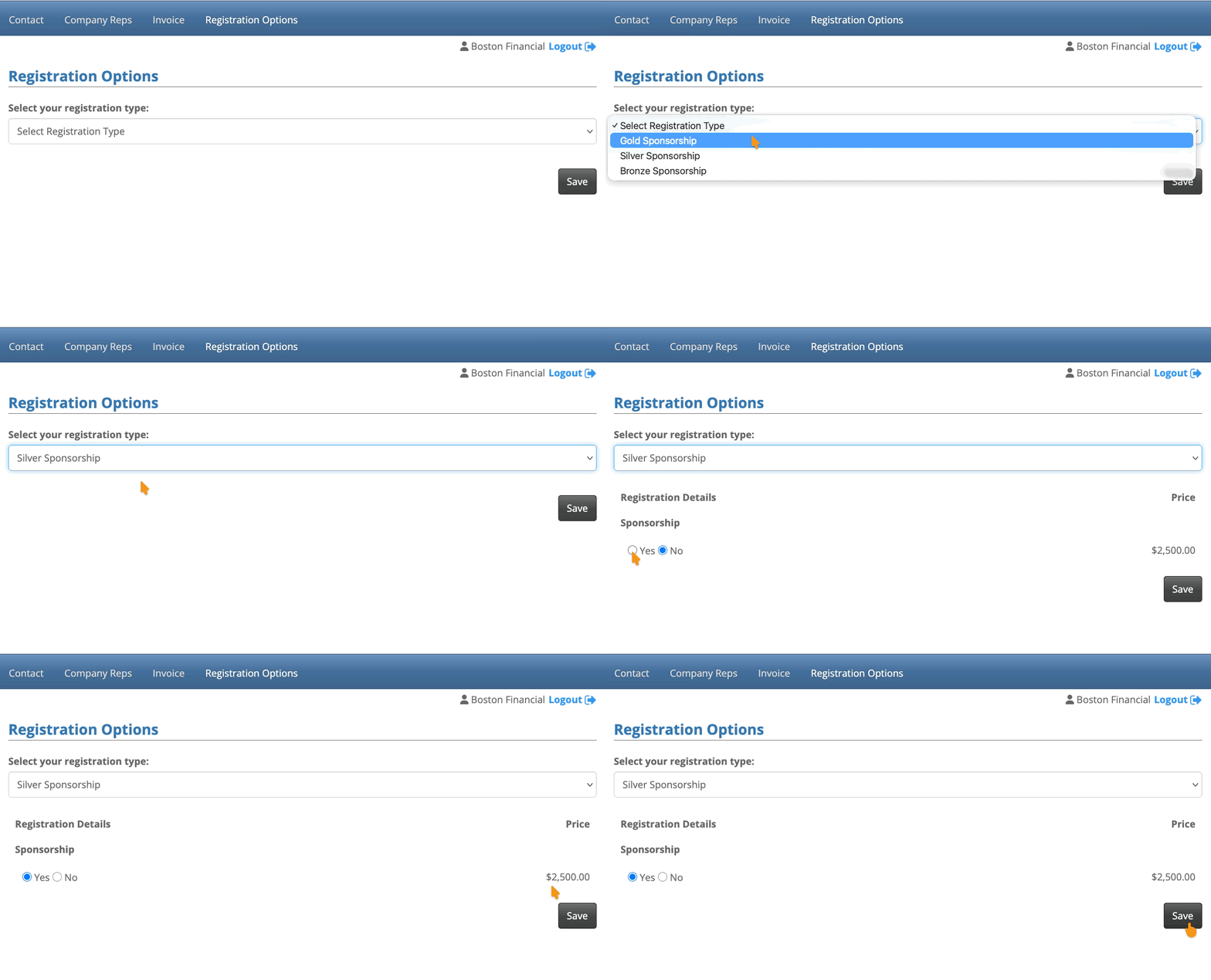
Our Support team will help you set up payments for your event.
Sponsor details page
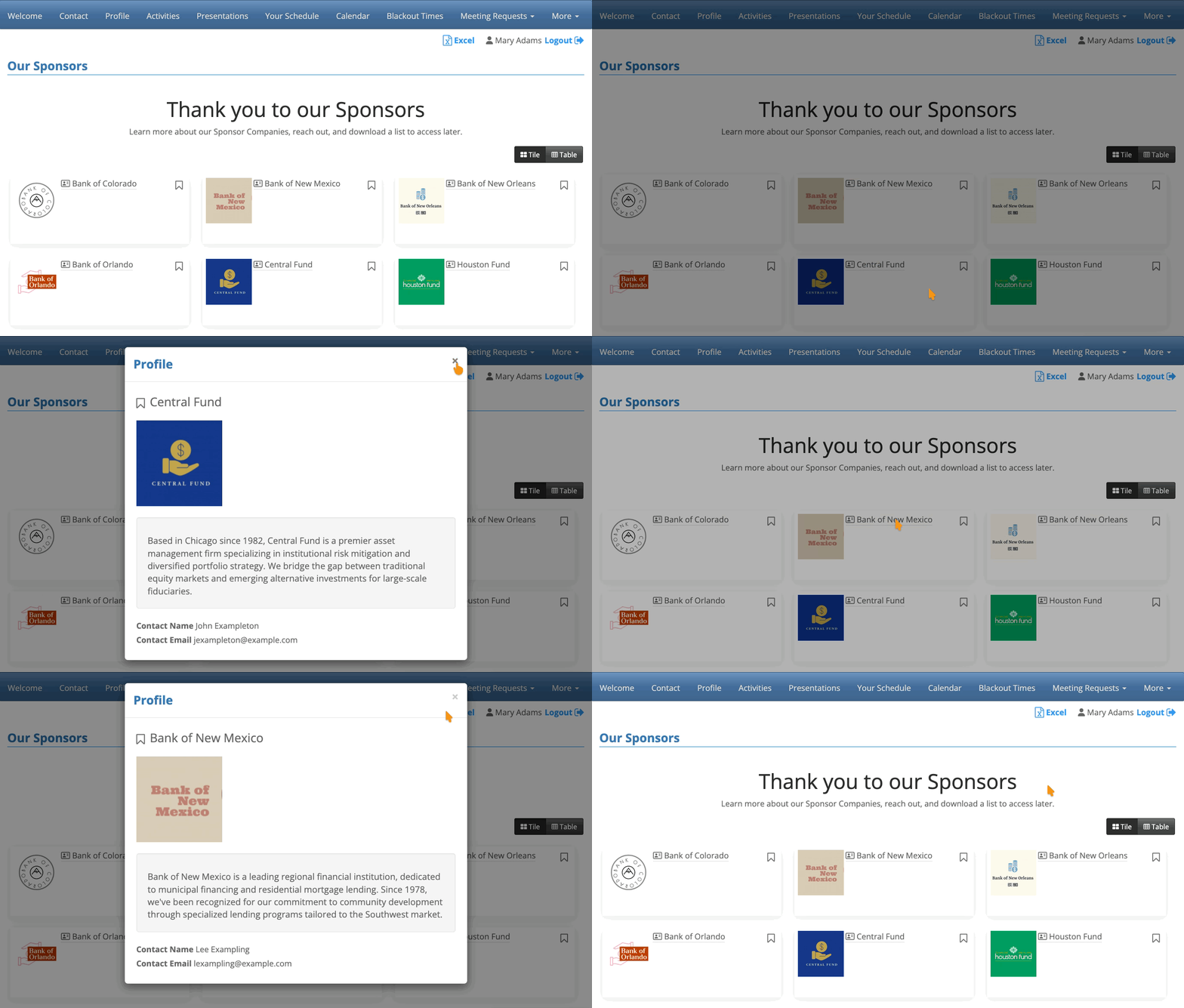
If your event has a number of Sponsors, you might want to create a separate web page where they’re all listed, with contact and profile details.
You can use MeetMax’s Custom List feature to build a customized display. You can even allow your attendees to download a copy.
In the example below, an Attendee can click on any Sponsor’s name to open their profile details.
Sponsors hosting presentations or activities
Once a Sponsor is registered for your event, you’ll be able to:
- Add a Presentation for them, and add any number of their representatives as Presenters.
- Add a pop-up description to the presentation, to highlight the Sponsor.
Sponsors can also have involvement in Activities at your event. You can:
- Create an Activity, and add a pop-up description to highlight the hosting Sponsor.
- Set up invitation-only activities for Sponsors.
Sponsors in 1x1 meetings
At some events, Sponsors have 1x1 meetings with Attendees.
When a Sponsor is registered for your event, they’re set up to receive meeting requests. You’ll schedule meetings for the Sponsor, and they’ll be able to log into MeetMax and see their meeting schedule.
You can also:
- Set a meeting limit for any Sponsor.
- Reserve a meeting location for a Sponsor’s meetings.
- Opt specific Sponsors out of meetings.

